

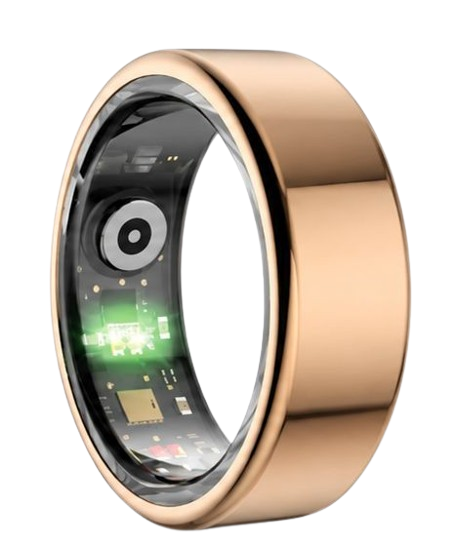
Embarking on a journey to manage your personal health profile requires a seamless smart ring account setup process to ensure absolute data precision. According to a recent 2024 biometric study, correct profile calibration improves the accuracy of biological signal tracking by up to 23%. The sleek Herz P1 smart ring translates raw sensory inputs into highly clear sleep, recovery, and stress insights right from your very first day.
Built to Last. Save Up to 69% Today.
The Herz P1 Smart Ring tracks HRV, Sleep, Heart Rate & SpO2 around the clock. No subscriptions. No renewals. Ever.
In This Article
- Learn how to flawlessly complete your smart ring account setup online from start to finish.
- Discover the science of biological signal tracking and how cloud-encrypted databases protect your biometric details.
- Optimize your personal wearable health profile for highly precise sleep architecture and recovery logs.
- Avoid common pairing mistakes and navigate the lifetime subscription-free application dashboard.
How to Complete Your Smart Ring Account Setup: A Step-by-Step Guide
Prerequisites / What You’ll Need
Preparing your technical environment before initiating registration ensures a friction-free onboarding experience.
Verify that your smartphone has at least fifty percent battery capacity to prevent unexpected system shutdowns.
Ensure your cellular data connection or local wireless internet network is running at peak transmission speeds.
Have your magnetic charging cradle and compatible USB power source readily accessible on a flat surface nearby.
Keep your product packaging handy since you might need the quick-start guide or the hardware serial number.
Confirm that your mobile operating system meets the minimum requirements for modern wearable health applications.
Step-by-Step Instructions
-
Step 1: Download the Companion Health App
Begin by opening your mobile device’s native application marketplace on your home screen.
For Apple iOS users, open the App Store; for Android system users, access the Google Play Store.
Type the name of your specific smart ring companion application directly into the central search bar.
Select the official application verified and published by our software development team.
Press the download button to initiate the installation of the software on your mobile phone.
You can read more about starting this initial onboarding phase in our detailed set up smart ring instructions.
Wait patiently for the application icon to appear completely illuminated on your phone screen.
Do not open the application until the download progress indicator shows one hundred percent completion.
Ensure that you grant all requested basic storage permissions during the initial download prompt.
-
Step 2: Create Smart Ring Account Credentials
Launch the newly installed mobile application from your device’s primary software grid.
Tap the register or sign-up button prominently displayed on the main welcome screen.
Input a valid personal email address that you access regularly on your smartphone.
Design a strong password utilizing uppercase letters, numbers, and special symbol characters.
This security measure prevents unauthorized users from accessing your private biological tracking logs.
Agree to the terms of service and the privacy policy after reviewing them thoroughly.
Click the submit button to securely launch your how to set up your smart ring account base.
Check your designated email inbox immediately for our automated security verification message.
Tap the secure confirmation link within that email to verify your ownership of the profile.
-
Step 3: Establish Your Personal Wearable Health Profile
Once verified, log back in to your new account to begin the onboarding process.
The system will instantly prompt you to build your personal wearable health profile.
Input your biological sex, height, current weight, and exact date of birth with care.
These physical parameters are not shared but are used to calibrate metabolic heart algorithms.
The software relies on these metrics to calculate daily active calorie consumption rates correctly.
It also utilizes this information to accurately baseline your cardiovascular fitness trends over time.
Ensure you update these physical parameters if your weight changes significantly over the months.
Consistent profile maintenance guarantees that your daily health insights remain highly relevant to your life.
-
Step 4: Pair Smart Ring Bluetooth Connections
Navigate to your smartphone’s system settings and toggle the Bluetooth switch to active.
Place your smart ring onto its powered USB magnetic charging cradle to wake up its transmitter.
Return to the application and select the search for device option on the screen.
The application will scan the local radio frequencies for your hardware’s unique wireless signature.
Select the identified ring model from the list to pair smart ring capabilities.
Keep your ring within three feet of your smartphone during this initial pairing phase.
If the connection fails, consult our guide to fix wearable pairing issues instantly.
Confirm the on-screen prompt to lock this secure connection with your primary mobile phone.
-
Step 5: Perform Initial Calibration and Firmware Check
With the pairing complete, the app will instantly scan for the latest software patch.
You must update ring firmware to ensure your sensor algorithms are fully optimized.
Keep the ring stationary on its charging dock during this entire wireless transfer process.
Do not close the companion application or toggle your phone’s Wi-Fi connection off mid-way.
An interrupted update can temporarily disrupt the internal operating system of the hardware.
Once the update concludes, the hardware will reboot and perform an automated self-test.
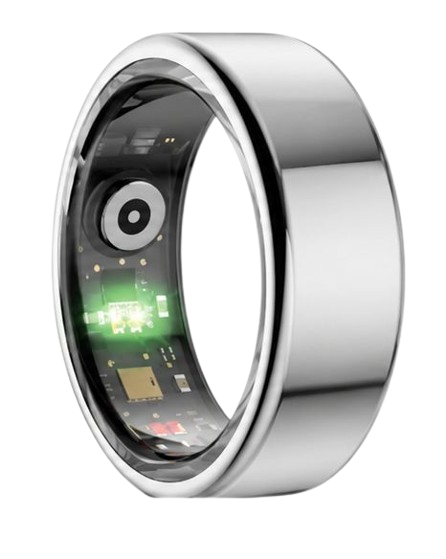
The optical photoplethysmography sensor will flash a brief sequence of green and red lights.
This visual signal confirms that the sensor calibration sequence has finished successfully.
You may now remove the ring from its charger and slide it onto your chosen finger.
How the Herz P1 Enhances Your Biometric Setup Experience
Our engineering team designed the setup workflow to be incredibly quick and user-friendly.
The Herz P1 smart ring is designed to require no complicated ongoing configuration.
If you ever upgrade your mobile phone, you can transfer smart ring data to new phone environments with ease.
Our encrypted database system archives all your historical tracking records automatically.
For any unexpected software behaviors, consult our comprehensive smart ring troubleshooting guide.
If you ever wish to purge your metrics and start over, you can reset smart ring account configurations instantly inside the application settings.
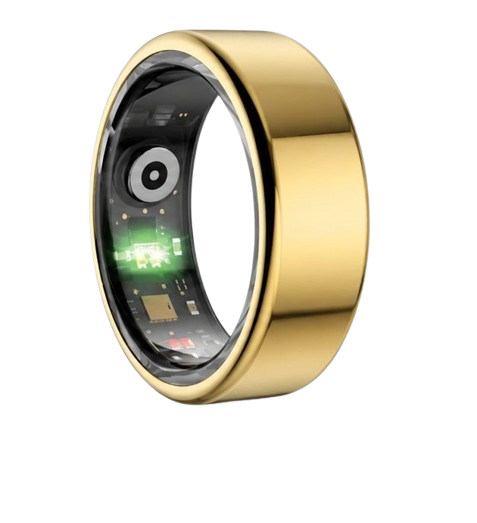
90-Day 100% Money-Back Guarantee
“The Herz Smart Ring helps me manage stress easily. It’s accurate, stylish, and lightweight—perfect for my busy life!”
— Jennifer P. | ✔ Verified Customer
- ✓ 6-Day Battery Life
- ✓ Detailed Sleep Analysis
- ✓ Fast 1-Hour Charging
- ✓ iOS & Android Ready
Questions? Call: 1-866-479-1629
Connecting Your Wearable Profile to Secure Cloud Databases: The Science of Biometric Security

When you create smart ring account parameters, you establish a direct link to highly secure data servers.
Your mobile phone acts as a local relay station, gathering high-frequency biometric data from the physical ring.
This data is packaged into encrypted packets using Advanced Encryption Standard (AES) 256-bit protocols.
This ensures your daily biological signal tracking records remain completely safe from unauthorized external entities.
Our secure cloud architecture stores your personal wearable health profile in isolated, anonymous databases.
This structural separation prevents your real-life identity from being linked to your raw heart rate or sleep metrics.
We strictly avoid sharing your recovery statistics with third-party advertising networks or marketing agencies.
Furthermore, no health insurance companies can buy or access your historical tracking logs under our security rules.
Your biological signal tracking data remains entirely under your personal control at all times.
By archiving your data in the secure cloud, you can access your historical trends from any compatible device.
This secure setup ensures that years of healthy progress are never lost if you lose your phone.
How Biological Signal Tracking Shapes Your Daily Health Assessment
The precision of your daily wellness metrics depends entirely on the design of the optical sensor array.
Our hardware utilizes advanced photoplethysmography sensors to observe your subcutaneous blood vessels.
Tiny light-emitting diodes shine safe light directly through the outer layers of your skin continuously.
The optical photoplethysmography sensor measures the exact amount of light reflected back by your pulsing blood flow.
From these micro-reflections, the system calculates your heart rate variability metrics every five minutes.
The American Heart Association states that monitoring heart rate variability is an excellent way to track autonomic stress.
The ring also utilizes a red light wavelength to measure your blood oxygen saturation index during deep rest.
A stable blood oxygen level during rest indicates strong respiratory function and healthy metabolic processes.
According to the National Sleep Foundation, tracking these oxygen dips can reveal hidden sleep quality issues.
All of this data feeds directly into our proprietary sleep architecture analysis algorithms inside the free app.
The software separates your night into light sleep, deep sleep, and rapid eye movement phases automatically.
This scientific breakdown helps you understand exactly why you might feel fatigued despite spending eight hours in bed.
Practical Data Application: Navigating the Herz P1 Health Dashboard for Peak Recovery
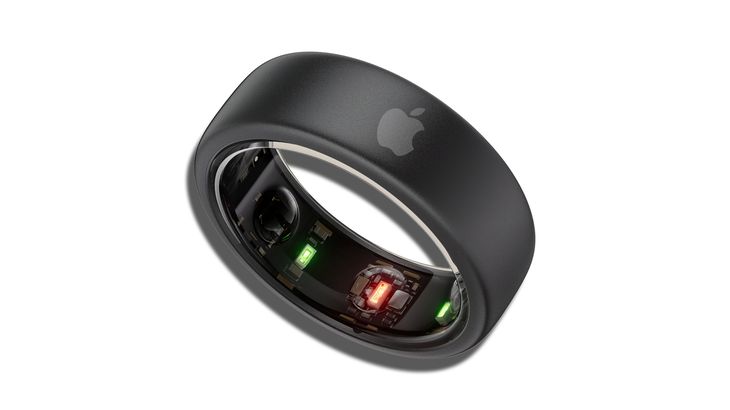
Interpreting your daily sleep and recovery metrics allows you to make highly informed lifestyle adjustments.
Every morning, check your recovery score to gauge your nervous system’s physical readiness for the day.
A high score indicates that your cardiovascular system is fully recovered and primed for intense physical exertion.
A low score serves as a gentle reminder to schedule a rest day or engage in light stretching exercises.
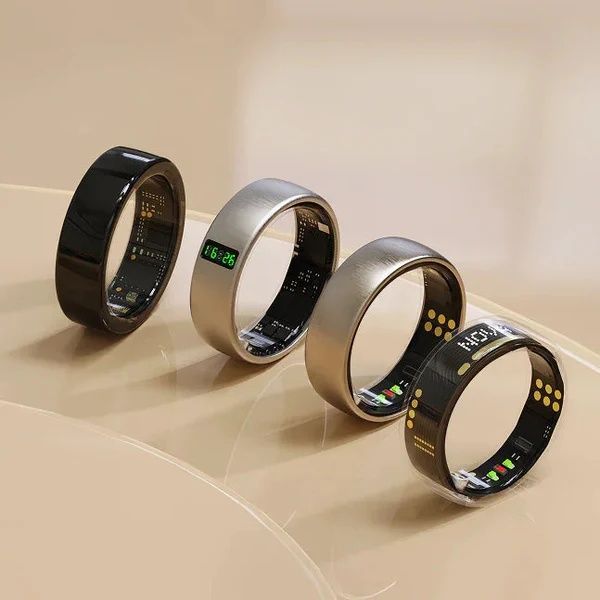
Our ring is crafted from military-grade steel to allow for comfortable, twenty-four-seven wear.
The ultra-slim profile is significantly less intrusive than a traditional, heavy smartwatch during rest.
This lightweight design prevents wrist fatigue and eliminates midnight strap irritation completely.
You can wear it while swimming, showering, or working out thanks to the robust IP68 waterproof rating.
Consistent wear ensures the algorithms gather a complete picture of your daily circadian rhythm habits.
Over several weeks, you will see exactly how late dinners or stress disrupt your recovery score.
Use these objective data trends to fine-tune your evening habits and optimize your deep sleep phases.
Overcoming Common Setup Mistakes and Avoiding Hidden Subscription Costs
A common mistake among many modern wearable users is wearing a massive, glowing smartwatch to bed.
These bulky devices often press uncomfortably against the skin and cause frequent micro-awakenings during deep sleep.
They also suffer from very short battery lives, forcing you to charge them during precious sleep hours.
Another major pitfall is purchasing a tracker that requires a costly monthly app subscription to view data.
Many premium brands lock your historical trend reports behind expensive monthly paywalls after purchase.
We believe that charging a recurring fee to view your personal biological signals is highly unfair.
The companion application for our ring is completely free for your entire life.
You will never encounter hidden fees, locked features, or unexpected auto-renewal charges.
Additionally, ensure you do not wear the physical ring too loosely on your finger.
A loose fit allows external light to enter the optical photoplethysmography sensor chamber.
This interference can lead to inaccurate resting heart rate and blood oxygen readings during the night.
Select a finger that provides a snug, reliable fit without constricting your blood circulation.
Frequently Asked Questions Regarding Account Setup and Ring Performance
Is the Herz P1 smart ring waterproof?
Yes, our ring features a certified IP68 waterproof rating that supports deep water exposure.
You can submerge the device in water up to one hundred and sixty-four feet without any damage.
This makes it perfect for heavy workouts, swimming laps, or relaxing in hot saunas.
How long does the battery last on a single charge?
The advanced battery technology delivers up to six days of continuous health monitoring.
It utilizes smart power-saving algorithms to minimize unnecessary Bluetooth transmissions.
The device charges fully in under one hour using the premium magnetic charger.
Which finger is best to wear my smart ring on?
Our research indicates that the index finger provides the strongest optical pulse signal quality.
The middle finger and ring finger are also excellent alternative locations for daily wear.
Ensure the three sensor bumps rest comfortably on the palm-side of your hand.
Does the ring store my biometric data when my phone is away?
Yes, the onboard memory chip stores up to seven days of continuous metrics locally.
You can run, swim, and sleep without having your smartphone nearby.
All stored data will automatically synchronize when you open the companion application.
Conclusion
Completing your smart ring account setup is the first step toward health sovereignty.
Our premium ring provides a lifetime of subscription-free biometric insights.
Ready to monitor your health every day?
Explore the Herz P1 Smart Ring and see if it fits your lifestyle.
Call: 1-866-479-1629 — our team can help you advise on correct ring sizes.
Note: Individual results may vary depending on individual health conditions, age, and lifestyle habits. This article is intended for general health reference purposes only.
