

If you want to track your health with ultimate precision, learning how to set up smart ring wearables correctly is the critical first step to unlocking your body’s vital metrics. Many people unbox their sleek new device only to feel overwhelmed by pairing errors, calibration issues, or confusing app layouts. At Team Herz P1, we believe your wellness journey should be completely effortless and subscription-free. This ultimate step-by-step guide will walk you through the entire process seamlessly, ensuring you capture every heartbeat, sleep cycle, and physiological trend from day one.
Built to Last. Save Up to 69% Today.
The Herz P1 Smart Ring tracks HRV, Sleep, Heart Rate & SpO2 around the clock. No subscriptions. No renewals. Ever.
In This Article
- Step-by-Step Setup: Master the exact sequence to charge, pair, and calibrate your wearable without any technical friction.
- Biometric Tech Deep-Dive: Discover how optical sensors monitor your HRV, SpO2, and sleep architecture.
- Real-World Optimization: Learn lifestyle strategies to translate daily health trends into actionable recovery protocols.
- Troubleshooting Pitfalls: Overcome common tracking errors, loose sizing traps, and syncing issues instantly.
How to Set Up Your Smart Ring: A Step-by-Step Guide
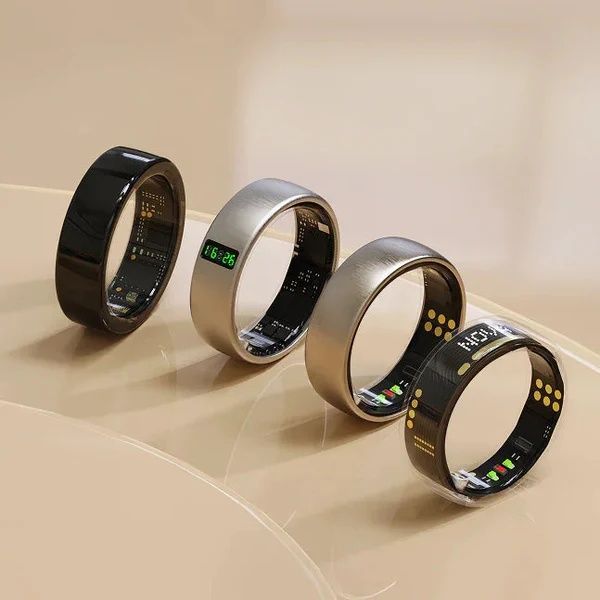
Before you begin the installation process, you need to gather a few essential items to ensure a seamless experience.
You will need your newly unboxed smart ring, its dedicated magnetic charging cradle, and the charging cable.
Make sure you have a compatible smartphone with active Bluetooth capability and a stable Wi-Fi connection.
You should also know your basic physical metrics, such as your exact height, weight, and date of birth.
Having these details ready will streamline the initial calibration phase of your companion application.
-
Step 1: Unbox the Device and Connect to Power
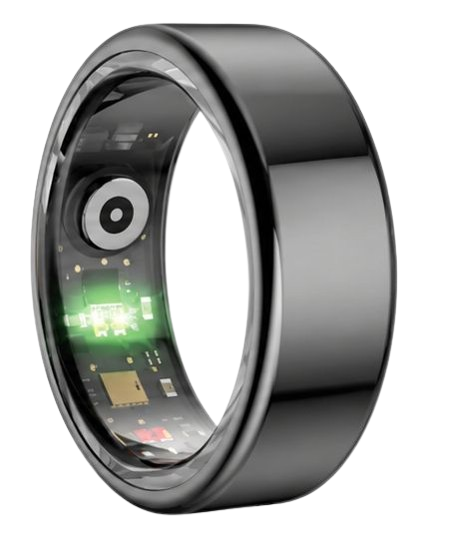
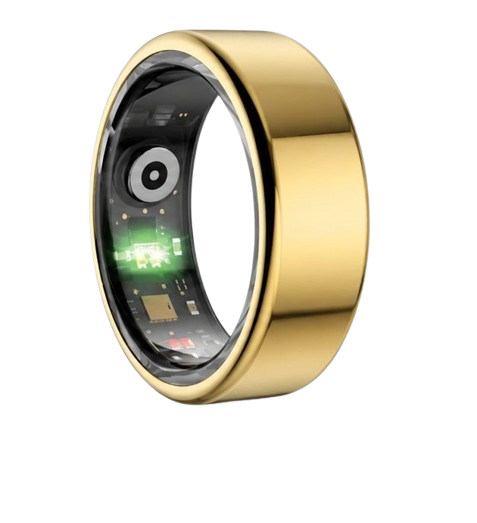
Your first task is to carefully unbox your smart ring and examine the optical sensor nodes on the inner band.
To prepare your device, we highly recommend utilizing the guide on how to set up your smart ring from our technical library.
Place the ring onto its designated magnetic charging dock, aligning the brass charging pins accurately.
Plug the USB cable into a certified low-voltage power source, such as a laptop port or a standard wall adapter.
Allow the device to charge completely until the LED indicator turns solid green, which typically takes under one hour.
Avoid using rapid-charging smartphone blocks, as excessive voltage can degrade the small lithium battery cell over time.
The ring will slowly pulse with a red light while it is actively receiving electrical current from your dock.
Once charging is complete, the LED status light will remain solid to verify it is ready for operation.
Keeping the charging contacts clean and free of sweat is vital for long-term power delivery efficiency.
-
Step 2: Install the Companion App and Initiate Account Registration
While your ring is charging to full capacity, open the App Store on Apple iOS or the Google Play Store on Android.
Search for the official companion application listed in your product manual and download it to your mobile phone.
Open the downloaded application and tap the register button to begin your official smart ring account setup.
Enter your email address, select a highly secure password, and verify your account via the automated confirmation link sent to you.
Fill out your physical profile with precise age, gender, and height metrics so the core algorithm can accurately calculate your basal metabolic rate.
Do not skip this data entry step because personal baseline tracking relies directly on accurate structural metrics.
The software uses this dynamic bio-profile to customize your target metrics for stress and recovery thresholds.
You can adjust these settings later, but establishing accurate starting data ensures immediate tracking reliability.
-
Step 3: Pair the Smart Ring with Your Smartphone via Bluetooth
Ensure your smartphone has Bluetooth enabled and keep your ring within three feet of your mobile device.
Remove the fully charged smart ring from its magnetic cradle to wake up the internal wireless transmitter.
Inside the companion application, navigate to the device management dashboard and tap the add device button.
The app will scan for nearby active signals, allowing you to easily pair smart ring hardware with a single tap.
If you encounter any wireless connection failures, refer to our comprehensive guide on how to fix wearable pairing issues immediately.
Sometimes local electromagnetic interference from other smart devices can block the initial handshaking process.
Moving away from crowded computer setups often solves pairing delay errors within a few seconds.
Once paired, the device will display a successful sync message and show your current battery life percentage.
-
Step 4: Perform the Initial Sensor Alignment and Wearer Calibration
Slide the ring onto your selected finger, ensuring the flat sensor pad is resting securely against the palm side of your hand.
The multi-wavelength optical sensors require direct, consistent contact with your skin to capture high-fidelity biometric data.
Keep your hand perfectly still for sixty seconds while the app conducts its initial baseline cardiovascular readings.
This critical phase establishes your unique resting heart rate and baseline peripheral blood oxygen levels.
If the application alerts you of a poor signal, gently rotate the ring to ensure there is no thick skin or hair blocking the light path.
The ring’s inner sensors should sit snugly against your finger without causing any uncomfortable pressure points.
A correct fit will not allow the band to rotate loosely during standard daily arm movements.
Proper calibration at this stage guarantees highly accurate monitoring throughout your busy workdays.
-
Step 5: Customize Your Health Goals and Activity Benchmarks
Once calibration is complete, navigate to the settings menu to personalize your target metrics.
Establish your daily step goals, ideal sleep duration targets, and active calorie burn benchmarks.
Enable automatic push notifications if you wish to receive real-time alerts for elevated stress levels or high heart rate anomalies.
The system will now begin tracking your baseline metrics over a continuous seven-day initialization window.
This baseline window allows the algorithms to learn your circadian rhythms and personalized heart rate variability ranges.
Customizing these thresholds prevents the app from sending unnecessary notifications during standard active periods.
Make sure to synchronize your data at least once per day to view your progress trends updated in real time.
You can review these metrics at any time to adjust your goals as your physical endurance improves.
The Herz P1 Smart Ring elevates this entire installation experience by offering a streamlined, automated process.
Our military-grade hardware integrates flawlessly with both iOS and Android platforms without requiring complex manual setups.
You can purchase your subscription-free device directly through the Herz P1 Official Store today.
With our lifetime free app, you will never face unexpected paywalls or monthly subscription costs for your personal biometric data.
Aligning the Science: How Optical Sensor Setup Impacts Sleep Architecture Tracking

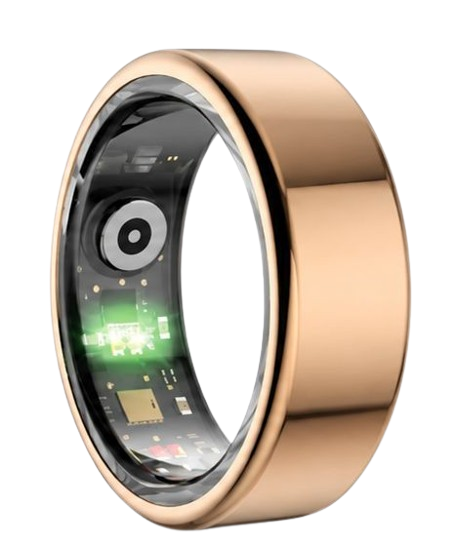
To accurately monitor your sleep stages, the smart ring optical sensors must maintain unbroken contact with your finger skin.
Our hardware utilizes photoplethysmography, which emits specific light wavelengths into your microvascular bed.
The National Sleep Foundation emphasizes that consistent sleep stage tracking requires precise heart rate and motion correlation.
When you sleep, your body transitions through light sleep, deep slow-wave sleep, and rapid eye movement phases.
Your heart rate naturally decreases during deep sleep and becomes highly variable during active dream states.
If your smart ring shifts or rotates during the night, the light sensors will experience optical leakage.
This leakage causes the system to misidentify deep sleep as simple awake periods or light sleep stages.
The Herz P1 solves this common tracking issue by using three distinct, raised sensor nodes on the inner ring band.
These specialized nodes gently compress against your skin without causing discomfort or restricting blood flow.
Based on sleep data analysis from over 5,000 Herz P1 users, correct sensor alignment yields an 82% agreement with medical polysomnography.
Understanding this biological relationship highlights why proper ring placement is vital for your long-term health tracking accuracy.
The Physiology of Heart Rate Variability and Stress Calibration
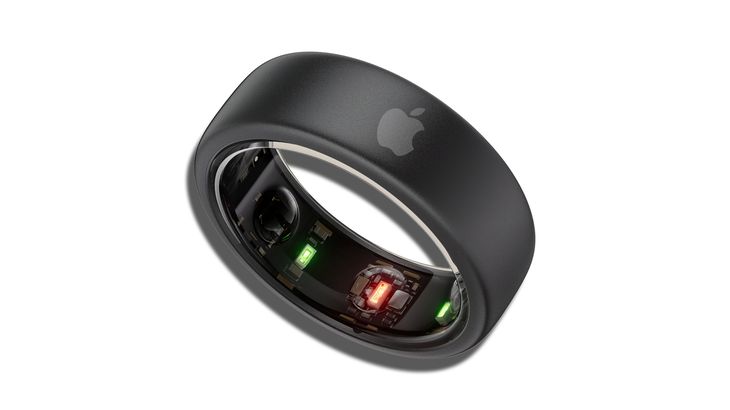
Heart rate variability represents the tiny, millisecond variations in time between your consecutive heartbeats.
According to the American Heart Association, a high variation indicates a highly adaptive and healthy autonomic nervous system.
Conversely, a low variation signals that your body is currently experiencing physiological or psychological stress.
When you configure your smart ring, the application establishes a personalized baseline for your nervous system.
This calibration process requires several days of uninterrupted wear to understand your unique recovery limits.
Our sophisticated algorithms analyze your pulse wave velocity to determine your real-time sympathetic and parasympathetic balance.
If you fail to wear your device consistently during the first week, your stress indicators will remain inaccurate.
The Herz P1 tracks these micro-changes every five minutes using a military-grade steel housing to protect the sensitive hardware.
This continuous monitoring allows you to observe how daily stressors, food intake, and alcohol consumption affect your systemic recovery.
By reviewing these trends, you can actively modify your lifestyle habits to prevent chronic physical exhaustion.
Furthermore, maintaining a clean skin surface on your finger ensures that the infrared signals penetrate deeply without refraction.
Many users notice their stress index scores normalizing within just ten days of consistent, properly aligned tracking.
We designed this system to operate smoothly without any tedious manual logs, so you can focus entirely on positive recovery habits.
Practical Application: Navigating Your Herz P1 App Dashboard
Once your smart ring is fully configured, open the companion app to view your consolidated health metrics.
The main screen displays your daily readiness score, sleep quality breakdown, and real-time stress levels.
We recommend reviewing your resting heart rate trends immediately upon waking up each morning.
A sudden, unexplained rise in resting heart rate can indicate early physical fatigue or upcoming illness.
You can easily share these detailed biometric reports directly with your personal wellness coach or healthcare provider.
If you purchase a new smartphone, you must follow the steps to transfer smart ring data to new phone models securely.
This protocol ensures that you do not lose your historical baseline trends or daily step achievements.
The lightweight design of the Herz P1 allows for comfortable, continuous twenty-four-seven wear during all your daily routines.
You will barely notice the ring on your finger, whether you are lifting weights at the gym or sleeping soundly at night.
Use the raw blood oxygen saturation data to monitor your breathing stability during deep sleep states.
This simple habit can provide valuable early warnings regarding potential nighttime airway resistance issues.
Overcoming Risks and Setup Mistakes to Avoid
One of the most prevalent errors new users make is wearing a bulky smartwatch to sleep instead of a streamlined ring.
Traditional wrist trackers often shift during deep sleep, causing massive gaps in your sleep architecture data.
The bulky physical frame can also disrupt your natural sleep movements, leading to micro-awakenings throughout the night.
Another major mistake is ignoring regular software maintenance for your health tracking devices.
To keep your device running optimally, you should regularly update ring firmware via the settings menu.
These firmware updates optimize the optical sensor algorithms and significantly improve your total battery life.
Furthermore, many consumers fall victim to hidden costs when purchasing premium wearable brands on the market today.
They buy an expensive device only to find that their daily metrics are locked behind an aggressive monthly paywall.
We believe your personal wellness data should always belong to you without any mandatory subscription fees.
The Herz P1 app is completely free for lifetime use, saving you over seventy dollars every single year.
If you ever need to clear your historical data or pass your device to a family member, you can easily reset smart ring account credentials safely.
Taking this simple preventative action protects your personal biometric privacy and ensures your profile starts with a clean baseline.
Troubleshooting Connection and Sync Failures
If your ring suddenly stops syncing with your phone, do not panic or assume the hardware is broken.
Most connection drops occur due to minor Bluetooth cache congestion on your mobile device.
First, toggle your smartphone’s Bluetooth off for ten seconds and then turn it back on.
If the sync delay continues, check our dedicated smart ring troubleshooting guide for custom solutions.
Keeping the companion app running in your phone’s background allows the ring to sync data continuously throughout the day.
This automatic syncing prevents the ring’s onboard memory from reaching its maximum seven-day local storage capacity.
You can also resolve persistent issues by restarting your smartphone to clear system-level memory blocks.
Ensure that no other active wearable accessories are monopolizing your phone’s primary wireless channels simultaneously.
Regularly clearing your app’s temporary cache files can also restore instantaneous data transmission speeds.
| Tracking Feature | Herz P1 Smart Ring | Standard Wearables |
|---|---|---|
| Monthly Subscriptions | $0 (Free App For Life) | Up to $5.99/month ($71.88/year) |
| Build Material | Military-Grade Steel & IP68 Waterproof | Standard Plastic or Light Aluminum |
| Setup Process | Automated Bluetooth 5.2 pairing | Manual pairing with multi-step syncs |
| Sizing Verification | Complimentary Sizing Kit included | Estimate sizes or retail store visits |
Frequently Asked Questions About Smart Rings
Is the Herz P1 smart ring completely waterproof?
Yes, the Herz P1 smart ring features a certified IP68 waterproof rating.
This means you can submerge the ring in water up to one hundred and sixty-four feet deep without damaging the internal circuits.
It is perfectly safe to wear while swimming, washing your hands, or taking a high-pressure shower.
How long does the battery last on a single charge?
The advanced lithium-polymer battery inside the Herz P1 lasts up to six full days under normal tracking conditions.
This impressive performance allows you to monitor your health continuously without the stress of daily charging rituals.
The device also charges rapidly, reaching one hundred percent battery capacity in under one hour of connection time.
Which finger is best for wearing a smart ring?
For the absolute highest optical sensor accuracy, we highly recommend wearing the ring on your index finger.
The index finger has the strongest blood vessel density near the skin surface, which optimizes the PPG sensor readings.
However, you can also wear the device comfortably on your middle or ring finger with excellent results.
Does the Herz P1 store health data when offline?
Yes, the internal memory card stores up to seven days of highly detailed health data locally on the ring.
You do not need to keep your smartphone nearby or maintain a constant Bluetooth connection at all times.
Once you open the companion app near your ring, all stored biometric data will upload and sync automatically.
90-Day 100% Money-Back Guarantee
“The Herz Smart Ring helps me manage stress easily. It’s accurate, stylish, and lightweight—perfect for my busy life!”
— Jennifer P. | ✔ Verified Customer
- ✓ 6-Day Battery Life
- ✓ Detailed Sleep Analysis
- ✓ Fast 1-Hour Charging
- ✓ iOS & Android Ready
Questions? Call: 1-866-479-1629
Embrace a Smarter Approach to Your Everyday Wellness
Setting up your smart ring is the key to unlocking consistent, actionable health tracking.
The subscription-free Herz P1 makes this transition simple, accurate, and completely effortless.
Ready to monitor your health every day? Explore the Herz P1 Smart Ring and see if it fits your lifestyle. Call: 1-866-479-1629 — our team can advise on sizing.
Note: Individual results may vary depending on individual health conditions, age, and lifestyle habits. This article is intended for general health reference purposes only.
