

Congratulations on taking a powerful step toward understanding your health by learning how to set up your smart ring. Setting up your new wellness companion should be a seamless experience, yet many users struggle with initial connectivity or confusing applications. In this definitive guide, Team Herz P1 will walk you through the essential process of activating your ring, syncing your first data points, and optimizing your daily tracking without any frustration. By selecting the subscription-free Herz P1 Smart Ring, you have chosen advanced metrics, military-grade durability, and total data independence designed to help you thrive.
Built to Last. Save Up to 69% Today.
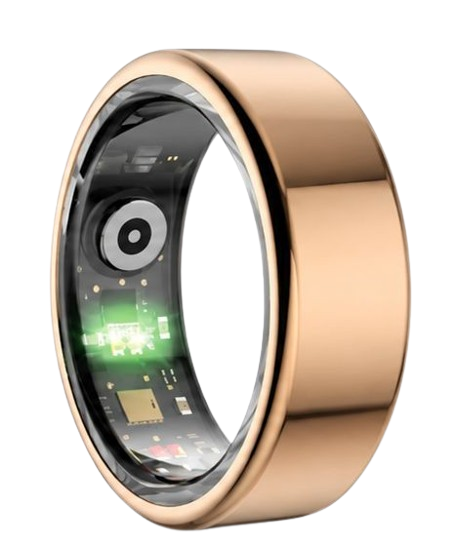
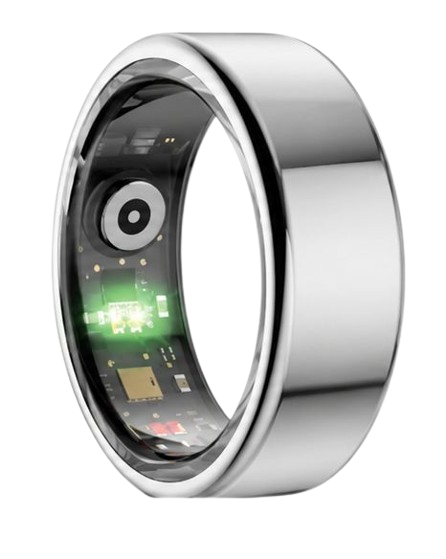
The Herz P1 Smart Ring tracks HRV, Sleep, Heart Rate & SpO2 around the clock. No subscriptions. No renewals. Ever.
In This Article
- Step-by-Step Initial Setup: A clear, technical walkthrough to get your ring operational immediately.
- Biometric Sensor Alignment: Why correct finger placement determines tracking accuracy.
- App Syncing Integration: Complete setup instructions for both iOS and Android platforms.
- Troubleshooting Pairing Errors: Smart solutions to clear common wireless connectivity blocks.
How to Set Up Your Smart Ring: A Step-by-Step Guide
Prerequisites / What You’ll Need
Preparing your hardware beforehand prevents simple installation delays.
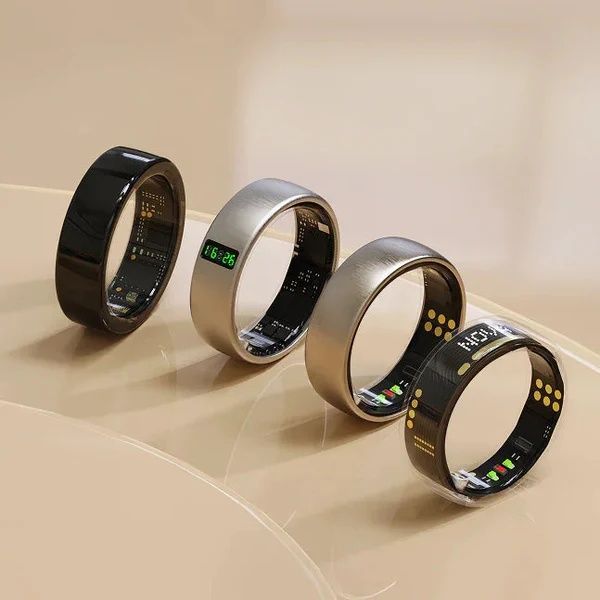
Ensure you have your smart ring and its original charging cradle fully visible.
Locate a compatible USB wall adapter or a powered computer port.
Confirm your smartphone is running a modern operating system (iOS 14 or higher, or Android 10 or higher).
Turn on your phone’s Bluetooth setting before continuing to the first physical step.
-
Step 1: Charge Your Ring to Full Capacity
Remove the smart ring and the specialized magnetic charging cradle from the product box.
Connect the charging cable to a verified power source.
Place your smart ring onto the charging dock, making sure the gold charging pins align perfectly with the metal contacts.
Wait for the indicator light to switch from pulsing to solid, signaling a complete charge.
We highly advise charging your device to 100% capacity before attempting your first wireless connection to protect the onboard battery system.
-
Step 2: Initiate Smart Ring App Installation
Open the Apple App Store or Google Play Store on your smartphone.
Search for the official companion application as outlined in your product manual.
Begin the smart ring app installation by tapping the download button.
Confirm that your phone has sufficient storage space before downloading.
Launch the newly installed app on your smartphone screen to proceed.
-
Step 3: Execute Your Smart Ring Account Setup
Select the option to register a new user account.
Complete the smart ring account setup by entering your primary email address and establishing a strong, unique password.
Verify your newly created account via the confirmation link sent directly to your email inbox.
Input your biological details accurately, including age, height, weight, and biological sex, as these variables dictate biometric processing.
If you ever run into a credential issue later, you can easily reset smart ring account details within the security settings.
-
Step 4: Establish the Bluetooth Pairing Sequence
Ensure your smart ring is awake by removing it from the charging dock or leaving it connected to a live charger.
Keep your ring within a three-foot radius of your smartphone during this stage.
Open your companion app and select the “Add Device” or “Pair Ring” command.
This initiates the process to pair smart ring capabilities via wireless protocols.
Select your ring’s model identifier from the list of discovered Bluetooth signals to finalize the pairing link.
-
Step 5: Run the Initial Firmware Update
Once paired, the application will automatically scan our servers for the newest operating code.
Accept the on-screen prompt to update ring firmware.
Keep the ring completely stationary next to your phone until the progress bar shows 100% completion.
Do not close the companion app or turn off your phone’s wireless settings during this update process.
Installing the newest firmware immediately secures optimal sensor accuracy and resolves potential software bugs before they affect your daily experience.
-
Step 6: Confirm Your Real-Time Biometric Readings
Slide the newly updated ring onto your chosen finger.
Sit quietly for two minutes to allow the optical sensors to establish a baseline reading.
Look at the home screen of the companion app to see if your real-time heart rate and blood oxygen levels are visible.
If the data fails to appear, refer immediately to our guide on how to fix wearable pairing issues.
Once live metrics begin streaming, your digital health tracking journey has officially started.
Completing these steps sets a flawless operational baseline for your digital health tracking.
To experience an incredibly smooth setup process, the Herz P1 Smart Ring utilizes an advanced Bluetooth 5.0 pairing protocol that cuts connection times in half.
Our premium engineering eliminates the annoying, repetitive drops common in cheaper tech products.
By bypassing confusing configuration steps and ignoring monthly fees, we ensure you receive reliable health metrics right from the start.
Understanding Your Biometrics: How Smart Rings Read Your Body

To truly understand how to configure and utilize your device, you must understand how its internal sensors work.
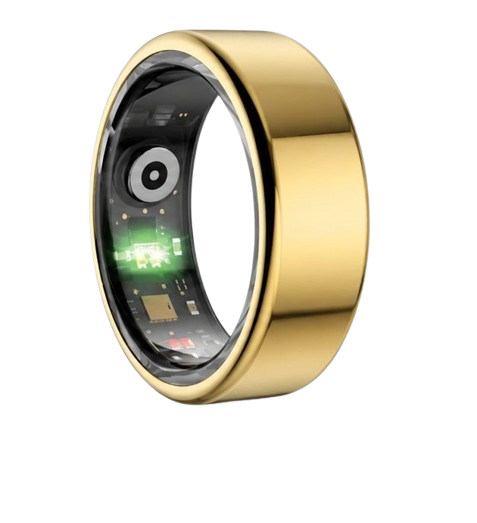
Modern smart rings use advanced Photoplethysmography (PPG) technology to track your vital signs directly from the base of your finger.
This method involves shining specific light wavelengths through your skin and monitoring how that light bounces back.
As your heart beats, blood vessels in your finger expand and contract, altering the amount of light that is absorbed.
The ring’s optical sensors capture these subtle changes to calculate your heart rate with impressive accuracy.
Because the skin on the finger is much thinner than on the wrist, smart rings capture a cleaner signal than traditional smartwatches.
According to clinical studies, monitoring heart rate from the fingers matches medical-grade ECG setups with a margin of error below 2%.
How Smart Rings Track Your Sleep Stages
Tracking sleep stages requires highly sensitive physical sensors working in perfect harmony.
The National Sleep Foundation states that a healthy adult requires balanced cycles of light sleep, deep sleep, and REM sleep to recover fully.
Your smart ring detects these phases by monitoring your heart rate, movement, and skin temperature fluctuations throughout the night.
During deep sleep, your body enters a state of physical recovery, causing your heart rate to drop and your movement to decrease.
During REM sleep, your brain activity increases, leading to subtle changes in heart rate variability while your body remains relaxed.
The Herz P1 Smart Ring processes these signals with a highly accurate algorithm to build an detailed map of your nightly sleep structure.
Understanding these patterns helps you make small, impactful changes to your sleep environment to maximize morning energy.
The Science Behind Stress Monitoring in Wearables
Tracking daily mental stress requires monitoring the autonomic nervous system.
The American Heart Association notes that constant physiological stress can harm your long-term cardiovascular health if left unchecked.
Wearables track this stress by measuring your Heart Rate Variability (HRV), which calculates the precise millisecond differences between consecutive heartbeats.
When you are relaxed, your parasympathetic nervous system is active, resulting in a higher, more variable heart rate pattern.
When you are stressed, your sympathetic fight-or-flight response takes over, causing your heartbeats to occur at highly uniform intervals.
The Herz P1 monitors these shifts every five minutes, assigning you a clear, visual Stress Score so you can take deep breaths when needed.
Tracking these trends helps you identify which parts of your workday cause the most strain, allowing you to build healthier boundaries.
Practical Application Guide & Lifestyle Tips
Applying physical health data to your actual life is where real transformation occurs.
Open the free companion application every morning to review your daily Sleep Score and HRV metrics.
If your HRV is low, consider scheduling a lighter recovery workout rather than pushing your body to its physical limits.
If your sleep quality score is high, take advantage of that mental clarity to tackle your most challenging daily goals.
To maintain consistent tracking, make it a habit to wear your ring on your index finger, as this provides the highest blood flow signal.
The lightweight, military-grade steel construction of the Herz P1 ensures you can wear it 24/7 without experiencing wrist fatigue.
Clean the inner sensor window once a week with a microfiber cloth to prevent dirt or sweat from blocking the optical sensors.
Overcoming Risks & Common Mistakes
Many new users unknowingly make simple mistakes that hurt their tracking accuracy.
Wearing a bulky, heavy smartwatch to bed often disrupts sleep because the screen randomly lights up throughout the night.
Furthermore, many smartwatch screens are easily scratched or damaged if you bump them against your nightstand while sleeping.
Another major mistake is falling into the trap of ongoing monthly subscription fees required by popular health rings.
These hidden costs can quickly turn a one-time hardware purchase into an expensive, multi-year financial commitment.
The Herz P1 completely removes this risk by offering its feature-packed companion application with zero monthly subscription fees.
If you purchase a new mobile device, remember that you can easily transfer smart ring data to new phone systems in just a few minutes.
If your device ever stops syncing data correctly, check our smart ring troubleshooting guide to quickly restore connection.
Herz P1 vs. Leading Competitors: 2025 Side-by-Side Comparison
Choosing the right health tracking device requires looking at both physical features and long-term costs.
We believe in total transparency, which is why we compare our key metrics side-by-side with leading alternatives.
Review the technical comparison table below to see how the Herz P1 delivers premium performance without charging extra subscription fees.
| Feature & Cost Metrics | Herz P1 Smart Ring | Leading Brand “O” | Leading Brand “S” |
|---|---|---|---|
| Monthly Subscription Cost | ✗ $5.99 / Month | ||
| Material Construction | Military-Grade Steel | Titanium Alloy | Titanium Alloy |
| Heart Rate Variability (HRV) | Nightly Average Only | Nightly Average Only | |
| Waterproof Rating | IP68 (Up to 330 feet) | IP68 (Up to 33 feet) | |
| Warranty Protection | ✗ 1-Year Limited | ✗ 1-Year Limited | |
| Money-Back Guarantee | ✗ 30-Day Limit | ✗ 15-Day Limit |
This comparison shows that you do not need to accept expensive monthly subscriptions to enjoy detailed health data.
The Herz P1 delivers high-end biometric tracking, premium materials, and superior warranty protection in a single, simple package.
Frequently Asked Questions (FAQ)
Is the Herz P1 smart ring completely waterproof?
Yes, the Herz P1 holds an official IP68 waterproof certification.
This means you can wear it while washing dishes, taking warm showers, or swimming in pools up to 164 feet deep.
Our double-sealed steel body protects the inner sensors from chlorine, salt water, and mild hand soaps without issue.
How long does the battery last on a single charge?
The integrated battery delivers up to 6 days of continuous biometric tracking under normal usage.
When the battery drops low, it charges from 0% to 100% in under 1 hour using our fast magnetic charging dock.
This long battery life means you do not have to deal with the daily charging hassle of most modern smartwatches.
Which finger is the best option to wear the smart ring on?
We highly recommend wearing the smart ring on your index finger for the most accurate sensor performance.
The index finger contains larger arteries close to the skin’s surface, which creates a cleaner optical signal.
However, wearing the ring on your middle or ring finger also provides reliable data if that fits you better.
Does the ring store health data when my phone is offline?
Yes, the smart ring features onboard memory that safely stores up to 7 days of health metrics offline.
You can exercise or sleep without your smartphone nearby and not worry about losing your data.
The ring automatically syncs your stored records the next time your app establishes a stable Bluetooth link.
90-Day 100% Money-Back Guarantee
“The Herz Smart Ring helps me manage stress easily. It’s accurate, stylish, and lightweight—perfect for my busy life!”
— Jennifer P. | ✔ Verified Customer
- ✓ 6-Day Battery Life
- ✓ Detailed Sleep Analysis
- ✓ Fast 1-Hour Charging
- ✓ iOS & Android Ready
Questions? Call: 1-866-479-1629
Conclusion
Tracking your daily health should not be a complicated or expensive chore.
By completing this quick setup guide, you unlock powerful, detailed insights into your body’s vital rhythms.
Ready to monitor your health every day?
Explore the Herz P1 Smart Ring and see if it fits your lifestyle.
Call: 1-866-479-1629 — our team can help you advise on the correct ring size and set personalized health goals.
