

When you choose to pair smart ring technology with your phone, you unlock a continuous stream of deep physiological intelligence. The premium Herz P1 Smart Ring offers a simple pairing process that connects clinical-grade optical sensors to your mobile device. If you have struggled with connection drops or complicated application configurations in the past, this comprehensive guide will resolve your challenges. We will walk you through the precise steps to establish a stable, secure wireless link for your biometric wearable.
Built to Last. Save Up to 69% Today.
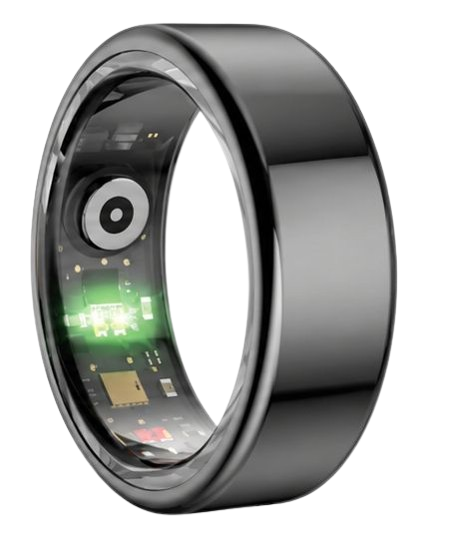
The Herz P1 Smart Ring tracks HRV, Sleep, Heart Rate & SpO2 around the clock. No subscriptions. No renewals. Ever.
In This Article
- Learn how to flawlessly establish smart ring bluetooth pairing across different operating systems.
- Discover the correct methods to set up smart ring bluetooth connections with minimal troubleshooting.
- Explore the science behind biometric sensor calibration and wireless database syncing.
- Identify common pairing errors and structural solutions for long-term health tracking.
How to Pair Smart Ring Bluetooth and Set Up Apps: A Step-by-Step Guide
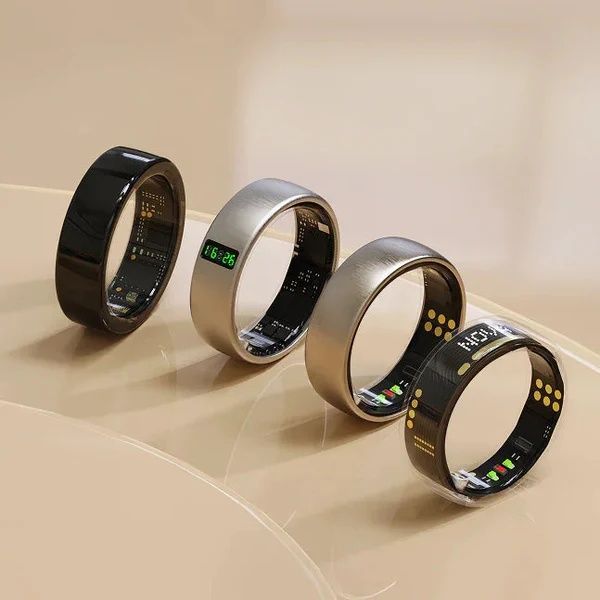
Before launching your configuration journey, you must gather all necessary components to ensure a seamless wireless synchronization process.
Ensure that your mobile phone is updated to its latest operating system to prevent compatibility errors.
Keep your smart ring charger connected to a reliable power source within three feet of your smartphone.
This physical proximity maximizes the radio frequency strength during the initial device discovery phase.
-
Step 1: Power the Hardware and Activate Mobile Bluetooth
Place your biometric wearable directly onto its dedicated charging cradle to wake the internal microcontroller.
A continuous light indicator on the dock confirms that the battery is receiving electrical current.
Open the settings menu on your smartphone and toggle the Bluetooth switch to the active state.
If you encounter charging difficulties during this initial boot phase, explore our detailed guide on smart ring charging dock troubleshooting to resolve the issue.
-
Step 2: Download the Companion Health Application
Navigate to either the Apple App Store or Google Play Store depending on your device platform.
Search for the official application associated with your smart ring model and initiate the installation.
Ensure you grant the software full permission to access Bluetooth services when prompted during the initial launch.
For a detailed analysis of application requirements before installing, read our complete guide on how to set up smart ring systems.
-
Step 3: Execute the Smart Ring Account Setup Process
Launch the newly installed companion program to initiate your secure cloud-based data container.
Enter your precise physical metrics including age, gender, weight, and height to ensure correct sensor calculations.
You can safeguard your sensitive biological information by configuring security credentials during the smart ring account setup.
If you ever need to migrate your biometric profile or start fresh, you can easily reset smart ring account details within the app.
-
Step 4: Establish the Active Wireless Connection
Tap the device search interface inside the software while keeping your ring on the powered dock.
Wait for the application to detect the unique Bluetooth signature of your finger wearable.
Select the corresponding serial number displayed on your screen to complete the secure wireless handshake.
If the device signature does not appear in your scan menu, you can quickly fix wearable pairing issues by resetting your phone’s wireless network cache.
-
Step 5: Verify Calibration and Run a Device Software Update
Slide the ring onto your index or middle finger to initiate the optical sensor calibration phase.
Keep your hand completely still for thirty seconds to allow the internal photoplethysmography sensors to map your baseline vascular structure.
Always inspect the system menu to see if a new firmware update error message pops up, indicating a pending security patch.
To secure maximum operational stability, follow our instructions on how to set up your smart ring firmware for continuous health tracking.
Establishing this fundamental connection transforms the Herz P1 into an active guardian of your daily physiological state.
By connecting your device to our subscription-free platform via the Herz P1 Smart Ring checkout portal, you ensure that every heartbeat, sleep cycle, and breath is logged with clinical-grade accuracy.
We invite you to experience the freedom of total health tracking without any recurring monthly fees.
The Science of Bluetooth Low Energy (BLE) and Biometric Sensor Calibration

Understanding the hardware interaction inside your ring explains why correct alignment is so critical to daily accuracy.
Modern biometric rings utilize Bluetooth Low Energy (BLE) protocols operating on a 2.4 GHz radio frequency spectrum.
This specialized communication system remains dormant when the device is idle, saving vital battery resources.
It awakens for fractions of a second to push condensed data packages to your companion health application.
This rapid data burst ensures that your phone battery does not suffer from chronic exhaustion during continuous wear.
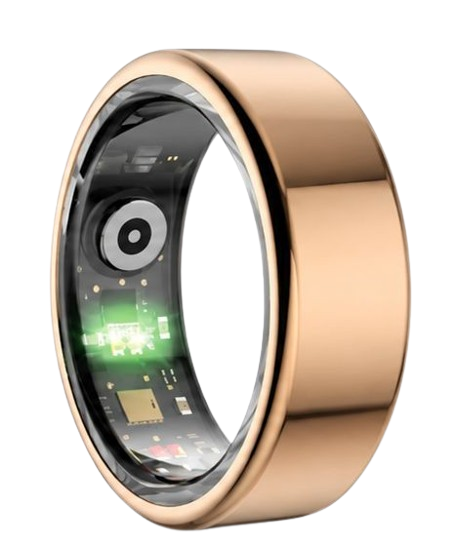
At the center of this hardware are photoplethysmography (PPG) optical sensor configurations.
These miniature sensors project specific wavelengths of light through the rich capillary networks of your finger.
The green light spectrum maps your active heart rate during periods of physical movement.
The red and infrared light spectrums penetrate deeper vascular structures to track your peripheral oxygen saturation during rest.
The American Heart Association notes that arterial pulse waveforms monitored at the finger base provide exceptionally strong signal fidelity.
This is because the digital arteries located in your fingers are closer to the skin surface than those in your wrist.
By securing a snug fit, you allow the photodetectors to capture clean, unpolluted cardiac reflex curves.
This clean data stream is the exact foundation your device needs to track heart rate variability (HRV).
HRV measures the precise millisecond variation between consecutive heartbeats to map your autonomic nervous system.
A higher HRV generally indicates a state of physical recovery and stress tolerance.
A suppressed HRV signals that your body is currently managing physical or mental exhaustion.
The Herz P1 decodes these complex variations every five minutes to provide an accurate stress index dashboard.
Understanding Wireless Database Syncing and Offline Storage Buffers
You do not need to keep your smartphone permanently glued to your hand to protect your health records.
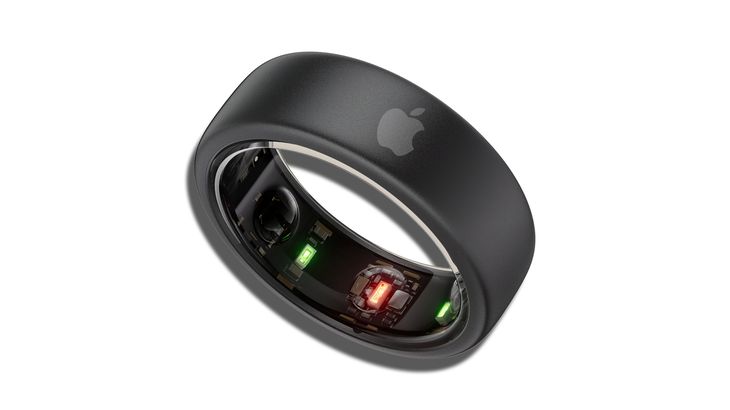
Premium rings feature an integrated local storage buffer built directly onto their microcircuit board.
This local flash memory acts as a vault, logging and cataloging your raw physiological signals offline.
The Herz P1 can store up to seven full days of detailed tracking records without needing an active phone connection.
When you open your app, a system known as wireless database syncing automatically initiates.
This protocol retrieves the stored metrics and structures them chronologically inside your personal profile.
During a sync, the hardware checks for operational anomalies to optimize processing speeds.
If you experience lag during this phase, check if your system is experiencing a smart ring battery drain troubleshooting alert.
Low voltage can occasionally cause the local flash memory controller to pause database transfers to preserve system integrity.
Keeping your battery charged above twenty percent guarantees that your data transitions smoothly during sync cycles.
This seamless link is critical for recording uninterrupted sleep stage architecture charts.
The National Sleep Foundation emphasizes that tracking sleep stages requires continuous, high-frequency biological measurements.
Your ring must log heart rate, blood oxygen levels, and movement patterns without a single second of data loss.
The offline storage buffer ensures that temporary wireless interference does not erase these critical overnight data points.
Practical Application: Navigating the Herz P1 Health Application Dashboard
Once you complete your initial synchronization, your companion app transforms raw metrics into a readable map of your physical wellness.
The dashboard presents your physical data across three distinct pillars: Sleep Quality, HRV Stress Index, and Physical Readiness.
Your Sleep Quality score compiles your deep, REM, and light sleep phases to calculate your true overnight physical restoration.
The HRV Stress Index monitors your autonomic balance throughout the workday, warning you when your body requires a brief recovery window.
Physical Readiness combines your overnight cardiac recovery and activity levels to help you decide how hard to train each day.
By tracking these metrics over a thirty-day window, you can identify patterns that directly influence your energy levels.
For example, eating a heavy meal within three hours of bedtime will visibly suppress your deep sleep phase and lower your morning HRV.
Adjusting your lifestyle habits based on these real-time trend charts allows you to make informed decisions that improve your daily focus.
The lightweight, sleek design of the Herz P1 ensures that you can gather this critical data twenty-four hours a day without wrist fatigue.
Unlike bulky watches that scratch sheets or catch on clothing, your smart ring rests comfortably and silently on your finger all night.
Overcoming Risks: Smartwatch Fatigue vs. Smart Ring Comfort
Many individuals stop tracking their health because they experience acute fatigue from wearing heavy, illuminated smartwatches.
Smartwatches often disrupt sleep because their bright displays turn on accidentally during tossing and turning.
These large wrist devices also require frequent daily charging, causing consistent tracking gaps during critical recovery windows.
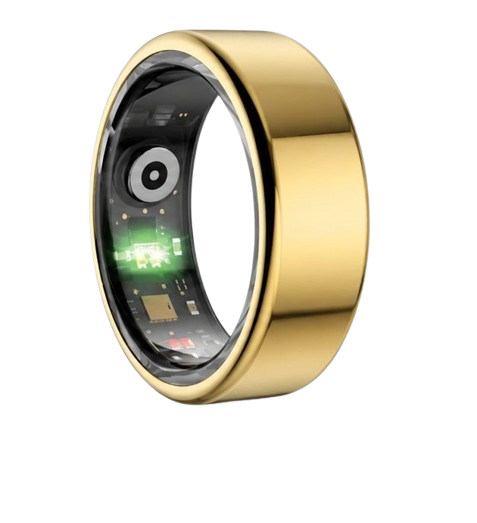
In contrast, the Herz P1 is forged from military-grade steel and weighs only a fraction of an ounce for ultimate comfort.
This durable exterior is entirely IP68 waterproof, allowing you to wash dishes, swim, or shower without taking it off.
Another major hidden risk in the wearable market is the unexpected financial trap of monthly app subscriptions.
Many prominent brands charge high hardware costs, only to lock your physiological data behind a monthly paywall.
We believe that you should never have to pay a subscription fee to access your own biometric health data.
The Herz P1 app is entirely free for life, ensuring you have unlimited access to every metric, trend, and software update.
This simple, honest approach removes financial friction and empowers you to focus entirely on your long-term wellness journey.
Frequently Asked Questions about Smart Ring Connection and Troubleshooting
Is the Herz P1 waterproof?
Yes, the Herz P1 is fully certified with an IP68 waterproof rating that allows submersion up to 164 feet.
You can confidently wear your ring while swimming, taking a hot shower, washing your hands, or sweating during intense workouts.
The military-grade steel chassis protects the internal optical sensors from moisture ingress under extreme real-world conditions.
How long does the battery last?
The Herz P1 offers a highly optimized battery system that delivers up to 6 days of continuous tracking on a single charge.
When the battery runs low, placing it on the magnetic charging dock restores it to 100% capacity in under 1 hour.
This ultra-fast charging cycle ensures that you rarely have to miss a night of sleep architecture tracking.
Which finger is best to wear the smart ring on?
We recommend wearing your smart ring on the index, middle, or ring finger of your non-dominant hand for the best results.
The index finger generally contains the highest density of superficial capillaries, which improves optical sensor signal strength.
Ensure the inner sensor bumps rest securely against the palm side of your finger to maintain constant contact.
Does the ring store biometric data offline?
Yes, the internal memory cache of the Herz P1 records and secures up to 7 days of local biological measurements.
This allows you to sleep, exercise, or travel without keeping your mobile phone nearby at all times.
The next time you open your companion app, all stored data will automatically sync and organize inside your history panel.
What should I do if my ring disconnects from Bluetooth?
If you experience a sudden drop in connection, turn your smartphone’s Bluetooth off and then back on to refresh the signal.
Ensure that the ring is adequately charged and is placed within close range of your mobile phone during the reconnection phase.
If the issue continues, check for any pending device updates inside your app settings to clear temporary system communication errors.
90-Day 100% Money-Back Guarantee
“The Herz Smart Ring helps me manage stress easily. It’s accurate, stylish, and lightweight—perfect for my busy life!”
— Jennifer P. | ✔ Verified Customer
- ✓ 6-Day Battery Life
- ✓ Detailed Sleep Analysis
- ✓ Fast 1-Hour Charging
- ✓ iOS & Android Ready
Questions? Call: 1-866-479-1629
Conclusion
Decoding your body’s biometric signals is the ultimate key to sustainable health improvements.
The subscription-free Herz P1 Smart Ring makes tracking sleep, stress, and heart rate intuitive, comfortable, and affordable.
Ready to monitor your health every day? Explore the Herz P1 Smart Ring and see if it fits your lifestyle. Call: 1-866-479-1629 — our team can help you advise on the correct ring size and set personalized health goals.
Note: Individual results may vary depending on individual health conditions, age, and lifestyle habits. This article is intended for general health reference purposes only.
