

To ensure your smart ring tracks your sleep architecture, HRV, and stress levels with maximum precision, you must know how to update ring firmware safely. The process of upgrading your device can occasionally run into minor errors, pairing dropouts, or battery stalls that disrupt your biometric data flow. At Herz P1, we have analyzed thousands of update cycles to help you resolve these issues instantly. This guide provides the exact technical steps and solutions to restore your tracker to absolute peak performance.
Built to Last. Save Up to 69% Today.
The Herz P1 Smart Ring tracks HRV, Sleep, Heart Rate & SpO2 around the clock. No subscriptions. No renewals. Ever.
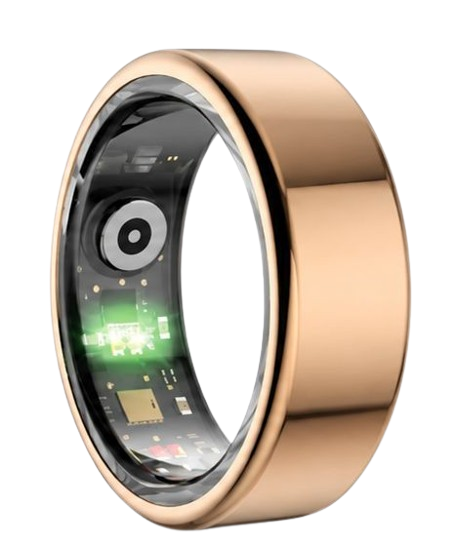
In This Article
- Step-by-Step Installation: A clear, technical walkthrough to download and run firmware safely.
- Deep Architecture: How the ring microcontrollers handle Over-The-Air modifications.
- Error Resolution: Fixing connectivity gaps, low-power locks, and sensor calibration drops.
- Data Recovery: Safeguarding your historical sleep and heart rate variability records.
How to Update Ring Firmware: A Step-by-Step Guide
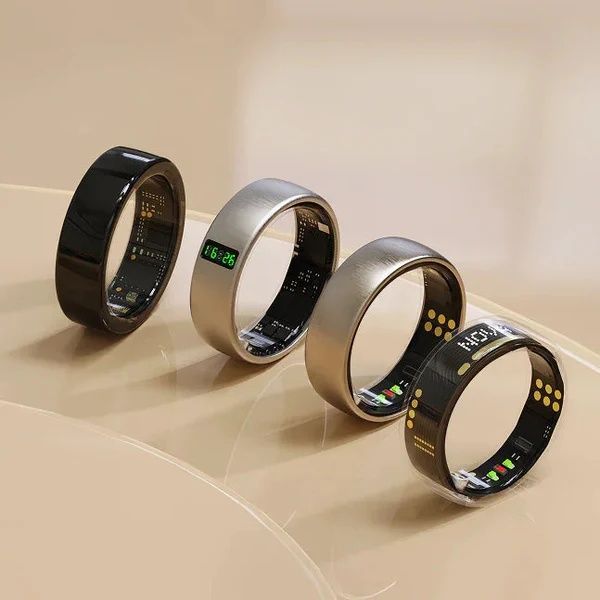
Updating your ring ensures its tracking algorithms operate with the latest clinical enhancements.
Before beginning, you must prepare your environment to avoid unexpected write errors.
Make sure you first set up smart ring settings correctly inside your companion app.
Prerequisites / What You’ll Need
You must possess a fully charged smartphone with its operating system updated to the latest minor version.
Your smart ring must rest on its dedicated physical charger to maintain a consistent electrical voltage.
A stable Wi-Fi connection is required to prevent data packets from fragmenting during the download phase.
It is always recommended to back up smart ring data prior to starting any hardware flashing process.
-
Step 1: Charge the Ring to at Least 50 Percent
Placing the ring onto its physical charging dock initiates a secure connection state.
The internal lithium-polymer battery must be charged to a minimum threshold of 50 percent.
If the battery level drops during the update, the device might freeze due to a sudden processor shutdown.
A continuous electrical supply ensures the microchip has enough power to rewrite its non-volatile memory sectors.
-
Step 2: Establish a Dedicated Bluetooth Connection
Ensure that no other wireless accessories or peripheral devices interfere with your phone’s transceiver.
You should disable nearby Bluetooth audio systems, fitness bands, or smartwatches during the procedure.
Open your mobile companion app and ensure that the ring shows as connected on the main dashboard.
If you experience any connection dropouts, learn how to pair smart ring units properly to ensure a stable channel.
-
Step 3: Access the Advanced Settings Menu
Open the app menu and locate the device management tab to access the technical details of your hardware.
Look for the item labeled “Firmware Version” or “Hardware Update Check.”
The application will query the cloud server to verify if a newer update package exists.
If an update is available, you will see a detailed list of patch notes outlining sensor updates.
-
Step 4: Execute the Over-The-Air Update Process
Tap the confirm button to initiate the Over-The-Air (OTA) flashing process.
Keep your smartphone within a distance of twelve inches from the smart ring on its charger.
Do not close the companion app or switch to another phone task while the status bar fills.
This process typically takes between two and five minutes to transfer the system code directly.
Many modern premium devices can be configured to complete automatic firmware updates during your sleep hours.
-
Step 5: Verify the Final Flashing and Calibrate Sensors
Once the download reaches one hundred percent, the ring will perform a warm micro-reboot.
The LED lights on your optical PPG sensors will flash green or red as the system executes diagnostic tests.
Check the app status page to confirm that the software version matches the newly installed patch.
If the app displays a disconnection prompt, you may need to learn how to fix wearable pairing issues to establish a clean sync link.
Our engineering team at Team Herz P1 designs our premium health rings to handle these transitions seamlessly.
The Herz P1 Smart Ring integrates a dual-flash recovery memory system that prevents firmware bricking even during abrupt connection losses.
To experience worry-free biometrics backed by military-grade steel and zero monthly app costs, check out the Herz P1 Smart Ring today.
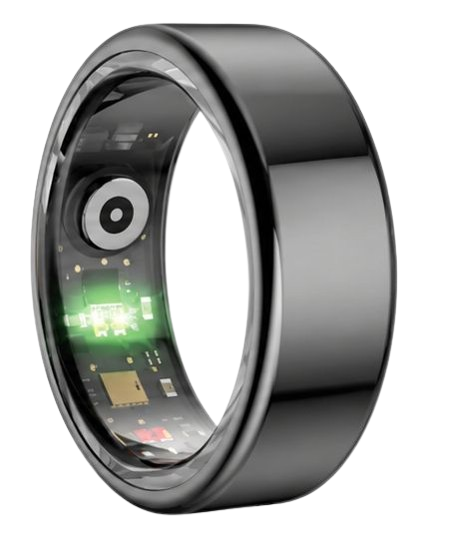
The Science of OTA Firmware: How Wearable Microcontrollers Adapt

Every smart ring relies on an incredibly dense, multi-layer electronic board compressed into a circular band.
At the center of this technology is a low-power microcontroller that processes multi-spectral signals.
The system utilizes optical photoplethysmography (PPG) sensors that shoot light into the capillary beds of your finger.
These optical PPG sensors use distinct wavelengths, including green light, red light, and infrared light.
Green light captures your real-time heart rate, red light assesses peripheral oxygen levels, and infrared light records autonomic nervous changes.
This biological data is briefly held in the chip’s internal non-volatile memory registers.
When you update firmware, you are rewriting the core instructions that convert raw voltage changes into metric scores.
The mathematical models must adapt dynamically to changes in skin tone, finger temperature, and vascular movement.
These upgrades refine the calculations that measure Heart Rate Variability (HRV) during slow-wave sleep cycles.
According to the National Sleep Foundation, standard clinical sleep staging relies on complex neural readings that consumer rings must estimate.
Firmware upgrades optimize these neural networks to align more closely with medical polysomnography standards.
The algorithms translate the microvascular pulse waves into readable metrics such as sleep depth, light sleep, and REM phases.
Without software updates, the computational limits of the microcontroller remain static.
This means your ring would lose the benefit of machine learning upgrades developed from large consumer trials.
Our Team Herz P1 maintains a continuous clinical research pipeline to optimize sensor resolution without increasing battery consumption.
Why Your Smart Ring Update Fails: Root Causes and Solutions
If you encounter a firmware update error, the root cause is usually a breakdown in hardware communication.
Let us look closely at why these updates fail and how to restore functionality immediately.
1. Wireless Packet Loss and Interference
Smart rings use Bluetooth Low Energy (BLE) to exchange binary code packets with your smartphone.
If your room is crowded with active Wi-Fi routers, smart hubs, and other wireless devices, data can be lost.
A lost data packet creates a checksum error inside the microcontroller’s memory sector.
The ring immediately cancels the update to protect its current operating system from getting corrupted.
To fix this, move to a clean room with minimal wireless activity to ensure a clean transmission path.
2. Memory Cache Saturation and Processor Stalls
The microchip contains a tiny memory cache that acts as a temporary holding area for new code.
If the app tries to upload the new firmware while sending physical activity records, the chip can stall.
The internal processor gets overwhelmed trying to write new system commands while organizing daily data logs.
If the upload stops completely, you might need to reset smart ring account options to clear the data backlog.
Clearing the companion app cache forces the hardware to focus solely on accepting the system update.
3. Low Voltage and Battery Safety Shutdowns
Flashing a flash memory chip requires a sustained and stable electrical voltage.
Lithium-polymer batteries exhibit a sharp voltage drop when their capacity falls below 30 percent.
If the voltage drops below a critical point, the microchip’s brownout detector triggers a safety shutdown.
This stops the flashing process to prevent corrupting the master boot record of the device.
Keeping the smart ring secured to its magnetic charger during updates prevents this voltage drop.
4. App Version Mismatch
Sometimes, users try to install a new firmware file using an outdated version of the companion app.
The outdated app may not understand the new data structure of the updated firmware.
This can lead to sync errors or render the dashboard screen unresponsive.
Always verify that your app is updated to the latest version in the app store before updating the ring.
For more advanced solutions, refer to our comprehensive smart ring troubleshooting guide to fix deep sensor anomalies.
Practical Application: Maximizing Biometric Tracking Accuracy Post-Update
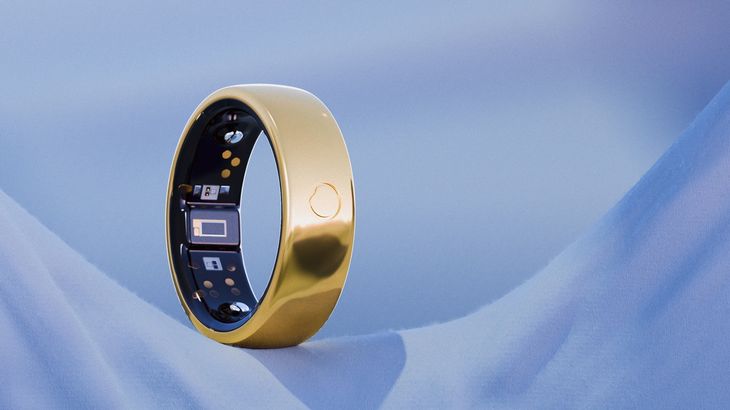
Once you finish updating your ring, you can take full advantage of its improved biometric tracking.
The updated algorithms work best when you maintain clean contact between the sensor band and your finger skin.
We recommend wearing the ring on your index finger for the most accurate capillary blood flow readings.
The American Heart Association emphasizes that the arterial pathways in the index finger provide exceptionally clean pulse wave signals.
Open your Herz P1 App to monitor your updated health dashboard daily.
You can use the updated HRV Stress Index to check your daily autonomic balance.
A higher Heart Rate Variability score shows that your parasympathetic nervous system is active, indicating good recovery.
Conversely, a sudden drop in your nightly HRV trend tells you to adjust your workout intensity or focus on relaxation.
The updated sleep staging algorithms will now measure deep and REM sleep cycles with tighter accuracy.
Because the Herz P1 is lightweight and comfortable, you can wear it all night without the irritation of a bulky smartwatch.
This continuous wear helps the app build a highly accurate baseline of your personal cardiovascular health.
Resolving Common Update Risks and the Pitfalls of Smartwatch Wear
Many health enthusiasts wear heavy smartwatches to monitor their sleep, but this can cause sleep disruption.
The weight and bulk of a smartwatch often cause micro-arousals when you move during the night.
These brief, unnoticed awakenings fragment your sleep architecture and reduce your deep recovery time.
A sleek, lightweight ring made from military-grade steel solves this comfort issue entirely.
Another major problem with the smart wearable market is the hidden cost of monthly app subscriptions.
Many brands require you to pay a monthly fee just to access your own biometric data.
We believe that you should own your health metrics without ongoing costs.
The Herz P1 App is free for life, providing full access to all sleep, heart rate, and stress analysis tools.
By removing subscription fees and bulky designs, we make daily health tracking easy and sustainable.
Firmware Update Troubleshooting: Frequently Asked Questions
| Issue Encountered | Primary Root Cause | Recommended Technical Fix |
|---|---|---|
| Update fails at 99% | Flash memory write verification failed. | Reboot phone, place ring on charger, restart update. |
| Bluetooth disconnected error | Local wireless signal interference. | Turn off other nearby Bluetooth devices temporarily. |
| Ring unreadable after update | Cache mismatch in companion app. | Clear app cache and restart mobile application. |
Is the Herz P1 Smart Ring fully waterproof?
Yes, the Herz P1 features a rugged, hermetically sealed structure that meets the strict IP68 waterproof standard.
You can submerge the ring in fresh water up to a depth of 164 feet without damaging any internal components.
This makes it safe to wear while swimming, washing your hands, showering, or relaxing in a hot sauna.
The military-grade steel outer shell protects the delicate internal sensors from high-pressure water streams.
How long does the battery last on a single charge?
The Herz P1 delivers an impressive six days of continuous health monitoring on a single charge.
This is made possible by our efficient microcontroller and low-power Bluetooth transmission systems.
When the battery runs low, you can recharge the device to one hundred percent in under one hour.
We recommend placing the ring on its charger while you take your daily shower to keep it topped off easily.
Which finger is best to wear my smart ring on?
We recommend wearing the ring on your index finger of either hand for the best sensor readings.
The index finger has large digital arteries that run close to the skin surface, providing a strong pulse signal.
The middle and ring fingers are excellent alternatives if you prefer a different fit.
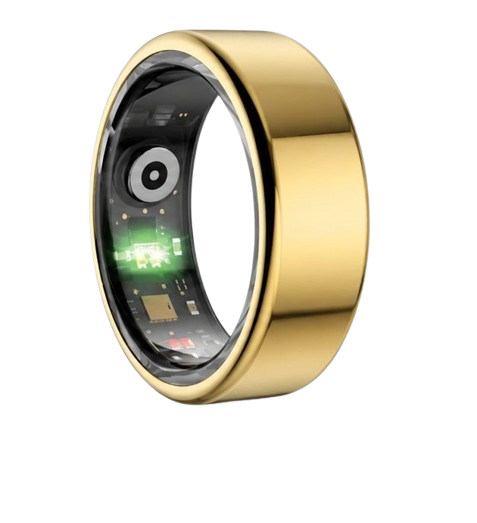
Ensure the inner sensor bump sits flat against the palm side of your finger to maintain constant contact.
Does the ring store health data offline if my phone is disconnected?
Yes, the Herz P1 features built-in storage that can save up to seven days of biometric data offline.
If you travel or sleep with your phone turned off, the ring will continue to track your metrics normally.
Once you open the companion app and reconnect via Bluetooth, your stored data syncs automatically.
This offline storage ensures you never lose important trends due to a temporary connection drop.
90-Day 100% Money-Back Guarantee
“The Herz Smart Ring helps me manage stress easily. It’s accurate, stylish, and lightweight—perfect for my busy life!”
— Jennifer P. | ✔ Verified Customer
- ✓ 6-Day Battery Life
- ✓ Detailed Sleep Analysis
- ✓ Fast 1-Hour Charging
- ✓ iOS & Android Ready
Questions? Call: 1-866-479-1629
Conclusion
Maintaining up-to-date firmware ensures your ring continues to track your sleep stages and heart rate with high accuracy.
By following our technical troubleshooting steps, you can resolve connection drops and complete flashing processes quickly.
Ready to monitor your health every day?
Explore the Herz P1 Smart Ring and see if it fits your lifestyle.
Call: 1-866-479-1629 — our team can help you advise on the correct ring size and set personalized health goals.
