

Are you experiencing frustrating tech glitches and having trouble receiving notifications on your brand-new wearable device? Modern smart rings must maintain a flawless, ultra-low energy connection to deliver vital metrics and daily alerts directly to your fingertips without fail. At Team Herz P1, we understand how vital seamless data transfer is for monitoring your sleep, HRV, and daily activity. In this comprehensive troubleshooting guide, our engineering team will walk you through the precise steps to resolve system disconnects, optimize system background permissions, and restore your Herz P1 smart ring notifications instantly.
Built to Last. Save Up to 69% Today.
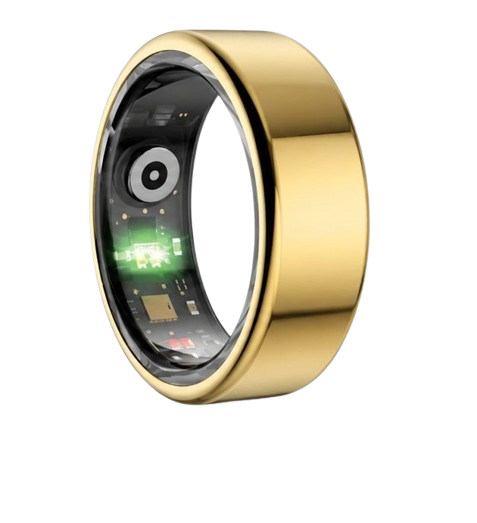
The Herz P1 Smart Ring tracks HRV, Sleep, Heart Rate & SpO2 around the clock. No subscriptions. No renewals. Ever.
In This Article
- A Step-by-Step Notification Resolution Protocol: Learn five proven steps to restore alert functionality on your iOS or Android device.
- The Science of Continuous Wearable Synced Data: Why consistent data pipelines prevent notification delays and optimize heart rate variability (HRV) metrics.
- Practical Application Guidelines: How to optimize your phone settings to prevent your operating system from killing background syncing apps.
- Frequently Asked Questions: Expert answers on waterproof ratings, battery health, and offline storage capacities.
How to Resolve Wearable Alert Delivery Failure: A Step-by-Step Guide
Before you begin the core troubleshooting process, verify a few basic device conditions.
Ensure your mobile device has Bluetooth turned on and active.
Confirm your smart ring has at least a thirty percent battery charge.
Keep your smartphone within three feet of your ring during this procedure.
Step 1: Audit and Enable System-Wide OS Notifications
Start by opening the main settings menu on your smartphone.
Navigate directly to the applications manager list to find your companion software.
Locate your tracking app and tap on the notifications submenu.
Verify that the main toggle for allowing notifications is fully active.
Ensure that lock screen displays, banners, and critical alert badges are enabled.
This step ensures your operating system does not block outgoing alerts.
A common pitfall is leaving your phone in Do Not Disturb mode during testing.
Please deactivate Do Not Disturb or focus modes before sending a test notification.
This action creates a clean baseline to fix wearable pairing issues quickly.
If you skip this, your system will block alerts before they reach your ring.
We recommend keeping all priority alerts on high visual banner settings.
This helps verify that your operating system is sending the alert downstream.
Make sure your mobile phone is not actively silencing the tracking app.
Some operating systems automatically mute apps that are not frequently opened.
You can disable this setting under your phone app permissions tab easily.
Verify these changes by restarting your application after saving the new settings.
Step 2: Disable Background Power Optimization and Battery Saving Policies
Open your phone battery and power management settings menu first.
Locate the background usage limits and battery optimization configurations.
Search for your smart ring companion app in this specific list.
Change the app setting from optimized to unrestricted battery usage immediately.
Aggressive battery saving policies often terminate vital background Bluetooth services.
This causes a sudden break in your system notifications stream.
You must prevent your operating system from putting the app to sleep.
Many users experience smart ring troubleshooting guide issues due to background app termination.
Operating systems like Android and iOS actively kill apps to save battery power.
Setting the app to unrestricted ensures the Bluetooth link remains active.
This step is highly critical for maintaining consistent metric sync and alerts.
Without this setting, you will experience delayed or completely missing notifications.
Verify that background data usage is also set to unrestricted in settings.
This allows the application to communicate with cloud servers at any time.
It also prevents data sync gaps from forming during long idle periods.
Step 3: Re-Pair Your Wearable via System Bluetooth Profiles
Navigate to the Bluetooth settings menu on your mobile phone.
Find your smart ring device name in the paired devices list.
Tap the information icon next to the ring name and select forget device.
Turn off your phone Bluetooth radio toggle for thirty seconds completely.
This action clears the cached hardware wireless profiles from system memory.
Turn the Bluetooth radio back on and open your tracking app.
Initiate the pairing process from within the application menu directly.
This sequence allows you to pair smart ring hardware cleanly.
Do not pair the ring directly through the system Bluetooth menu first.
Always perform the initial pairing handshake inside the dedicated companion app.
This ensures the secure encryption keys are shared between devices properly.
Pairing through system menus can cause communication errors and alert blockages.
Keep the ring close to the phone antenna during this pairing step.
Confirm any system permission prompts that ask to show notifications over Bluetooth.
Failing to accept these prompt permissions will block notifications from displaying.
Step 4: Troubleshoot and Reset Your App Account Credentials
Open your smart ring tracking application and head to profile settings.
Log out of your current tracking profile to clear the active session.
This helps resolve corrupted local cache files within the app database.
If you face issues logging back in, you may need to reset smart ring account details completely.
Ensure you use a valid email address during your smart ring account setup process.
A clean account login session restores default notification delivery protocols.
It also resynchronizes your local profile metrics with secure cloud servers.
Verify that your user profile details are correct after logging back in.
Incorrect profile metrics can sometimes cause data syncing delays in the background.
Sometimes app updates corrupt user session tokens without warning.
Logging out and logging back in regenerates these secure security tokens.
This simple action fixes mysterious alert sync errors in most cases.
If the app prompts you for permissions again, click allow on all.
This includes location services which are required for Bluetooth scanning on Android.
Step 5: Install Current App Updates and System Firmware Patches
Open the Apple App Store or Google Play Store on your device.
Search for your tracking app to see if an update is available.
Install the latest software version to resolve known system bugs immediately.
Open the app and navigate to the hardware device settings section.
Check for any pending firmware updates for your physical smart ring.
Installing these updates is vital for fixing any firmware update error glitches.
Ensure your ring battery is above fifty percent before starting the update.
Do not close the application while the update progress bar is running.
You must update ring firmware to ensure compatibility with modern phone software.
Failing to update firmware can cause severe connection drops and alert failures.
Manufacturers release these updates to optimize Bluetooth transmission protocols continuously.
Keep your ring on its charging dock during the entire update process.
This prevents accidental battery drain from interrupting the firmware installation.
Once the update finishes, perform a hard restart on your mobile device.
If you want to bypass these complex troubleshooting loops, consider upgrading your wearable experience.
The Herz P1 smart ring is designed with a highly resilient Bluetooth 5.2 architecture.
This advanced wireless standard drastically reduces connection drops and sync failures.
Our hardware engineering team prioritizes seamless background data transmission above all.
This means you can focus on your health metrics without constant tech troubleshooting.
Upgrade to a device that works flawlessly with your smartphone’s background processes.
Understanding the Science of Continuous Wearable Syncing & HRV Tracking

Continuous data synchronization is not just about receiving instant notification alerts on your finger.
It is the backbone of accurate, real-time heart rate variability (HRV) and cardiovascular tracking.
The American Heart Association highlights HRV as a crucial indicator of autonomic nervous system health.
HRV measures the subtle, millisecond variations between consecutive heartbeats.
To capture these tiny variations, a wearable device must sample blood flow continuously.
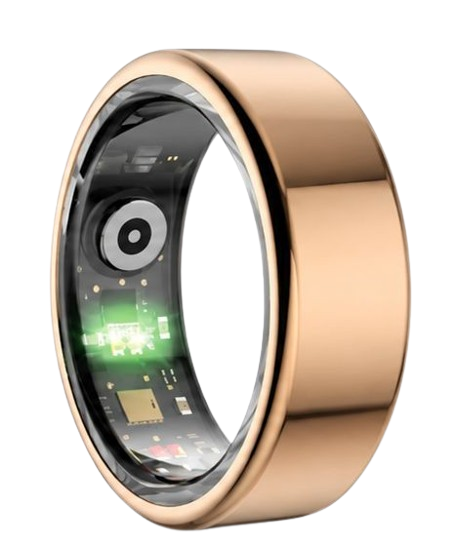
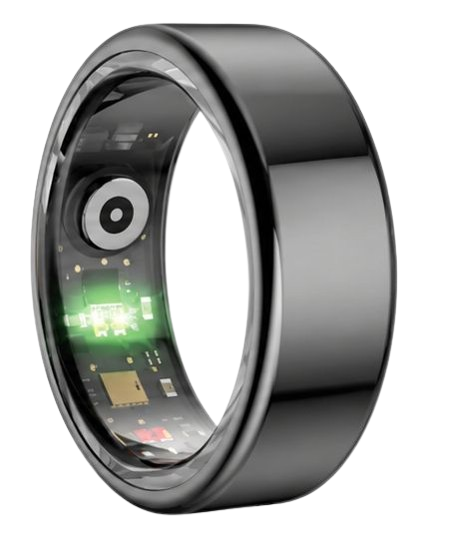
The Herz P1 smart ring uses advanced multi-wavelength optical PPG sensors.
These sensors emit light into the microvascular bed at the base of your finger.
The reflected light data is processed locally on the ring’s microchip.
This data must then be transmitted back to your companion app without interruption.
If the Bluetooth data pipeline experiences frequent drops, vital data points are lost.
Your phone’s operating system must keep background data channels open to receive this stream.
When sync channels are blocked, your hourly stress index calculation becomes highly inaccurate.
A continuous, stable connection allows the app to calculate your stress index every five minutes.
This provides an accurate picture of how your body reacts to daily stressors.
Optical sensors require a reliable data link to transmit SpO2 and oxygen saturation data.
A broken sync connection prevents the app from alerting you to sudden metric shifts.
Sleep Architecture and Optical Sensor Placement: Why Stable Links Matter
The National Sleep Foundation emphasizes that consistent sleep stage monitoring is vital for health.
To analyze sleep architecture, your wearable must track deep sleep, light sleep, and REM phases.
This tracking relies heavily on consistent optical sensor contact and uninterrupted data transfer.
The base of the finger offers a far superior signal path compared to the wrist.
The digital arteries in your fingers are closer to the skin surface.
This allows the Herz P1 optical sensors to capture highly accurate blood oxygen saturation (SpO2) data.
During deep sleep, your body enters a state of physical recovery and tissue repair.
During REM sleep, your brain processes memories and regulates your emotional health.
If your smart ring loses its connection during the night, sleep tracking gaps will occur.
Your companion app will show incomplete sleep stage charts in the morning.
This makes it incredibly difficult to analyze your true overnight recovery quality.
A stable Bluetooth link ensures every single sleep epoch is recorded and analyzed.
The Herz P1 app uses this continuous data to generate a comprehensive sleep score.
This score helps you understand how daily habits affect your overnight recovery.
Without a reliable data link, your sleep analysis is merely a series of guesses.
Maximizing Your Wearable Alerts and Health Insights on the Herz P1 App
Once you resolve your notification issues, you can unlock the full power of your health data.
The Herz P1 companion application provides a clean, intuitive dashboard for all your metrics.
You can customize your notification preferences to receive alerts that truly matter.
Configure push notifications for low blood oxygen alerts during sleep.
Set up gentle reminders to move if you have been sedentary for too long.
The app also allows you to track your daily stress levels in real time.
Use these alerts to practice timed deep breathing exercises when stress levels spike.
This proactive approach helps you manage physical anxiety before it becomes overwhelming.
The comfort of twenty-four-seven all-day wear is a key benefit of the smart ring form factor.
Unlike heavy smartwatches, the Herz P1 is virtually unnoticeable on your finger.
This lightweight design encourages continuous wear through workouts, meetings, and sleep.
Continuous wear translates to a much more complete and accurate health baseline.
Your weekly and monthly trend charts will contain zero missing data points.
This allows the app’s AI algorithm to provide highly personalized health recommendations.
You can easily adjust your daily exercise intensity based on your morning recovery score.
If your recovery score is low, use the day for light active recovery.
If your score is high, feel confident pushing your physical limits.
Avoiding Wearable Mistakes: From Bulky Watches to Hidden Fees
Many consumers make the mistake of wearing bulky smartwatches to bed for sleep tracking.
These heavy devices often shift during sleep, causing severe data inaccuracies.
They are also highly uncomfortable and can actively disrupt your sleep patterns.
A sleek, lightweight smart ring is the ultimate alternative for overnight tracking.
Another common pitfall in the wearable market is the hidden cost of monthly subscriptions.
Many leading brands require you to pay an ongoing fee to access your own biometric data.
We believe you should never have to pay a subscription to view your health metrics.
The Herz P1 companion app is completely free for a lifetime.
You gain full access to all advanced tracking features without any hidden monthly charges.
This saves you hundreds of dollars over the lifetime of your wearable device.
Additionally, some users buy cheap wearables that lack proper water resistance.
These fragile devices quickly fail when exposed to water during daily tasks.
The Herz P1 features a military-grade steel chassis and a full IP68 waterproof rating.
You can wear it confidently while washing hands, showering, or swimming.
Avoid the frustration of fragile hardware and expensive monthly subscription paywalls.
Choose a durable, subscription-free tracking partner that respects your wallet and your health.
This commitment to value and durability makes the Herz P1 a premier choice.
Frequently Asked Questions About Smart Rings
We have compiled the most common questions about smart ring technology.
Understanding these details will help you get the most out of your wearable device.
Our customer support team is always ready to assist you with any technical questions.
Read through these expert answers to optimize your daily tracking experience.
Is the Herz P1 Smart Ring Fully Waterproof?
Yes, the Herz P1 smart ring features a robust IP68 waterproof rating.
This means the device is completely dust-tight and highly water-resistant.
You can submerge the ring in water up to fifty meters deep without causing any damage.
This makes it the perfect companion for active swimmers and water sports enthusiasts.
You do not need to remove the ring when washing your hands or taking a shower.
It easily survives daily exposure to soaps, shampoos, and household cleaning agents.
However, we recommend avoiding prolonged exposure to high-pressure hot water streams.
Extreme temperatures can temporarily affect the physical expansion of the metal shell.
Always dry the ring with a soft cloth after swimming in saltwater pools.
This simple care step prevents salt crystal buildup around the optical sensor window.
Maintaining clean sensor windows is crucial for consistent biometric reading accuracy.
Enjoy complete peace of mind knowing your tracking ring is built to survive daily water exposure.
Its durable military-grade steel outer shell protects the delicate internal sensors from moisture.
No matter your daily environment, the Herz P1 remains fully functional and ready to track.
How Long Does the Battery Last and What is the Charge Time?
The Herz P1 smart ring is engineered for maximum power efficiency.
It delivers up to six days of continuous battery life on a single charge.
This long battery life is achieved through advanced Bluetooth Low Energy technology.
You can track your sleep, HRV, and active steps for nearly a week without stopping.
This completely eliminates the daily charging anxiety associated with traditional smartwatches.
When the battery does run low, recharging the device is incredibly fast.
It takes less than one hour to charge the ring from zero to one hundred percent.
The package includes a custom magnetic charging dock that holds the ring securely.
A small LED light on the dock indicates when charging is complete.
To maximize the lifespan of the lithium battery, try to keep the charge balanced.
Avoid letting the battery discharge to zero percent completely on a regular basis.
This simple battery habit keeps the internal cell healthy for years of daily use.
Our dual-core processor manages power consumption dynamically based on your physical movement.
This smart power management ensures you never miss a vital health tracking metric.
Which Finger is the Best to Wear Your Smart Ring On?
For the most accurate biometric readings, finger selection is very important.
We highly recommend wearing the smart ring on your index finger.
The index finger typically has the most accessible blood vessels near the skin surface.
This allows the optical PPG sensors to capture clean heart rate and SpO2 signals.
The middle finger is the second best option if your index finger is unavailable.
The ring finger also provides acceptable signal quality for daily tracking.
Avoid wearing the smart ring on your thumb or pinky finger.
These fingers have different vascular structures that can degrade tracking accuracy.
Additionally, we recommend wearing the ring on your non-dominant hand.
Your non-dominant hand experiences fewer hard impacts and heavy grip movements during the day.
This reduces motion artifacts that can occasionally disrupt sensor readings.
The ring should fit snugly but remain comfortable enough to wear all day and night.
It should not rotate too easily around your finger during normal hand movements.
A proper fit is the foundation of high-quality health data collection.
Does the Smart Ring Store Data Offline When Disconnected?
Yes, the Herz P1 smart ring features built-in flash memory storage.
It can safely store up to seven days of biometric data offline.
This means you do not need to keep your phone nearby constantly.
You can go for a run, attend a meeting, or sleep without your smartphone.
The ring will continue to track your heart rate, steps, and sleep stages.
Once you reconnect your phone via Bluetooth, the data syncs automatically.
The sync process takes only a few seconds to update your mobile dashboard.
This offline storage feature protects your data from being lost during connection drops.
It provides incredible freedom for users who prefer to unplug during workouts.
Your health data is securely encrypted directly on the ring’s internal memory.
It is only decrypted once it reaches your authorized companion application.
This keeps your personal biometric data safe, secure, and private at all times.
Never worry about losing your progress due to a temporary Bluetooth disconnection again.
90-Day 100% Money-Back Guarantee
“The Herz Smart Ring helps me manage stress easily. It’s accurate, stylish, and lightweight—perfect for my busy life!”
— Jennifer P. | ✔ Verified Customer
- ✓ 6-Day Battery Life
- ✓ Detailed Sleep Analysis
- ✓ Fast 1-Hour Charging
- ✓ iOS & Android Ready
Questions? Call: 1-866-479-1629
Conclusion: Your Subscription-Free Wellness Journey Starts Here
Take control of your health with absolute confidence.
The Herz P1 is your durable, subscription-free wellness companion.
Ready to monitor your health every day?
Explore the Herz P1 Smart Ring and see if it fits your lifestyle.
Call: 1-866-479-1629 — our team can help you advise on the correct ring size and set personalized health goals.
Note: Individual results may vary depending on individual health conditions, age, and lifestyle habits. This article is intended for general health reference purposes only.
