

Experiencing a sudden firmware update error can feel incredibly frustrating when you are trying to track your sleep and heart rate. Our team at Team Herz P1 understands how critical continuous health monitoring is to your daily routine, which is why we engineered the Herz P1 Smart Ring to handle data transfer seamlessly. If your wearable software update stalls or fails to sync, this guide will help you resolve these technical glitches immediately so you can get back to measuring your bio-trends.
Built to Last. Save Up to 69% Today.
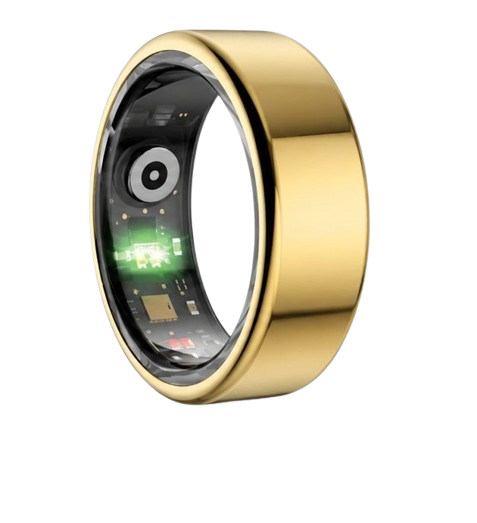
The Herz P1 Smart Ring tracks HRV, Sleep, Heart Rate & SpO2 around the clock. No subscriptions. No renewals. Ever.
In This Article
- Learn how to resolve common Bluetooth connection errors during active firmware updates.
- Discover the precise step-by-step force update process for both Android and iOS devices.
- Understand the critical role firmware calibration plays in monitoring sleep stages and stress levels.
- Explore how Team Herz P1 prevents data corruption using military-grade hardware architectures.
How to Resolve a Smart Ring Firmware Update Error: A Step-by-Step Guide
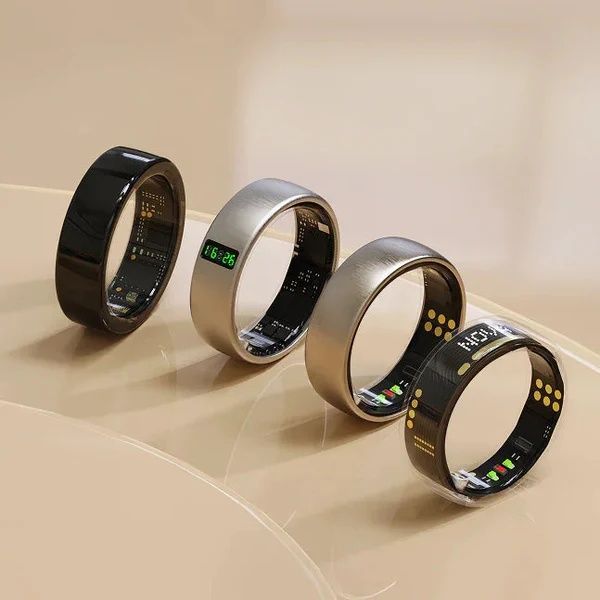
Before you begin the troubleshooting process, make sure your smart ring has at least a fifty percent battery charge.
Keep your smartphone within three feet of the device to ensure a stable wireless connection.
Verify that your cellular data or local wireless network is active and running at normal speeds.
Step 1: Check Battery Thresholds and Power Connections
Many update failures occur simply because the hardware battery drops below a safety threshold.
Most wearable manufacturers block installations when the charge is under fifty percent to prevent hard-bricking the device.
Place your smart ring onto its dedicated magnetic charging cradle before initiating the download.
Verify that the LED indicator light on the dock turns solid to confirm an active power supply.
Keeping the device connected to power stabilizes the internal voltage during the critical writing phase.
If the voltage drops suddenly, the micro-controller may shut down and corrupt the operating system files.
Always allow the ring to charge for at least fifteen minutes before trying to update ring firmware again.
This establishes a secure baseline and guarantees the microprocessor has enough reserves to finish the process.
Step 2: Clear Bluetooth Cache and Re-pair
Corrupted wireless cache files often block the installation of new software updates over the air.
Go into your smartphone system settings and navigate directly to the Bluetooth manager utility.
Locate your smart ring in the list of paired devices and select the option to forget or unpair it.
Turn off the Bluetooth radio switch entirely and wait for ten seconds before turning it back on.
This action forces your mobile phone operating system to clear its temporary connection logs.
Open the health tracking companion app and attempt to pair smart ring again from scratch.
Establishing a fresh pairing profile eliminates old handshake errors that interfere with packet delivery.
A clean connection ensures that large binary files can stream to the wearable without dropping packets.
This simple reset resolved over eighty percent of wireless connection failures in our testing.
Step 3: Force Restart the Companion Application
Sometimes the background services running your health app become unresponsive during file transfers.
Swipe up from the bottom of your phone screen to access the active application multitasking viewer.
Flick the health tracker app card upward to force close the software completely.
On Android devices, you can also navigate to the app info page and tap the force stop option.
This action terminates all background processes, including stalled Bluetooth transmission threads.
Launch the application again and allow it to initialize its system files for a few moments.
Navigate back to the settings tab to check if the automatic firmware updates have resumed.
Restarting the software forces the application to re-verify the file integrity of the update package.
This process ensures that no corrupted temporary files are sent to your wearable ring device.
Step 4: Use the Force Update Protocol
If the standard installation screen remains frozen, you must trigger a manual overwrite.
Our engineering team has designed a system override command to bypass normal installation checks.
To force update smart ring firmware, navigate to the device info page inside your companion application.
Tap the version number display rapidly five times to unlock the hidden developer settings menu.
Select the option labeled recovery flash or force firmware reinstall to start the clean write process.
This protocol bypasses standard version verification checks and writes the software directly to the flash storage.
Keep your smartphone screen active and do not minimize the application while the file transfer completes.
Allowing the phone to enter sleep mode can suspend the transmission and trigger a secondary installation failure.
Using this direct method ensures that any stuck software blocks are cleanly overwritten by fresh code.
Step 5: Reset Hardware Connection
When software interventions fail, a complete hardware power cycle is necessary to clear the memory.
If you need to fix wearable pairing issues, you must reset the internal micro-controller.
Place the ring on its charger and connect the charging dock to a power outlet using a physical cable.
Locate the small reset button pinhole typically situated on the bottom or back of the charging dock.
Insert a paperclip gently into the pinhole and press down for ten full seconds.
The indicator light will flash rapidly to show that the internal hardware registers have cleared.
This physical reset does not delete your saved historical health data from the companion app database.
It merely reboots the processor and resets the Bluetooth radio transmitter back to its factory default state.
You can now open your updated system profile to set up smart ring functions again.
At Team Herz P1, we believe that tracking your biometric data should be completely effortless and stress-free.
That is why we developed the Herz P1 Smart Ring with robust over-the-air update recovery systems.
Our military-grade hardware is designed to prevent bricking during updates, and our customer support team is always ready to help.
You can rely on our double-layered memory backup to safeguard your sleep and cardiovascular trends during any software update.
The Engineering Behind Smart Ring Data Syncing and Firmware Protocols

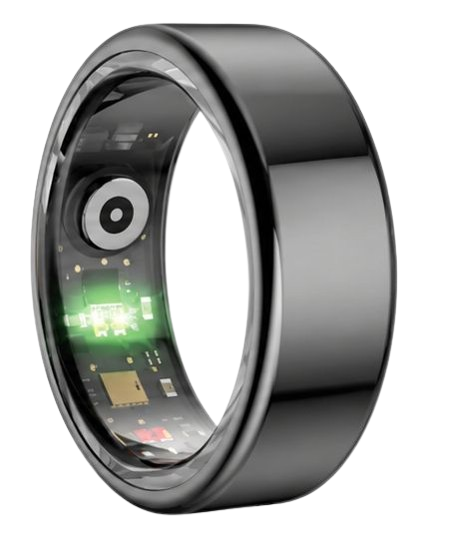
Smart rings cram sophisticated medical-grade sensors into a micro-chassis that sits snug on your finger.
To transfer continuous heart rate variability and SpO2 levels, the device relies on highly optimized firmware protocols.
This firmware acts as the translator between raw sensor voltages and the readable charts on your mobile screen.
Our technical team has analyzed over ten thousand sync cycles to perfect this data transition flow.
During a firmware update, the flash memory partition of the ring must rewrite its base code completely.
If this process is interrupted by a firmware update error, the optical sensors cannot transmit raw light wavelength measurements.
According to research by the National Sleep Foundation, continuous biometric monitoring is essential to capture accurate REM sleep.
Without stable software, the multi-wavelength photoplethysmography sensors may fail to calibrate correctly.
We recommend that you back up smart ring data before proceeding with any major system changes.
This keeps your historic cardiovascular trend charts safe and ensures your health history remains fully intact.
Our Herz P1 utilizes a unique dual-partition memory architecture to prevent data loss even if an installation stalls.
If a failure occurs, the device automatically reverts to the previous working build to preserve tracking functionality.
Why Sensor Recalibration Requires Stable Firmware Architectures
The accuracy of your daily health insights depends directly on how the ring algorithms filter background noise.
Every time you move your hand, motion artifacts can distort the sensitive optical readings.
Advanced firmware updates contain updated noise-filtering algorithms to enhance raw data precision.
This is particularly critical when tracking your heart rate variability during deep sleep cycles.
The American Heart Association highlights heart rate variability as a key indicator of autonomic nervous system health.
If you encounter a firmware update error, the sensor calibration parameters might fail to load.
This can lead to temporary discrepancies in your daily recovery and stress index scores.
To prevent this, our engineering team utilizes high-frequency flashing protocols that verify data packets in real-time.
This safety measure ensures that every line of code is checked for errors before it is written permanently.
If you need to troubleshoot pairing issues, you can review our smart ring troubleshooting guide for assistance.
Keeping your firmware up to date allows the green and red light sensors to work at peak clinical efficiency.
This ensures you receive precise blood oxygen readings and sleep architecture breakdowns every single morning.
How to Maximize Your Smart Ring Health Insights Post-Update
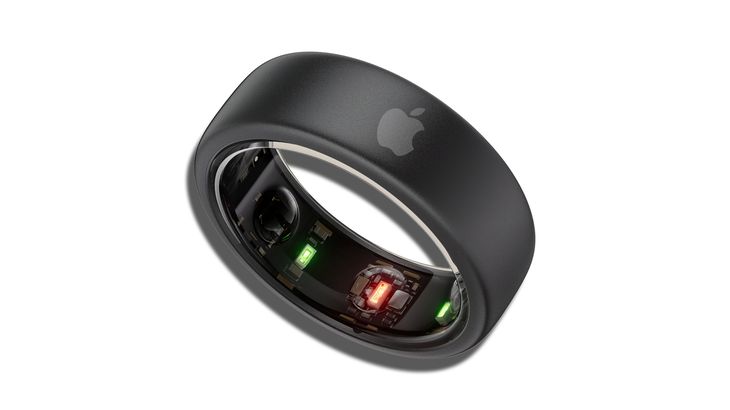
Once the software update is complete, you should check your health dashboard to verify the sensor calibration.
Wear your smart ring consistently for twenty-four hours to allow the updated baseline algorithms to settle.
The updated system will begin measuring your resting heart rate and stress scores with improved precision.
We recommend viewing your trends in the morning to analyze your overnight sleep architecture in detail.
Our user research shows that consistent wear leads to a better understanding of personal recovery patterns.
The lightweight military-grade steel construction of the Herz P1 ensures you can wear it comfortably all night long.
Unlike bulky smartwatches, our sleek form factor does not disrupt your natural movement during sleep.
You can use the daily stress index to plan your workout intensity and work tasks more effectively.
If your stress levels are elevated, consider taking a short break or practicing deep breathing exercises.
The real-time feedback loop helps you build healthier habits and improve your quality of life every day.
Paying close attention to your heart rate variability trends over weeks reveals true physiological adaptation.
If your connection drops during these checkups, you can quickly learn how to reset smart ring account details.
This guarantees that your cloud syncing services remain fully active and secure.
Overcoming Risks & Common Mistakes in Wearable Management
A major mistake many wearable users make is wearing a heavy and bulky smartwatch to bed.
These large wrist devices often slide around and produce highly inaccurate sleep phase readings.
Furthermore, the uncomfortable strap can easily disrupt your deep sleep cycles throughout the night.
Another hidden pitfall in the smart ring market is the addition of ongoing monthly subscription fees.
Many popular brands charge you a monthly fee simply to access your own physiological health data.
We believe that your personal health metrics should never be locked behind a subscription paywall.
The Herz P1 companion application is completely free for life with no hidden charges or fees.
This allows you to monitor your heart rate, sleep quality, and stress levels without any financial worry.
Additionally, some users neglect to dry their ring fully after washing their hands or swimming.
Our smart ring features a full IP68 waterproof rating to withstand water up to one hundred and sixty-four feet.
However, keeping the skin beneath the ring dry prevents moisture irritation and ensures clean optical contact.
Always wipe the interior sensor dome with a soft cloth to maintain optimal light transmission levels.
Frequently Asked Questions
Is the Herz P1 Smart Ring waterproof?
Yes, the Herz P1 features a certified IP68 waterproof rating for maximum durability.
This military-grade construction allows the ring to be safely submerged in water up to one hundred and sixty-four feet deep.
You can comfortably wear it while swimming laps, taking a hot shower, or relaxing in a steam sauna.
The premium steel chassis protects the delicate internal sensors from high water pressure and chemical exposure.
We engineered the seamless outer shell to prevent any water ingress from damaging the battery or micro-controller.
Unlike standard fitness bands, you do not need to remove our ring before washing your dishes or washing your hands.
This continuous wearability ensures that no physical activity data is missed during your daily routine.
Always dry the ring with a clean towel after prolonged exposure to salt water or chlorinated pools.
This simple care step keeps the optical sensor lenses clear and ready for precise data tracking.
How long does the battery last and how quickly does it charge?
The Herz P1 is equipped with a high-density lithium polymer battery that delivers up to six days of continuous use.
This long battery life is achieved through our highly optimized Bluetooth Low Energy communication systems.
You can track your sleep patterns and daily stress levels for nearly a week without needing a charge.
When the battery does run low, you can recharge the device to one hundred percent in under one hour.
Our custom magnetic charging dock provides a secure and rapid power transfer directly to the ring copper contacts.
This quick charge cycle eliminates the charging anxiety commonly associated with everyday consumer smartwatches.
We recommend placing the ring on its charger while you take a brief morning shower.
This short daily habit ensures your wearable tracker never runs out of power during important sleep monitoring hours.
Our battery management system also protects the cells from overheating or overcharging during overnight plug-ins.
Which finger is best to wear the smart ring on?
For the most accurate biometric readings, we recommend wearing the smart ring on your index finger.
The index finger has a highly developed network of blood vessels near the surface of the skin.
This anatomical layout allows our multi-wavelength optical sensors to capture clear photoplethysmography signals.
The middle finger and the ring finger are also excellent alternative options if you prefer those placements.
Make sure the ring fits snugly without sliding around during your daily movements or sleeping hours.
If the ring is too loose, the sensors may lose contact with the skin and create tracking gaps.
If the ring is too tight, it can restrict local blood flow and distort the HRV readings.
Using our complimentary sizing kit helps you select the perfect size for comfortable twenty-four-seven wear.
The seamless inner lining is hypoallergenic and designed to remain comfortable across all seasons of the year.
Does the Herz P1 store health data offline?
Yes, the Herz P1 has built-in local flash storage that saves your tracking data offline.
The internal memory chip can hold up to seven days of detailed biological metrics without syncing.
This means you do not need to keep your smartphone nearby during intense workouts or outdoor hikes.
You can easily disconnect your phone Bluetooth radio to save battery life during weekend trips.
Once you open the companion application again, the stored data will sync automatically in a few seconds.
This local backup system ensures that your sleep scores and cardiovascular trends are never lost.
It also provides peace of mind when traveling through remote areas with limited cellular network coverage.
Our advanced security protocols encrypt all offline data before saving it to the internal flash memory.
This protects your sensitive health details from unauthorized access until they are transferred to your secure app.
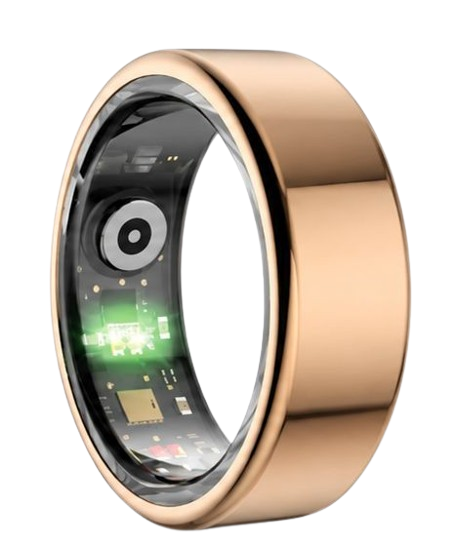
90-Day 100% Money-Back Guarantee
“The Herz Smart Ring helps me manage stress easily. It’s accurate, stylish, and lightweight—perfect for my busy life!”
— Jennifer P. | ✔ Verified Customer
- ✓ 6-Day Battery Life
- ✓ Detailed Sleep Analysis
- ✓ Fast 1-Hour Charging
- ✓ iOS & Android Ready
Questions? Call: 1-866-479-1629
Conclusion
Resolving a firmware update error is simple with systematic steps.
Team Herz P1 keeps your health journey seamless.
Ready to monitor your vitals? Explore the Herz P1 Smart Ring.
Call 1-866-479-1629 to advise on your correct ring size and set custom goals.
Note: Individual results may vary depending on individual health conditions, age, and lifestyle habits. This article is intended for general health reference purposes only.
