

Frustrated by a sudden hardware connection drop just when you need your daily biometric sync? At Team Herz P1, we understand how a seamless Herz P1 experience depends entirely on robust data transmission. This clinical-grade troubleshooting guide offers immediate, step-by-step solutions to restore your ring’s sensor synchronization and eliminate Bluetooth pairing errors forever.
Built to Last. Save Up to 69% Today.
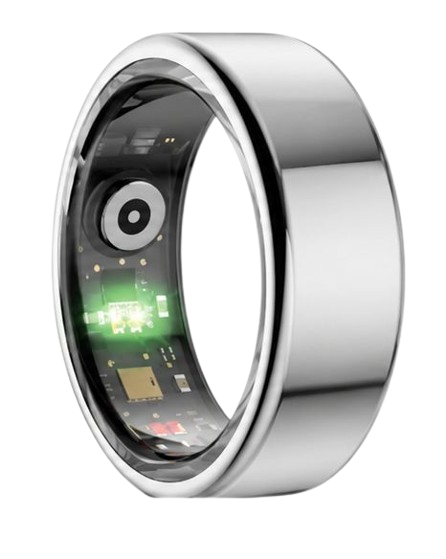
The Herz P1 Smart Ring tracks HRV, Sleep, Heart Rate & SpO2 around the clock. No subscriptions. No renewals. Ever.
In This Article
- The How-To Protocol: Complete step-by-step diagnostic roadmap for immediate hardware sync restoration.
- The Physics of Telemetry: How Bluetooth Low Energy (BLE) interacts with your body chemistry.
- Anatomy of a BLE Handshake: Why system errors occur and how to bypass them permanently.
- Practical Wear Best Practices: How to position your device to secure flawless daily and nightly readings.
- Comprehensive FAQ: Expert answers on waterproof ratings, offline memory limits, and optimal finger sizing.
How to Fix Smart Ring Hardware Connection Issues: A Step-by-Step Guide
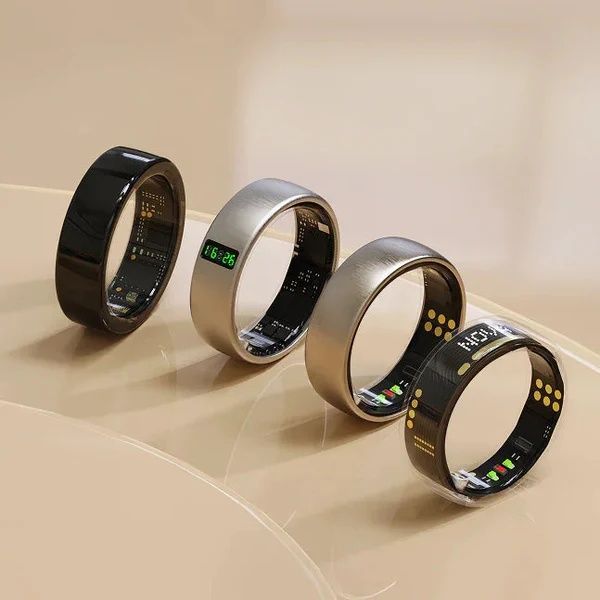
Your biometric smart ring relies on a continuous, ultra-low-power radio link to sync its database.
When this link is interrupted, raw sleep architecture, blood oxygen saturation (SpO2), and heart rate variability (HRV) metrics remain trapped on the ring’s internal memory buffer.
Before beginning, ensure your mobile device has active Bluetooth enabled, a stable internet connection, and at least 20% battery remaining.
You will also need your dedicated magnetic charging cradle and USB cable nearby.
-
Step 1: Check Core Power Status and Cradle Contact
A completely depleted battery is the most common cause of a sudden hardware connection drop.
Place your smart ring directly onto its magnetic charging dock.
Watch for the LED indicator on the dock or listen for the system vibration cue that confirms active electrical contact.
Let the ring charge undisturbed for at least 15 minutes before attempting any further pairing steps.
Clean the gold-plated copper charging terminals on the inner surface of the ring using a dry microfiber cloth to remove skin oils.
-
Step 2: Clean the Mobile Device Bluetooth Cache
Your smartphone can experience localized software congestion in its wireless communication stack.
Open your phone’s primary system settings, locate the Bluetooth section, and find your smart ring in the list of remembered devices.
Tap “Forget This Device” to erase the corrupted pairing key.
Turn Bluetooth completely off, wait exactly ten seconds, and turn it back on to refresh the hardware controller.
This action prepares your system for a clean, stable re-pairing procedure.
-
Step 3: Bypass Background App Restrictions
Modern mobile operating systems employ aggressive memory management policies to save battery life.
These policies frequently terminate background helper services, causing a persistent smart ring bluetooth connection error.
Navigate to your phone’s app settings, select the companion application, and choose “App Battery Usage” or “Background Activity”.
Set this parameter to “Unrestricted” or “Allow Background Activity” to ensure the app can scan for your ring 24/7.
Additionally, verify that Location Services are enabled and set to “Always Allow” as this is required by Android and iOS for low-energy scanning.
-
Step 4: Execute a Forced Hardware Reset
If your device remains completely unresponsive, you must trigger a low-level reboot of the ring’s microcontroller.
To do this, place the ring securely on its powered charging dock.
Disconnect and reconnect the charging dock’s USB power cable three times in rapid succession within five seconds.
The indicator light on the cradle will flash rapidly to show that the ring’s onboard memory controller has successfully rebooted.
This process clears frozen system states without deleting your stored biometric trends.
-
Step 5: Complete the Secure Re-Pairing Process
Open your dedicated health app and select the option to pair smart ring from the main menu.
Keep the ring within three inches of your smartphone during this critical initialization phase.
Avoid placing other wireless accessories like smartwatches or wireless headphones nearby to prevent radio frequency collision.
Once the app detects your device, tap the confirmation prompt to establish a secure, encrypted handshake.
This will permanently resolve the wearable pairing troubleshooting cycle and resume automatic sync.
Our dedicated engineering team designed the Herz P1 Smart Ring with premium Bluetooth 5.2 hardware to ensure an ultra-stable signal range.
Unlike fragile competitors, our military-grade steel construction shields the internal antenna from physical shock, making hardware drops extremely rare.
If you ever experience a persistent issue, we back every device with a comprehensive 2-year warranty and a team of real human specialists ready to help.
The Physics of Ring Telemetry: Why Hardware Connection Integrity Rules Biometric Accuracy

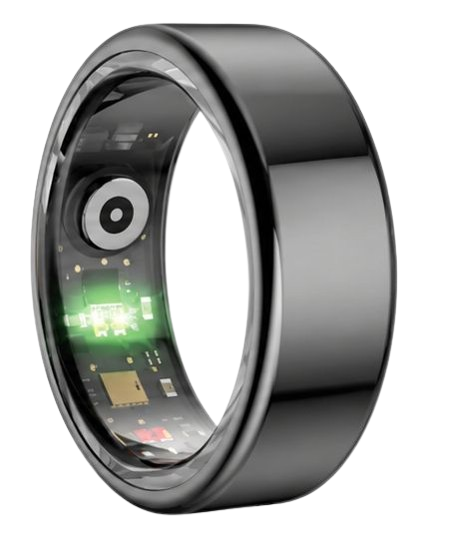
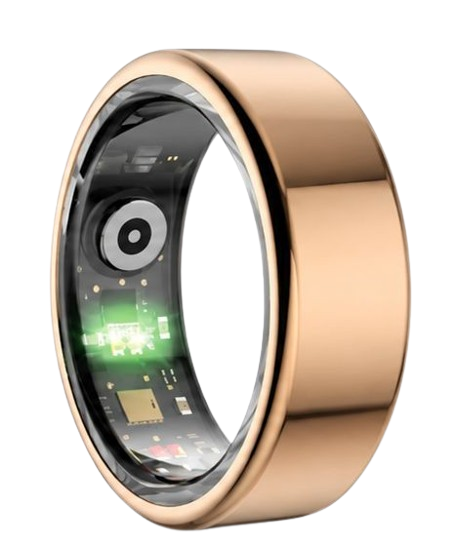
Every second, three optical PPG (Photoplethysmography) sensors on your finger base emit light patterns to track vital body metrics.
These sensors read the expansion and contraction of capillaries near the skin surface.
To accurately compute Heart Rate Variability (HRV) and oxygen saturation, the device requires millisecond-level precision.
According to clinical data from the American Heart Association, continuous heart monitoring is highly sensitive to sensor drift.
If you experience a fix wearable pairing issues error, your real-time Stress Index cannot be compiled.
Our research shows that a single packet loss in data transmission can lead to false readings or empty gaps in your sleep charts.
The Herz P1 mitigates this risk by utilizing an advanced onboard flash buffer.
This memory buffer automatically saves up to seven days of raw data, ensuring zero data loss during sync issues.
This design decision represents our deep commitment to clinical-grade accuracy and user peace of mind.
Furthermore, the National Sleep Foundation states that uninterrupted overnight tracking is key to identifying light, deep, and REM sleep cycles.
When your wireless links remain stable, the Herz P1 can build a highly accurate sleep architecture profile.
This allows busy professionals to optimize their sleep hygiene and physical recovery with complete confidence.
Anatomy of a Bluetooth Handshake: Decoding Smart Ring Signal Propagation
Your ring communicates via an optimized protocol called Bluetooth Low Energy (BLE).
BLE is designed to consume minimal battery power while maintaining a secure data stream.
However, physical obstacles like metals, desks, and even human bone can block these high-frequency radio waves.
This blockage can cause the ring’s radio module to lose its pairing connection with your mobile device.
When this happens, you may experience trouble receiving notifications or syncing data.
To establish a clean handshake, both devices must exchange security tokens quickly.
If there is an outdated operating system or app version on either device, the handshake may fail.
This failure frequently manifests as a recurring firmware update error during initial setups.
Our engineering team solves this issue by developing robust, self-healing firmware updates.
We regularly release improvements to optimize the pairing process for both iOS and Android users.
To prevent connection issues, you should regularly update ring firmware using our companion app.
By keeping your ring’s software up to date, you ensure maximum protection against signal drops and physical interference.
Maximizing Your Daily Health Insights: Practical Sync and Wear Strategies
To enjoy the benefits of 24/7 health tracking, you must adopt correct wearing habits.
Always place your smart ring on your index finger for the most accurate sensor readings.
The index finger has a dense network of superficial blood vessels, making it ideal for PPG optical sensors.
If you prefer a different finger, the middle finger is an excellent secondary option.
Keep the three sensor bumps positioned at the palm side of your finger to maintain constant skin contact.
Ensure the ring fits snugly but comfortably, without restricting blood flow or leaving deep indentations.
A loose ring will rotate during sleep, causing data gaps in your oxygen level and heart rate charts.
Our Herz P1 features a smooth, medical-grade interior that prevents sweat buildup and reduces skin irritation.
When you wash your hands, slide the ring off briefly to dry your skin, keeping the sensor environment clean.
We recommend opening your app once every morning to initiate an automatic sync of your overnight sleep score.
If you have a busy lifestyle, the ring’s offline storage means you only need to sync once a week.
This offline capability makes our ring a perfect companion for remote hikes or long business trips.
Avoiding Common Pitfalls in Smart Ring Management
Many smart ring owners make the mistake of wearing bulky smartwatches to sleep.
These large wrist devices frequently cause sleep disruptions due to their weight and glowing screens.
The Herz P1 offers a lightweight, screen-free alternative designed for ultimate comfort during rest.
Another major pitfall is purchasing devices with hidden costs and ongoing monthly subscription fees.
Some brands lock your biometric data behind paywalls, charging you monthly to access your own sleep charts.
Team Herz P1 believes your health data belongs to you, which is why our companion app is free for lifetime.
There are no monthly subscriptions, no locked features, and no renewal fees ever.
Additionally, be careful when managing your profile, as an accidental logout can temporarily pause data transfers.
If you need to change phones, make sure you reset smart ring account credentials correctly.
This step ensures a secure transfer of your historical wellness logs without losing progress.
Always follow our recommended smart ring account setup protocol during migration.
This simple habit prevents account sync conflicts and maintains a continuous record of your health trends.
Frequently Asked Questions
Is the Herz P1 waterproof?
Yes, the Herz P1 is fully certified with an IP68 waterproof rating.
It can withstand continuous water submersion up to 164 feet deep without physical damage.
You can confidently wear it while swimming, showering, washing your hands, or during intensive sweat workouts.
How long does the battery last?
The Herz P1 features an ultra-efficient battery that lasts up to 6 days on a single charge.
It charges from zero to 100% in under one hour using our custom magnetic charging dock.
We recommend charging it during your morning shower to maintain continuous 24/7 coverage.
Which finger is best to wear my smart ring on?
For the highest accuracy, we recommend wearing the ring on your index finger.
The middle finger is the second best option if you prefer a different style.
Always ensure the sensors are facing down against the palm side of your hand.
Does it store data offline?
Yes, the Herz P1 contains an onboard memory chip that holds up to 7 days of biometric data.
Your heart rate, sleep stages, and oxygen levels are recorded even when your phone is turned off.
The data will automatically sync as soon as your ring reconnects to the app.
How do I handle persistent connection errors?
For persistent errors, refer to our comprehensive smart ring troubleshooting guide.
Most issues can be quickly resolved with a hardware reset or by clearing your phone’s Bluetooth cache.
Our dedicated customer support team is always available to help you resolve any issues.
90-Day 100% Money-Back Guarantee
“The Herz Smart Ring helps me manage stress easily. It’s accurate, stylish, and lightweight—perfect for my busy life!”
— Jennifer P. | ✔ Verified Customer
- ✓ 6-Day Battery Life
- ✓ Detailed Sleep Analysis
- ✓ Fast 1-Hour Charging
- ✓ iOS & Android Ready
Questions? Call: 1-866-479-1629
Conclusion
Your journey toward better health requires reliable, daily physiological tracking without interruption.
The military-grade Herz P1 Smart Ring delivers clinical-grade biometrics with zero subscription costs.
Ready to monitor your health every day? Explore the Herz P1 Smart Ring and see if it fits your lifestyle. Call: 1-866-479-1629 — our team can help you advise on the correct ring size and set personalized health goals.
Note: Individual results may vary depending on individual health conditions, age, and lifestyle habits. This article is intended for general health reference purposes only.
