

Experiencing data sync delays or optical sensor reading gaps with your wearable health tracker can be highly frustrating. Our ultimate smart ring troubleshooting guide is designed to help you quickly resolve issues like bluetooth pairing bugs and app sync errors. By understanding the underlying hardware physiology and software protocols of your premium subscription-free Herz P1 smart ring, you can easily restore clinical-grade tracking accuracy and enjoy uninterrupted wellness monitoring every single day.
Built to Last. Save Up to 69% Today.
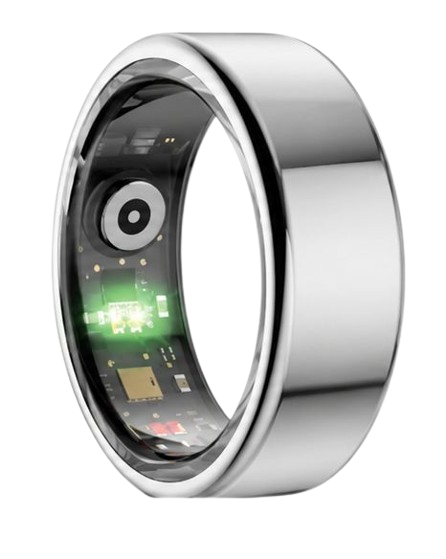
The Herz P1 Smart Ring tracks HRV, Sleep, Heart Rate & SpO2 around the clock. No subscriptions. No renewals. Ever.
In This Article
- How to systematically resolve connection and tracking errors with our comprehensive diagnostic guide.
- The exact science behind optical sensor readings, vasoconstriction, and heart rate variability tracking gaps.
- Practical everyday adjustments to optimize sleep staging precision and improve offline data recovery.
- Unmasking hidden subscription traps and discovering the high-performance design of subscription-free wearables.
How to Resolve Smart Ring Tracking Lags and App Errors: A Step-by-Step Guide
Before initiating any hardware diagnostics, verify that your smartphone operates on the latest operating system firmware.
Ensure your mobile device has a functioning internet connection and that Bluetooth permissions are fully granted to your companion health application.
Keep your original charging dock connected to a reliable power source within immediate reach during the troubleshooting sequence.
If you are configuring your device for the absolute first time, review our master resource on how to set up smart ring parameters to avoid common alignment mistakes.
-
Step 1: Restart Bluetooth and Clear Cellular Storage Caches
Disable your smartphone Bluetooth antenna directly within the primary settings menu for a minimum of ten seconds.
Re-enable Bluetooth and force-restart your companion application to clear temporary execution threads.
If the background syncing fails, clear the local app cache within your phone application manager to purge corrupt database fragments.
Executing this baseline sequence will successfully help you fix wearable pairing issues without erasing your historical sleep profiles.
-
Step 2: Clean the Internal Optical Sensor Path Gently
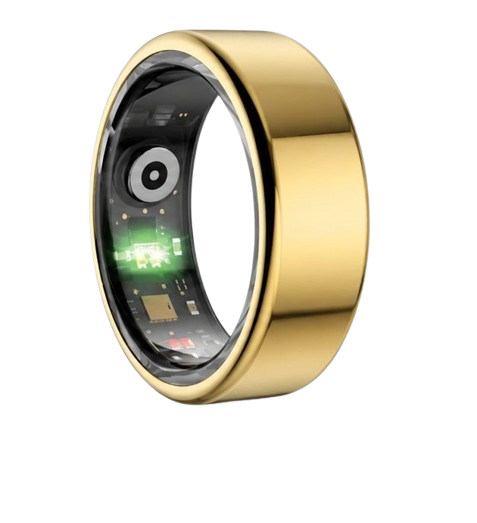
Accumulated skin lipids, sweat residues, and moisturizers regularly build up over the internal raised sensor humps.
This micro-layer of grime blocks the high-frequency light paths emitted by the photoplethysmography array.
Moisten a soft microfiber cloth with a small drop of isopropyl alcohol or mild water.
Wipe the three raised sensor pods on the interior band until they are completely transparent and free of visible smudges.
Dry the ring thoroughly with a lint-free towel to prevent moisture from refracting the outgoing sensor signals.
-
Step 3: Correct Finger Placement and Physical Sensor Alignment
An improper finger fit allows ambient light to leak inside the optical channel, introducing heavy noise into your data streams.
Slide your ring onto your index or middle finger so that it fits snugly without restricting blood flow.
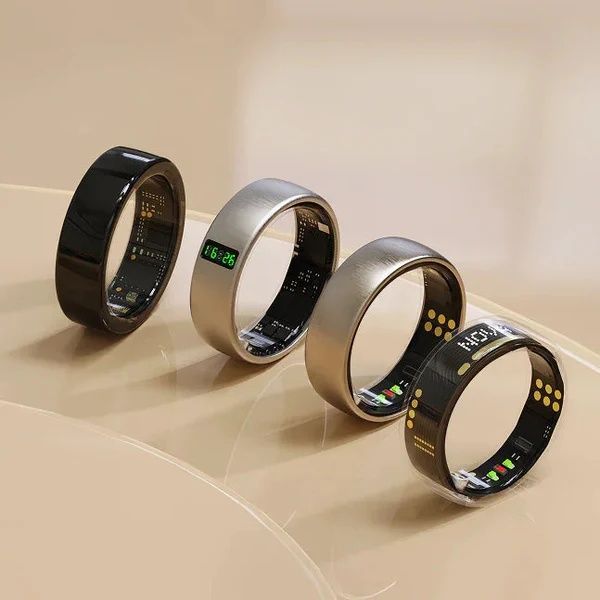
Rotate the ring body until the three raised sensor modules rest directly on the bottom palm side of your finger.
This specific anatomical region contains the densest network of microvascular capillary beds for clean cardiovascular tracking.
Confirm the band does not spin freely when you shake your hand or complete basic hand tasks.
-
Step 4: Execute a Hardware Reset via the Charging Dock
If the physical ring remains completely unresponsive, connect your specialized charging cable to a standard USB port.
Place the smart ring directly onto the magnetic pins of your powered cradle to force a hard reboot.
If your application shows critical database loading errors, you may need to reset smart ring account configurations to clear cloud sync blockages.
Always refer to our diagnostic index for smart ring charging dock troubleshooting steps if the charging LED indicator fails to illuminate.
-
Step 5: Perform a Complete Firmware Update
Outdated internal microcode can lead to continuous memory looping, causing temporary software freezes or sync drops.
Open the app settings, navigate to device management, and check if a new firmware version is available for download.
Ensure your smart ring has at least a fifty percent battery charge before starting the wireless update process.
If the transfer screen freezes or fails to complete, read our dedicated article on how to resolve a firmware update error safely.
Our team at Team Herz P1 understands that seamless technology is essential for reliable lifestyle and daily stress monitoring.
The premium Herz P1 Smart Ring utilizes a highly stable Bluetooth 5.2 protocol to eliminate transmission drops entirely.
With an integrated seven-day offline database, our ring logs your vitals continuously even when your phone is turned off.
To experience the absolute pinnacle of zero-subscription health monitoring, explore the Herz P1 Smart Ring directly and secure your perfect sizing kit today.
Analyzing the Physiology Behind Optical Sensor Alignments and Signal Latency

To master smart ring maintenance, users must understand the photoplethysmography sensor bypass and light absorption pathways.
Modern finger wearables use multi-wavelength optical sensors to track arterial volume changes beneath your skin surface.
According to clinical studies published by the National Institutes of Health, finger arteries are highly sensitive to temperature and placement changes.
When your hands become cold, peripheral vasoconstriction significantly reduces blood volume flowing through your digital capillaries.
This biological reaction weakens the signal-to-noise ratio, resulting in temporary tracking gaps during outdoor winter workouts.
To avoid vasoconstriction errors, rub your hands together to stimulate regional blood flow before checking your real-time heart rate.
Our research at Team Herz P1 indicates that multi-spectral PPG sensor configurations perform much better than standard single-wavelength systems.
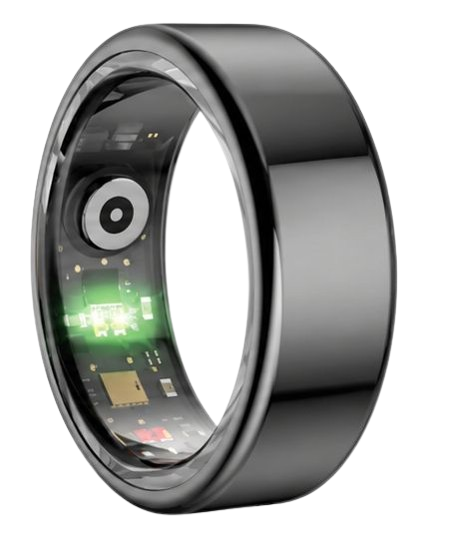
The Herz P1 integrates distinct red, infrared, and green optical LEDs to penetrate different vascular depths under your skin.
Infrared light operates at a wavelength of nine hundred and forty nanometers, allowing it to bypass minor skin surface dry spots easily.
This premium optical array ensures that your sleep staging and blood oxygen saturation readings remain remarkably accurate year-round.
By capturing clean pulse waveform variations, the ring calculates complex metrics with an exceptionally low error margin.
The Science of Heart Rate Variability and Continuous Stress Tracking
Heart rate variability analysis requires continuous millisecond-level detection of the time intervals between consecutive heartbeats.
Unlike simple resting pulse metrics, calculating HRV requires an exceptionally stable sensor connection to avoid data distortion.
If your smart ring is loose, small hand movements during sleep create subtle gaps in your raw physiological signal.
According to the American Heart Association, these signal drops prevent algorithms from locating the exact cardiac peak points.
This tracking gap causes the companion application to misclassify sleep stages or generate inaccurate overnight recovery ratings.
A loose fit often leads to sleep tracking gaps, causing the app to assume you were awake when you were actually in deep sleep.
To prevent these issues, review our guide on smart ring account setup details to configure your baseline metrics properly.
The Herz P1 Smart Ring calculates your autonomic stress metrics every five minutes using high-frequency PPG sampling loops.
This continuous sampling captures the subtle balance between your sympathetic and parasympathetic nervous system branches.
By analyzing these biological trends, our software identifies early warning signs of physical exhaustion before you feel tired.
This proactive wellness data helps you make smart choices about training intensity and daily work schedules.
Optimizing Daily Wear Habits for Pristine Biometric Performance
To maintain pristine tracking, wear your ring on the index or middle finger of your non-dominant hand.
This finger selection offers the most stable capillary density while experiencing the least amount of daily grip friction.
Wash your hands and clean the ring band with mild soap immediately after cooking, swimming, or applying thick skin creams.
If you enjoy strength training, slide the ring to your non-dominant ring finger or cover it with athletic tape.
This quick precaution protects the military-grade steel finish from micro-scratches without blocking sensor contact.
When waking up, allow the application up to sixty seconds to complete its automatic chronological sync cycle.
Keep your phone screen active during the synchronization process to prevent iOS or Android from pausing background Bluetooth tasks.
If you encounter configuration hurdles during your first morning, consult our master guide on how to set up your smart ring quickly.
The Herz P1 is designed with smooth hypoallergenic materials to prevent skin irritation even during intense twenty-four-hour wear.
This lightweight design ensures you can capture vital recovery signals without the bulk of a traditional smartwatch.
Unmasking Wearable Traps: Subscriptions and Bulky Designs
Many health enthusiasts make the mistake of wearing heavy, light-emitting smartwatches to sleep.
These large wrist devices frequently flash bright screens, disrupting natural sleep cycles and lowering your restorative deep sleep.
Furthermore, several popular wearable brands lock your personal health metrics behind expensive monthly paywalls.
We firmly believe that you should never have to pay a monthly subscription to access your own biometric trends.
The Herz P1 companion app is completely free for life, giving you unrestricted access to all historical health trends.
If you suffer from high power drain on other devices, read our tips on smart ring battery drain troubleshooting techniques.
The Herz P1 is engineered with a premium micro-battery that provides six full days of active monitoring per charge.
This long battery life eliminates the chore of charging your health tracker every single evening.
Frequently Asked Questions About Smart Ring Operations
Is the Herz P1 waterproof enough for swimming and hot showers?
Yes, the Herz P1 is designed with a certified IP68 waterproof rating that resists water pressure up to fifty meters deep.
This rugged construction allows you to swim laps, shower, wash dishes, and enjoy hot saunas without removing your ring.
The internal sensors are completely sealed within a smooth, biocompatible resin layer that blocks all moisture entry.
We recommend rinsing the ring with fresh water after swimming in salty oceans or heavily chlorinated public pools.
How long does the battery last, and how fast does it charge?
The Herz P1 battery delivers up to six full days of continuous tracking on a single charge cycle.
The device charges from zero to one hundred percent in under sixty minutes using the included magnetic docking station.
To protect battery health over the years, we recommend charging the ring in short bursts while you take your daily shower.
Which finger is best to wear my smart ring on for maximum tracking accuracy?
The index finger of your non-dominant hand is the ideal choice for clean photoplethysmography sensor tracking.
The middle and ring fingers are also highly accurate alternatives if your index finger feels slightly too tight.
Avoid wearing the ring on your thumb or pinky finger as these digits have different microvascular patterns.
Always ensure the raised sensor pods are positioned on the bottom palm side of your chosen finger.
Does the ring store my health data offline if my phone is out of range?
Yes, the Herz P1 features local memory that safely stores up to seven days of raw biometric data offline.
As soon as your phone comes back within Bluetooth range, the ring syncs all logged metrics automatically.
This allows you to leave your smartphone behind during outdoor runs, gym workouts, or deep meditation sessions.
What should I do if my ring refuses to pair with my mobile application?
First, verify that your smartphone is running at least iOS fourteen or Android ten to support our app.
Turn your phone Bluetooth off for five seconds and then turn it back on to refresh local wireless channels.
If the connection fails, place the ring on its connected charging dock to wake up the internal wireless transmitter.
This hardware signal helps bypass pairing blocks on modern operating systems.
How can I fix a sudden battery drain issue on my wearable ring?
Excessive battery drain is usually caused by an outdated firmware version looping in the phone background.
Check your companion app device management tab to ensure you are running the absolute latest software release.
Additionally, avoid leaving your smart ring in direct hot sunlight or freezing temperatures for long periods.
Clean the gold charging contacts on the inner band to prevent continuous connection attempts on the dock.
Can I wear the Herz P1 smart ring while lifting heavy gym weights?
While our military-grade steel is extremely durable, metal-on-metal friction can cause fine surface scratches.
We recommend wearing a protective silicone cover over the ring during heavy barbell or kettlebell exercises.
Alternatively, you can wear the ring on your non-dominant hand during grip-heavy weightlifting workouts.
This simple habit protects the beautiful finish while allowing the sensors to capture your elevated cardiovascular recovery rates.
Do I need to pay any monthly fee to view my historical health data?
No, the Herz P1 companion app has absolutely zero monthly subscription fees or hidden data paywalls.
You gain full lifetime access to all sleep stages, HRV trends, and daily recovery analytics upon purchase.
This subscription-free promise saves you hundreds of dollars compared to traditional health wearables.
90-Day 100% Money-Back Guarantee
“The Herz Smart Ring helps me manage stress easily. It’s accurate, stylish, and lightweight—perfect for my busy life!”
— Jennifer P. | ✔ Verified Customer
- ✓ 6-Day Battery Life
- ✓ Detailed Sleep Analysis
- ✓ Fast 1-Hour Charging
- ✓ iOS & Android Ready
Questions? Call: 1-866-479-1629
Conclusion: Empower Your Personal Wellness Journey Today
Managing your biometric data should be an empowering and completely stress-free experience.
With military-grade durability and no subscription fees, the Herz P1 is your ultimate long-term wellness partner.
Ready to monitor your health every day? Explore the Herz P1 Smart Ring and see if it fits your lifestyle.
Call: 1-866-479-1629 — our team can help you advise on the correct ring size and set personalized health goals.
Note: Individual results may vary depending on individual health conditions, age, and lifestyle habits. This article is intended for general health reference purposes only.
