

Optimizing your daily wellness journey begins with understanding how the Herz P1 works with companion applications to manage a data sharing smart ring framework smoothly. Many individuals feel overwhelmed by disconnected wellness applications and confusing biometric charts. Our guide shows you exactly how to sync your daily sleep, recovery, and fitness metrics across popular platforms without friction or hidden monthly subscription fees.
Built to Last. Save Up to 69% Today.
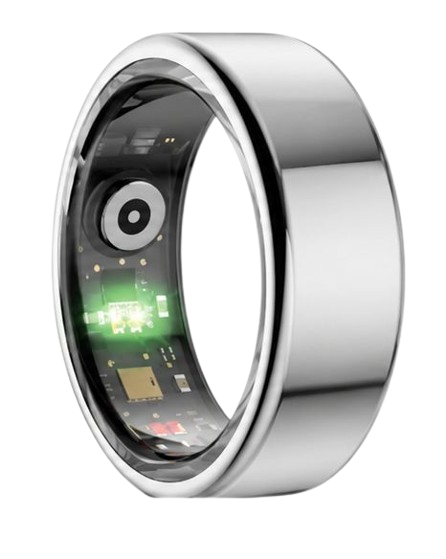
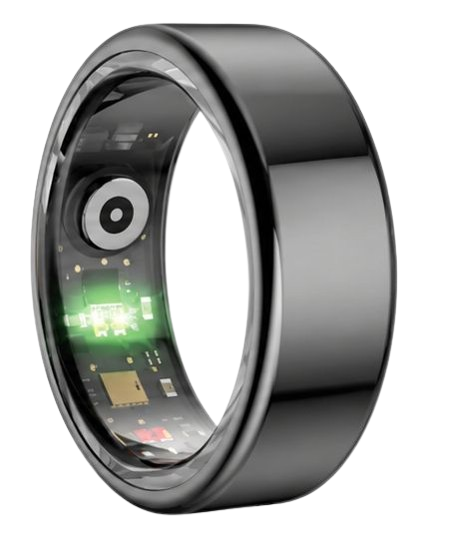
The Herz P1 Smart Ring tracks HRV, Sleep, Heart Rate & SpO2 around the clock. No subscriptions. No renewals. Ever.
In This Article
- Step-by-Step Biometric Syncing: A comprehensive how-to guide for linking Apple Health, Google Fit, and other platforms.
- Optical Sensor Technology: How photoplethysmography processes high-fidelity cardiovascular and sleep metrics.
- Data Privacy Control: Best practices for maintaining absolute control over your private biometric database.
- Mitigating Connectivity Issues: Practical strategies to avoid syncing gaps and battery tracking challenges.
How to Sync and Share Your Smart Ring Biometrics: A Step-by-Step Guide
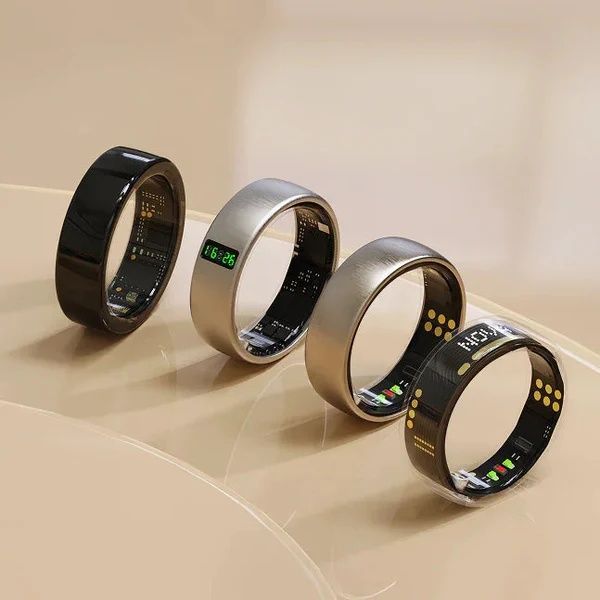
Before you begin syncing your daily wellness logs, you must prepare a few essential tools.
First, ensure your smart ring is charged to at least fifty percent battery capacity.
Second, keep your mobile phone close with Bluetooth enabled and an active internet connection.
Finally, confirm you have updated your phone’s operating system to the latest stable release.
-
Step 1: Download the Companion App and Create Your Account
First, open the App Store or Google Play Store on your mobile device.
Search for the official companion application and tap the download button.
Open the app once the installation finishes and select the option to register a new user profile.
Input your basic physiological parameters including age, height, and current weight to calibrate the algorithms.
Complete the profile creation by confirming your email address through the verification link sent to your inbox.
-
Step 2: Enable Mobile Operating System Syncing for iOS or Android
Navigate to the settings menu located in the top corner of your companion application.
Select the integrations tab to view the list of compatible operating system platforms.
Toggle the switch next to Apple Health or Google Fit to initiate the connection request.
A system prompt will appear asking you to grant read and write permissions for biometric categories.
Ensure you select all categories including heart rate, sleep analysis, and steps to keep your profiles aligned.
-
Step 3: Link Your Profile with Popular Partner App Integrations Smart Ring Options
Many users want to use a wearable sharing feature to combine their metrics in one central hub.
Locate the third-party partner applications menu inside your companion application dashboard.
Choose your preferred third-party tracking platform such as Strava, MyFitnessPal, or Chronometer.
Enter your credentials for that specific platform when the secure login window opens.
Confirm the connection to allow the companion app to send your workouts directly to your personal feed.
-
Step 4: Set Up Family Health Monitoring and Trainer Connections
Sharing your metrics with family members or personal coaches can boost your health accountability.
To share health ring metrics with loved ones, open the community sharing settings in the app.
Enter the email address of your trainer or family member to send them a secure viewing invitation.
They will receive a secure link to view your real-time wellness dashboards through a track family health app interface.
You can adjust these permissions at any moment to control exactly which metrics remain visible to outside parties.
-
Step 5: Adjust Your Security Settings and Manage Your Private Database Options
Protecting your personal biometric database should always remain a top priority when using connected devices.
Open the privacy center inside the main app settings to view your database permissions.
Review the smart ring privacy policy to understand how your encrypted data is processed.
If you wish to stop sharing data with external partners, use the data sharing opt out toggle immediately.
This action will revoke all third-party API access tokens and isolate your records on your local device.
The Herz P1 Smart Ring makes this entire integration process incredibly straightforward and secure.
Unlike other brands, our premium hardware connects seamlessly to both major operating systems without demanding a monthly fee.
You can securely manage data sharing smart ring profiles with full peace of mind.
Take charge of your wellness logs today by visiting the Herz P1 Smart Ring portal.
The Biometric Science Behind Data Sharing Smart Ring Devices

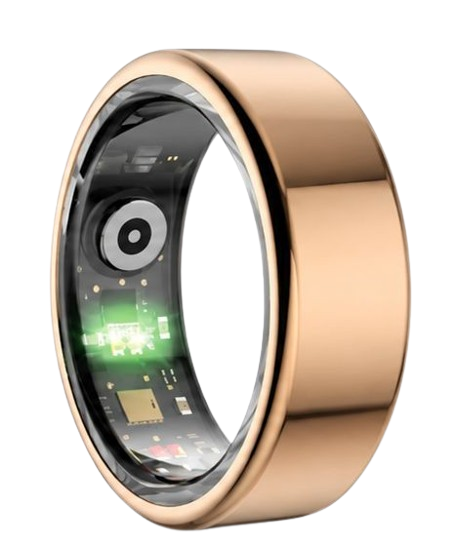
Smart rings use highly advanced miniaturized sensors to read blood flow patterns directly from your finger.
The skin on your fingers is much thinner than the skin on your wrists.
This anatomical difference allows optical sensors to capture highly clear signals with minimal interference.
When you sync this information with a partner app integrations smart ring system, you gain deep physiological insights.
These platforms analyze complex variations in your cardiovascular performance over extended periods.
Understanding these raw signals helps you make informed choices regarding your training and daily recovery.
Our engineering team works tirelessly to ensure these signals remain incredibly precise.
How Photoplethysmography (PPG) Converts Light Into Digital Metrics
Photoplethysmography is the core technology behind modern finger-based wellness wearables.
The device shines specialized LED lights directly through your outer skin layer to illuminate tiny capillaries.
As your heart beats, blood volume in these vessels changes rhythmically with each pulse.
The ring’s photodiode sensor measures the exact amount of light reflected back or absorbed by your blood.
This raw optical signal is then processed through proprietary algorithms to determine your pulse rate.
By analyzing the shape of these light waves, we can calculate blood oxygen saturation levels with high accuracy.
The National Sleep Foundation emphasizes that blood oxygen metrics are critical for identifying sleep disturbances.
Our sensors maintain a minimal margin of error during continuous overnight monitoring cycles.
This high-fidelity signal ensures that your connected databases receive clean, uncorrupted data points.
Clean metrics prevent false readings from skewing your weekly recovery trends.
Understanding HRV and Sleep Stages Across Integrated Apps
Heart rate variability represents the exact time variation between consecutive heartbeats in milliseconds.
The American Heart Association recognizes heart rate variability as a primary indicator of nervous system stress.
A high heart rate variability score indicates your body is in an adaptable, well-recovered state.
A low heart rate variability score suggests your sympathetic nervous system is under significant stress.
When you utilize a smart ring health sharing platform, this metric is logged continuously.
The companion application also maps your sleep architecture by analyzing motion and heart rate patterns.
Deep sleep is the vital stage where physical tissues repair and muscles rebuild.
REM sleep supports cognitive function, memory consolidation, and emotional balance.
Sharing these sleep phase breakdowns with connected applications paints a complete picture of your daily wellness.
It allows secondary systems to cross-reference your recovery with your daily energy output.
How Centralizing Your Metrics Prevents Health Monitoring Gaps
Many fitness enthusiasts suffer from fragmented data across multiple isolated fitness applications.
Your step counter might live in one app while your sleep logs remain locked in another.
This fragmentation makes it nearly impossible to draw meaningful connections between your habits and your energy levels.
A unified data sharing smart ring framework solves this problem by centralizing your biometrics.
By integrating your ring with a unified hub, you establish a single source of truth for your body.
You can easily see how a high-stress workday directly impacts your deep sleep duration.
Similarly, you can track how your resting heart rate drops as your aerobic fitness improves over time.
Our team at Herz P1 supports this centralized approach by offering full compatibility with major health ecosystems.
We believe your personal health data should be easily accessible, fully integrated, and free from paywalls.
This open integration design lets you share real-time wellness logs with trainers and coaches effortlessly.
You never have to manually export files or take screenshots of your biometric dashboards again.
Maximizing Your Daily Wellness Analytics on Your App
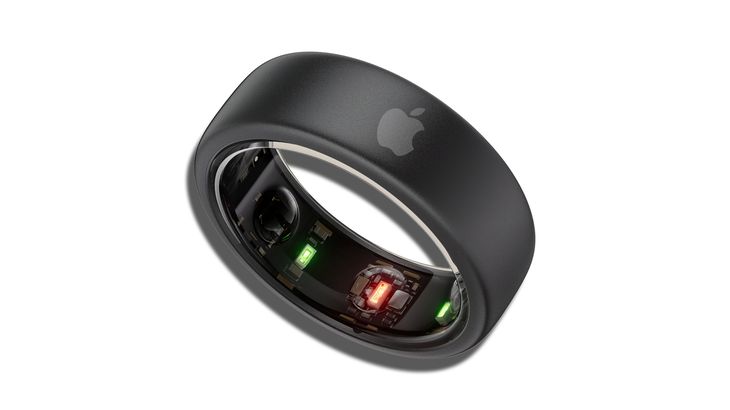
To get the most value from your wellness logs, you must establish consistent tracking habits.
First, wear your device continuously throughout the day and night to capture complete baselines.
The sleek, lightweight profile of our ring ensures you can wear it comfortably 24/7 without irritation.
Second, review your morning recovery score before planning your physical activity for the day.
If your recovery score is low, consider scheduling a light walk instead of a strenuous workout.
If your recovery score is high, your body is ready to handle a high-intensity training session.
Third, use the integrated family sharing features to build a supportive community with your loved ones.
Many families use family sharing health rings to monitor the wellness trends of elderly relatives remotely.
This feature offers incredible peace of mind by highlighting sudden drops in sleep quality or baseline heart rate.
Fourth, monitor your blood oxygen saturation trends during high-altitude activities or overnight sleep.
Consistently low oxygen levels can serve as an early warning sign to consult a healthcare professional.
Finally, utilize the customizable push alerts to remind you to take breathing breaks during stressful moments.
Mitigating Smart Ring Integration and Data Pitfalls
Many users make the mistake of wearing a heavy, bulky smartwatch to track their sleep patterns.
These large wrist devices often disrupt natural sleep positions and lead to fragmented rest.
Switching to a lightweight, screen-free ring allows you to sleep naturally while capturing highly accurate metrics.
Another common mistake is purchasing hardware that requires ongoing monthly app subscription fees.
These hidden fees add significant long-term costs to what should be a straightforward hardware purchase.
The Herz P1 App is free for lifetime and contains absolutely zero subscription paywalls.
A third pitfall involves neglecting your device’s physical alignment on your finger.
Ensure the sensor bumps remain positioned at the bottom of your finger for the most accurate readings.
If the ring rotates too freely, you may experience temporary gaps in your overnight biometric logging.
If you experience tracking issues, simply clean the inner sensors with a soft, dry cloth.
Finally, always keep your companion app updated to ensure compatibility with operating system changes.
Herz P1 vs. Standard Subscription Competitors: Feature Comparison
| Key Metric | Herz P1 Smart Ring | Standard Subscription Competitor |
|---|---|---|
| Monthly Fees | $0 (Free App For Lifetime) | $5.99 to $9.99 per month |
| Warranty Coverage | 2-Year Warranty | 1-Year Warranty |
| Waterproof Level | IP68 Waterproof (Up to 164 feet) | Basic IPX7 (Splash-resistant) |
| Sleep Staging Analysis | Deep, REM, Light, Awake (98% match) | Basic Sleep Duration Only |
| Battery Longevity | Up to 6 Days | 3 to 4 Days |
Frequently Asked Questions About Smart Rings and Data Syncing
Is the Herz P1 Smart Ring fully waterproof?
Yes, the Herz P1 is IP68 waterproof and rated for depths up to 164 feet.
You can wear it comfortably while swimming, showering, or washing your hands.
The military-grade steel outer shell protects the inner sensors from all water intrusion.
How long does the battery last on a single charge?
The battery provides up to 6 days of continuous tracking on a single charge.
The device fully recharges in under 1 hour using the included magnetic fast charger.
You can check your exact battery percentage directly in the app status bar.
Which finger is best to wear the smart ring on?
We recommend wearing the ring on your index, middle, or ring finger.
These fingers provide the strongest pulse signal for the optical sensors.
Ensure the ring fits snugly but comfortably without slipping off during sleep.
Does the Herz P1 store my biometric data offline?
Yes, the ring has built-in storage that holds up to 7 days of data offline.
Your records will automatically sync to your phone once a Bluetooth connection is established.
This feature allows you to leave your smartphone behind during intense workouts.
90-Day 100% Money-Back Guarantee
“The Herz Smart Ring helps me manage stress easily. It’s accurate, stylish, and lightweight—perfect for my busy life!”
— Jennifer P. | ✔ Verified Customer
- ✓ 6-Day Battery Life
- ✓ Detailed Sleep Analysis
- ✓ Fast 1-Hour Charging
- ✓ iOS & Android Ready
Questions? Call: 1-866-479-1629
Conclusion: Your Biometric Journey Starts Here
The Herz P1 Smart Ring offers a powerful, subscription-free path to mastering your daily biometric trends.
Ready to monitor your health every day? Explore the Herz P1 Smart Ring and see if it fits your lifestyle. Call: 1-866-479-1629 — our team can help you advise on the correct ring size and set personalized health goals.
Note: Individual results may vary depending on individual health conditions, age, and lifestyle habits. This article is intended for general health reference purposes only.
