

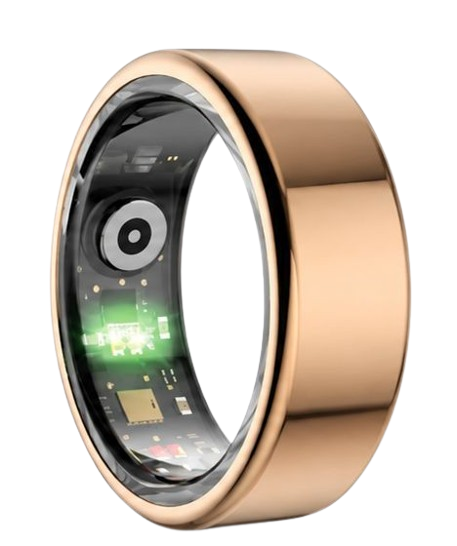
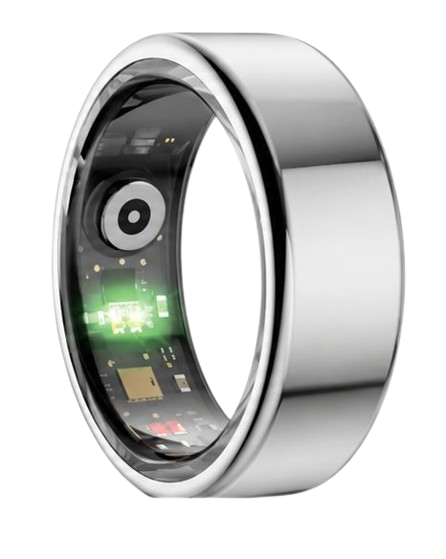
Learn how to configure family sharing health rings to protect the ones you love most. The premium Herz P1 Smart Ring enables effortless health tracking for your entire inner circle. If you have been searching for a subscription-free solution to monitor your relatives, coordinate fitness challenges, or track elder wellness from afar, this guide provides the exact steps to organize your private group database permissions today without any hidden costs.
Built to Last. Save Up to 69% Today.
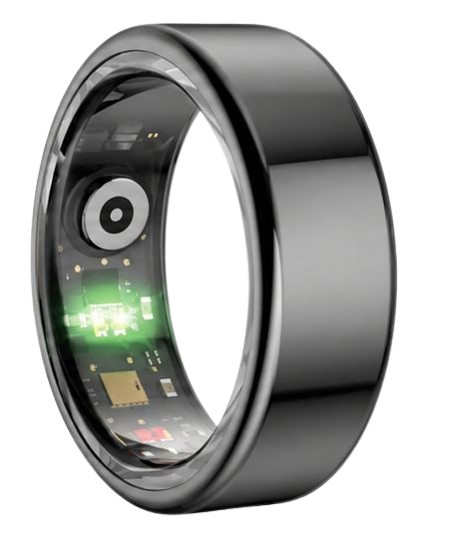
The Herz P1 Smart Ring tracks HRV, Sleep, Heart Rate & SpO2 around the clock. No subscriptions. No renewals. Ever.
In This Article
- Step-by-Step Sharing Setup: How to invite, connect, and sync your circles seamlessly.
- Advanced Permissions: Tailor your data sharing options to protect personal privacy boundaries.
- The Physiology of Remote Tracking: Scientific insights on HRV, SpO2, and sleep architecture.
- Optimizing Family Wellness: Practical daily habits using collective smart ring biometrics.
How to Set Up Family Sharing and Circles on Rings: A Step-by-Step Guide

Setting up smart ring sharing circles is highly direct and user-friendly.
Before you begin, ensure you have a few basic prerequisites prepared.
You will need a fully charged smart ring for each participant.
Every member must have a compatible smartphone running iOS 14 or Android 10 or later.
An active internet connection is required to sync metrics to the cloud database.
Finally, confirm that all users have updated their companion application to the latest version.
Once these conditions are met, you can proceed with the configuration steps outlined below.
-
Step 1: Download the Companion App and Create Your Accounts
Each participant must first install the official companion application on their smartphone.
This software serves as your primary hub to track family health app metrics securely.
Open the app store on your mobile device and search for the designated smart ring companion app.
Launch the application and follow the on-screen prompts to register a free account.
Use an active email address and select a highly secure password to safeguard your records.
Input your basic physiological parameters such as height, weight, gender, and age accurately.
These values ensure that the biometric algorithms compute your caloric burn and metabolic rate correctly.
Repeat this software installation process on every family member’s phone before moving to the next phase.
-
Step 2: Pair and Calibrate Your Individual Smart Rings
Ensure that your smartphone’s Bluetooth capability is activated inside the system settings.
Place your smart ring on its magnetic charging cradle to wake the internal Bluetooth transmitter.
Keep the ring within three feet of your phone to facilitate a stable pairing connection.
Inside the app dashboard, tap on the “Add Device” option to begin searching for active hardware.
Select your ring from the detected list and accept the Bluetooth pairing request prompt.
Wear the ring on your chosen finger for at least ten minutes to initiate sensor calibration.
This allow the optical PPG sensors to adjust to your baseline heart rate and skin perfusion.
Verify that your real-time heart rate displays correctly on the home screen of your mobile device.
-
Step 3: Access the Social Sharing Feature Menu
Navigate directly to the settings tab located at the bottom right corner of the dashboard.
Scroll down the menu options until you locate the specialized wearable sharing feature button.
Tap on this option to load the social connection and group collaboration interface.
This screen display any active networks you currently belong to or manage yourself.
You can view pending invitations from other ring owners who wish to connect with you.
The interface also features a prominent “Create Circle” button for setting up new groups.
This segment functions as the operational command center for your entire family health network.
Familiarize yourself with the layout before generating your first private connection circle.
-
Step 4: Establish Your Private Circle and Define Permissions
Tap the button labeled “Create Circle” to initiate a new private group database.
Assign a recognizable name to your circle, such as “Family Wellness Hub” or “Grandpa’s Care Circle.”
The application will prompt you to set your baseline sharing configurations immediately.
You can toggle the specific metrics you wish to display to other group members.
Select whether to share your full sleep scores, daily step counts, or real-time heart rate trends.
You may also choose to hide sensitive data elements such as specific weight variables or menstrual cycles.
This granular control ensures that every member maintains their personal boundaries and comfort level.
Confirm your preferences to lock in these structural sharing parameters for the group.
-
Step 5: Send Invites to Connect Your Family Circle
Select the “Invite Members” option inside your newly created family sharing dashboard.
Input the registered email address of the relative you wish to add to your circle.
Alternatively, the application can generate a secure, single-use QR code for instant physical scanning.
Your family member will receive a push notification on their phone requesting access to join.
They must tap “Accept” and review their personal permission guidelines before connecting.
Once confirmed, their profile avatar will instantly populate inside your shared circle dashboard.
The app will now automatically sync and refresh data streams whenever devices are near their phones.
You can now seamlessly view, compare, and monitor physiological trends across your entire circle.
The Herz P1 Smart Ring excels at facilitating this exact group monitoring setup.
By leveraging its advanced hardware, you can track critical health trends for up to ten relatives.
We believe in keeping families securely connected without placing barriers behind premium memberships.
This is why the Herz P1 companion application provides full, unlimited access to sharing circles without subscription fees.
Our secure, cloud-backed interface ensures that your relatives’ raw biometrics remain private and protected.
Invest in your family’s collective peace of mind today with the subscription-free Herz P1.
Explore our latest models and pricing details at the official Herz P1 Checkout Page.
The Science of Remote Health Tracking: Decoupling Family Biometrics
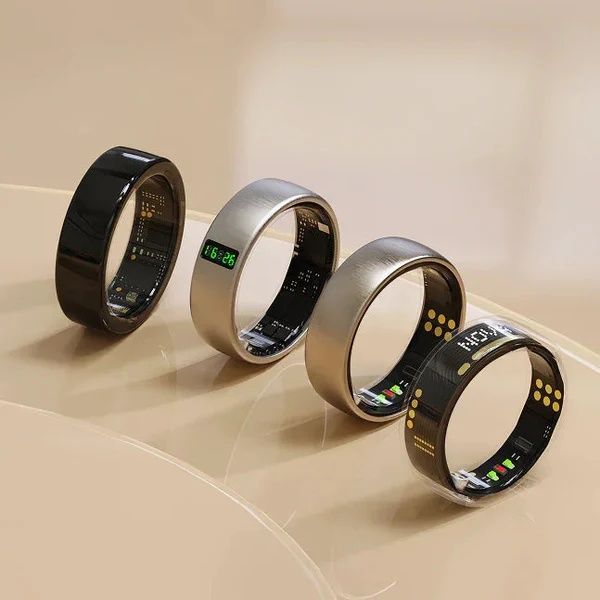
Understanding the physiological signals generated by family sharing health rings is critical for proper care.
Modern rings utilize photoplethysmography (PPG) sensors that project optical light waves directly into the skin.
These waves reflect off capillary beds to measure microvascular blood volume changes with every heartbeat.
By capturing these pulses, the ring measures Heart Rate Variability (HRV) and peripheral oxygen saturation (SpO2).
According to research from the American Heart Association, keeping a close eye on resting heart rate trends can reveal early markers of fatigue or systemic illness before physical symptoms surface.
For younger members, tracking overnight HRV helps assess athletic recovery and daily mental strain.
For elder wellness, monitoring peripheral oxygen levels is a helpful way to observe respiratory stability.
The National Sleep Foundation emphasizes that evaluating sleep architecture is highly valuable for cognitive preservation.
By monitoring the time spent in deep sleep and REM cycles, families can identify potential wellness vulnerabilities early.
These detailed metrics are invaluable when you actively engage in smart ring health sharing networks.
They provide the physiological context needed to assess if your relative is thriving or if they require rest.
The Herz P1 converts these complex biomedical signals into clear, easy-to-read wellness indices.
This allows non-technical family members to stay informed about their loved ones’ health effortlessly.
Data Privacy and Security in Smart Ring Sharing Circles
Sharing your biological data requires robust digital security measures to ensure absolute confidentiality.
The software architecture supporting our sharing circles utilizes bank-grade, end-to-end encryption protocols.
This encryption guarantees that your private health files remain shielded from unauthorized third-party access.
Users must have complete control over what parameters are visible inside the group dashboard.
Our comprehensive smart ring privacy policy details how we safeguard your data transmission pipelines.
We do not sell or monetize personal biometrics to marketing agencies or health insurance firms.
You can adjust, restrict, or revoke shared database permissions at any moment from your settings menu.
If you wish to stop sharing, simply utilize the built-in data sharing opt out tool to remove yourself instantly.
This safety measure ensures that your personal data remains completely under your control.
Families can connect with confidence, knowing their shared spaces are highly secure.
We continue to refine our firmware to meet the highest global standards for digital health privacy.
Protecting your personal data is a foundational value that we never compromise on.
Practical Application: How to Use Shared Biometrics to Optimize Family Wellness
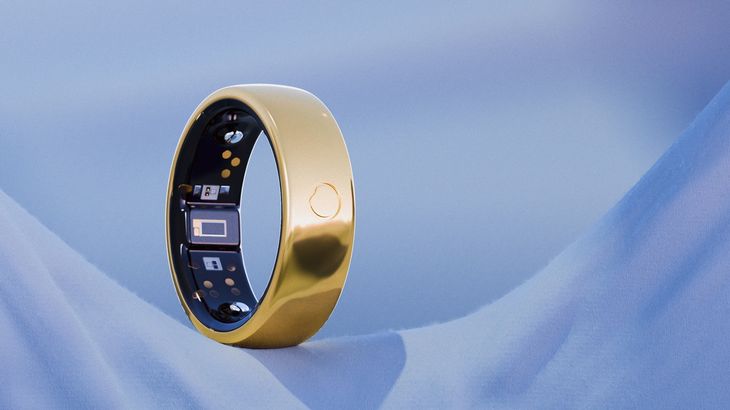
Integrating shared tracking into your daily life can transform how your family manages wellness.
For romantic partners, couples smart rings offer a fun way to compare sleep scores and daily steps.
You can set up healthy lifestyle challenges, such as meeting step goals or sleep quality targets.
For busy households, the app helps coordinate physical recovery and active exercise periods.
If a family member’s HRV score shows a steep decline, you might suggest they prioritize rest.
The dashboard makes it simple to monitor the sleep quality of elderly relatives living in different cities.
This remote check-in can provide peace of mind without requiring disruptive daily phone calls.
The Herz P1’s military-grade steel exterior is designed to withstand daily chores, workouts, and sleep.
This durable design allows you to wear it comfortably 24/7, providing consistent, uninterrupted data streams.
This consistency is key to building accurate baseline averages and identifying long-term patterns.
By reviewing these shared trends, your family can make proactive, data-informed lifestyle adjustments.
Overcoming Risks: How to Avoid Shared Tracking Mistakes
While sharing health data offers great benefits, users must avoid a few common pitfalls.
A frequent error is placing too much focus on daily numbers instead of looking at long-term trends.
Daily variations in metrics like HRV or deep sleep are entirely normal and expected.
Stressing over slight daily dips can create unnecessary anxiety for both you and your family.
Another major issue is wearing an improperly fitted smart ring, which can lead to tracking errors.
If a ring is too loose, the sensors may lose contact with the skin, resulting in gaps in your sleep or heart rate data.
This is why we provide a complete sizing kit with every order to help you find your perfect fit.
Additionally, many wearable brands trap these valuable social features behind expensive monthly paywalls.
This subscription model can make long-term family tracking cost-prohibitive for larger households.
The Herz P1 eliminates this problem entirely by offering lifetime app access with zero subscription fees.
Our commitment to transparent pricing ensures that your family can track their health without hidden costs.
Comparing Family Sharing Across Top Smart Ring Brands
To help you make an informed decision, we have put together a detailed comparison of the top smart rings on the market.
This breakdown evaluates subscription structures, warranty periods, and family sharing features.
| Product Name | Family Sharing Cost | Hardware Warranty | Required Monthly Fees |
|---|---|---|---|
| Herz P1 Smart Ring | $0 (Included) | 2-Year Complete Warranty | None — Free App for Life |
| Brand O Gen 3 | $0 (Basic App View) | 1-Year Warranty | $5.99 / Month Required |
| Brand S Galaxy | $0 (Limited Ecosystem) | 1-Year Warranty | None (Requires Brand Phone) |
As the comparison table shows, the Herz P1 is a highly accessible and cost-effective solution for family tracking.
We do not restrict your health data or charge ongoing fees to connect you with your loved ones.
Our 2-year warranty and military-grade materials ensure that your investment is fully protected.
Frequently Asked Questions About Smart Ring Sharing
Is the Herz P1 waterproof?
Yes, the Herz P1 features a robust IP68 waterproof rating, making it safe for daily wear.
It can withstand continuous water immersion up to depths of 164 feet without any risk to the sensors.
This allows your family members to wear the ring while washing dishes, showering, or swimming laps.
There is no need to remove the ring throughout the day, ensuring consistent biometric tracking.
How long does the battery last?
The Herz P1 is equipped with a high-capacity lithium battery that provides up to 6 days of continuous use.
It charges from 0% to 100% in under an hour using the included magnetic fast-charging dock.
This long battery life means fewer charging cycles and fewer gaps in your overnight health data.
We recommend charging the ring for a few minutes during your morning routine to keep it topped off.
Which finger is best to wear it on?
For the most accurate biometric readings, we recommend wearing the ring on your index finger.
The middle finger and ring finger are also excellent options if that is more comfortable for you.
We suggest wearing the ring on your non-dominant hand to minimize daily scuffs and scratches.
Ensure the inner sensor bumps face the palm side of your hand for optimal skin contact.
Does it store data offline?
Yes, the Herz P1 features onboard memory that can store up to 7 days of health data offline.
This means you do not need to keep your smartphone nearby or connected to Bluetooth at all times.
Once your phone is back within range, the ring will automatically sync your stored data to the app.
This is especially convenient for uninterrupted overnight tracking or outdoor workouts.
90-Day 100% Money-Back Guarantee
“The Herz Smart Ring helps me manage stress easily. It’s accurate, stylish, and lightweight—perfect for my busy life!”
— Jennifer P. | ✔ Verified Customer
- ✓ 6-Day Battery Life
- ✓ Detailed Sleep Analysis
- ✓ Fast 1-Hour Charging
- ✓ iOS & Android Ready
Questions? Call: 1-866-479-1629
Conclusion: Stay Connected, Protected, and Informed
Setting up family sharing on your smart ring is a simple, powerful way to monitor and protect your loved ones’ health.
With precise biometrics and customizable sharing settings, the Herz P1 keeps everyone in your circle connected and supported.
Ready to monitor your health every day? Explore the Herz P1 Smart Ring and see if it fits your lifestyle. Call: 1-866-479-1629 — our team can help you advise on the correct ring size and set personalized health goals.
Note: Individual results may vary depending on individual health conditions, age, and lifestyle habits. This article is intended for general health reference purposes only.
