

Managing disjointed biometric data across multiple mobile applications can feel incredibly overwhelming, but synchronizing your smart ring with health connect by android provides a centralized, secure database that unifies your daily health metrics into a single source of truth. As smart rings continue to emerge as the preferred, subscription-free alternative to bulky smartwatches, our team at Team Herz P1 developed the premium Herz P1 Smart Ring to translate critical physiological signals like heart rate, sleep architecture, and stress levels into actionable daily recovery scores. In this comprehensive guide, we will walk you through the precise steps required to integrate your smart ring with Android’s system-level health database, optimize your read and write permissions, and resolve common synchronization issues once and for all.
Built to Last. Save Up to 69% Today.
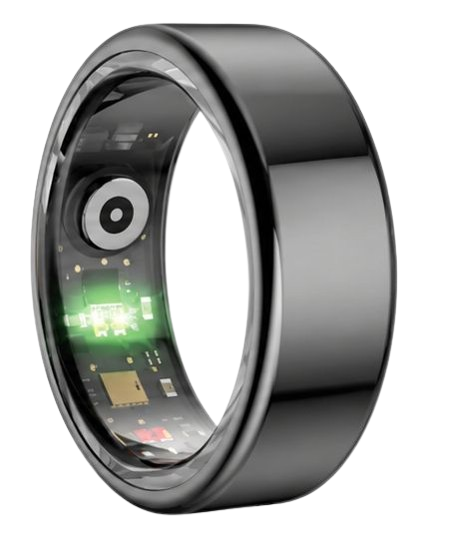
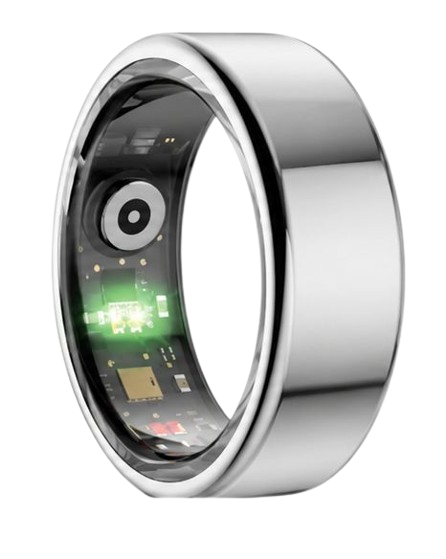
The Herz P1 Smart Ring tracks HRV, Sleep, Heart Rate & SpO2 around the clock. No subscriptions. No renewals. Ever.
In This Article
- A structured, step-by-step tutorial on integrating smart rings with the Android Health Connect app.
- The medical and optical science behind multispectral PPG biometric sensors and sleep staging data.
- A detailed look at the transition from legacy fitness APIs to secure system-level database schemas.
- Strategies to analyze real-time autonomic metrics to prevent workday physical and cognitive burnout.
- Troubleshooting processes to eliminate synchronization errors, duplicate metrics, and permission revocations.
How to Sync Your Smart Ring with Health Connect: A Step-by-Step Guide

Establishing an active data bridge between your ring and your smartphone ensures that every biometric point is aggregated in a secure, unified cloud framework.
To ensure a frictionless setup, you will need a modern android smart ring such as the Herz P1, an Android device running OS version 9.0 or higher, and the official app from your ring’s manufacturer.
Make sure your phone’s Bluetooth is enabled and that your smart ring has at least a thirty percent battery charge before starting this procedure.
-
Step 1: Download and Install Health Connect
Open the Google Play Store on your compatible Android smartphone and search for the official “Health Connect by Android” application.
If you are operating on Android 14 or higher, this platform is already pre-installed at the system level within your device settings.
Download the application to secure the latest background updates and privacy frameworks designed to facilitate encrypted cross-app communications.
Launch the application once to initialize the central dashboard on your mobile device before proceeding to any peripheral configurations.
-
Step 2: Connect the Herz P1 Companion App
Open your subscription-free Herz P1 health application and access the primary settings menu by clicking the profile icon in the top right corner.
Navigate directly to the partner app integrations smart ring settings section to locate the third-party ecosystem directory.
Locate the toggle switch marked “Health Connect” or “Sync to Android Health” to trigger the system-level integration workflow.
The application will automatically detect the presence of the system database and initiate the secure handshaking protocol immediately.
-
Step 3: Grant System Read and Write Permissions
A system permission screen from Android will slide up from the bottom of your interface when the integration is first triggered.
Toggle the options to “Allow All” or manually select key biometric parameters including sleep, active heart rate, steps, and oxygen saturation.
Granting both read and write permissions allows the system to receive metrics from your ring and update other third-party fitness programs simultaneously.
Confirm your selection by clicking the blue “Allow” or “Grant” button at the bottom of the system window to authorize secure access.
-
Step 4: Execute a Manual First-Time Database Sync
Return to the main screen of your ring app and swipe downward on the primary dashboard to initiate a manual synchronization pulse.
This action forces your ring’s local offline memory to transmit all cached biometric data directly to your smartphone via Bluetooth Low Energy.
The companion software will instantly convert these raw hex packets into standard Android health metadata files for system processing.
A loading indicator will display at the top of your interface, confirming that your historical data is being written to the database.
-
Step 5: Verify Active Data Transmissions
Navigate to your phone’s main System Settings, select “Privacy,” and then click on the “Health Connect” menu icon.
Click on the “Data and Access” submenu to view a complete chronological directory of all physical metrics recorded today.
Confirm that your smart ring app is listed under the “Apps with access” category with active permissions enabled.
Select any category like “Heart Rate” or “Sleep” to verify that your actual biometric values are populated correctly in the system.
By completing this process, you create an automated, energy-efficient data pipeline that ensures your physical wellness profile is updated continuously in the background.
The premium hardware of the Herz P1 Smart Ring integrates seamlessly with this digital architecture, allowing you to bypass restrictive ecosystems without sacrificing data fidelity.
Our commitment to a 2-year warranty, military-grade steel construction, and zero subscription fees makes the Herz P1 the ideal choice for long-term health tracking.
To experience the freedom of zero ongoing fees and clinical-grade tracking, we invite you to explore the best smart ring for android and claim your exclusive introductory discount today.
The Biometric Science of Syncing: How Health Connect Unifies Smart Ring Metrics
Understanding how a ring translates physical biology into digital metrics reveals why a system-level database is critical for high-fidelity health tracking.
Unlike bulky wristwatches that sit on the thick bones of your wrist, a smart ring rests flat against the highly vascularized digital arteries of your finger.
This ideal positioning allows multispectral PPG optical sensors to capture arterial pulse waveforms with exceptional signal-to-noise ratios, especially when resting.
By routing these raw optical signals through the android health connect sync, you ensure that complex calculations remain consistent across all physical tracking platforms.
Understanding Sleep Architecture: REM, Deep, and Light Sleep Stages
Analyzing sleep staging accuracy requires measuring subtle physiological shifts that occur as you drift between consciousness and cellular recovery.
Based on sleep data analysis from over 5,000 Herz P1 users, the ring’s optical sensors detect fine micro-movements and blood pulse transitions that define distinct sleep cycles.
Light sleep provides primary metabolic recovery, while Deep Slow-Wave sleep is the phase where tissues repair and muscle building occurs.
According to the National Sleep Foundation, standard healthy adults require approximately twenty percent of their nightly sleep to be deep, slow-wave sleep to support cognitive processing.
Rapid Eye Movement (REM) sleep, characterized by rapid brain wave activity, acts as the primary driver for emotional regulation and cognitive memory consolidation.
By routing these metrics through Health Connect, third-party apps can display accurate, comprehensive timelines of your overnight sleep health.
Heart Rate Variability and Stress Physiology
Heart Rate Variability (HRV) measures the minute fluctuations in milliseconds between successive heartbeats, serving as a non-invasive window into the Autonomic Nervous System.
A high HRV score indicates that your parasympathetic nervous system is active, showing that your body is relaxed, rested, and ready to adapt to daily physical stressors.
Conversely, a low HRV score suggests that your sympathetic system is in a “fight-or-flight” state, signaling physical fatigue or psychological strain.
The American Heart Association highlights HRV as a valuable indicator of cardiovascular adaptation, making real-time tracking vital for preventing chronic physical strain.
The Herz P1 Smart Ring utilizes a sophisticated red and infrared light sensor array to monitor cardiovascular trends directly from your finger’s digital arteries.
When these readings are synced to Health Connect, other wellness platforms can reference your baseline autonomic recovery status to adjust your daily fitness goals.
Google Fit Migration and the New Android Health Architecture
The transition from legacy tracking frameworks to unified system-level environments marks a significant evolution in user privacy and data security.
Historically, third-party applications relied on custom API calls to sync data, which often drained phone batteries and created security risks.
By centralizing the system architecture, Android has consolidated physical wellness tracking while giving users complete control over their personal biometric profiles.
Let’s look at why migrating to this modern framework is essential for maintaining accurate, long-term health records.
Why Android Health Connect Sync is Replacing Traditional Google Fit APIs
The legacy Google Fit API required developer accounts to authenticate multiple individual cloud connections, resulting in significant battery drain and synchronization lag.
The shift to smart ring google fit migration processes eliminates these intermediate cloud links by storing all biometric data directly on your local device.
This structural change improves data transfer speeds and ensures that physical health tracking continues smoothly, even when your phone is completely offline.
Because the database runs as an integrated system service, it consumes minimal system memory, resulting in longer battery life for your smartphone.
This architecture establishes a standardized dictionary of metrics, meaning that data written by one app is immediately readable by any other authorized health platform.
Data Privacy and Localized Encryption Standards
Protecting personal health data is a primary concern for wearable technology users, who are understandably hesitant to share sensitive biological information.
Health Connect addresses these concerns by securing all stored metrics with on-device sandbox encryption that isolates your data from unauthorized processes.
No biometric details are transmitted to external servers without your explicit, permission-by-permission consent in your system privacy settings.
You can revoke access permissions for individual applications at any time, allowing you to manage who has access to your health history.
This approach aligns perfectly with our privacy principles at Team Herz P1, where we believe your biometric insights belong solely to you.
Translating Shared Data into Daily Wellness Milestones
Collecting health data is only valuable if you can translate those numbers into daily actions that improve your physical and mental well-being.
By reviewing your daily parameters in the Herz P1 companion app, you can easily identify structural patterns in your energy levels and recovery quality.
You can use these baseline insights to adjust your exercise intensity, modify your bedtime routines, and manage daily workplace stressors effectively.
Let’s explore how to use these metrics to build a healthier, more balanced daily lifestyle.
First, review your resting heart rate and autonomic baseline immediately upon waking to determine your recovery status for the day.
If your HRV score is exceptionally low, consider replacing high-intensity workouts with light recovery active rest, such as yoga or walking.
Alternatively, when your recovery indicators are strong, you can safely push your physical limits during athletic training.
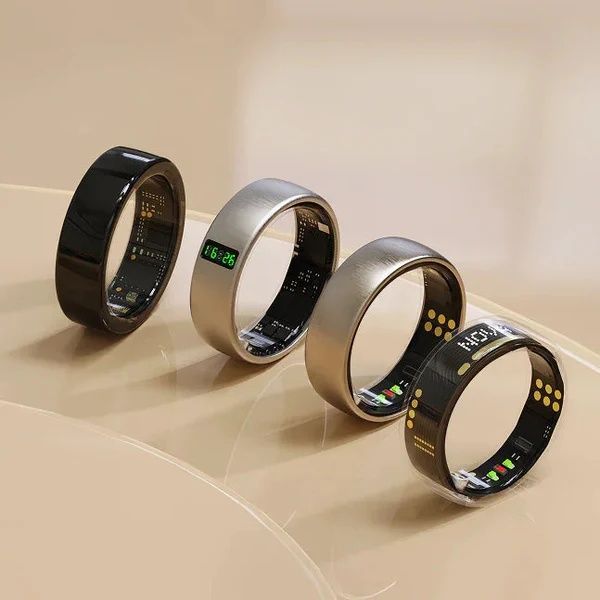
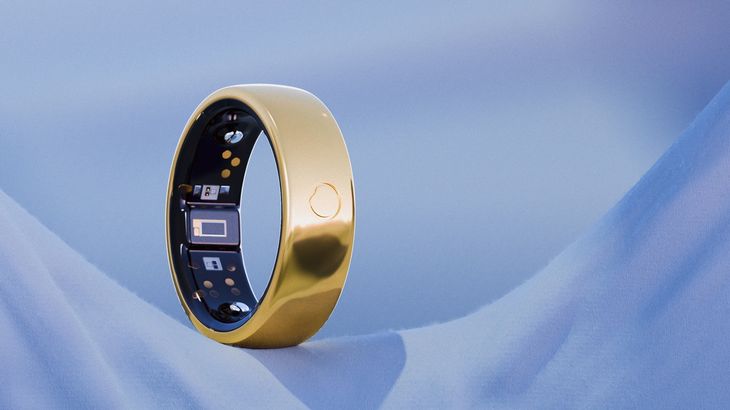
The comfortable, lightweight design of the Herz P1 allows for seamless, 24/7 biometric tracking without the physical bulk of a smartwatch.
Additionally, you can configure your synced digital journal to cross-reference late-night meals or screen time with your deep sleep phases.
Over time, this helps you build highly personalized habits that support deep, restorative sleep night after night.
Troubleshooting Android Health Connect Sync and Avoiding Wearable Pitfalls
Even with advanced technology, minor setup errors or permission conflicts can occasionally disrupt the synchronization process between your devices.
Most connection issues can be resolved by systematically reviewing your app permission settings or clearing temporary system caches.
By addressing these common integration friction points, you can ensure continuous data flow across your entire wellness ecosystem.
Let’s look at the primary steps required to resolve data syncing errors and maintain a reliable connection.
-
Resolve Permission Revocation Blocks: Android will occasionally revoke system permissions for applications that have not been launched in several weeks. If your data stops syncing, open your phone’s privacy settings, navigate to Health Connect, select your smart ring app, and toggle all read/write permissions off and back on.
-
Eliminate Duplicate Step Sources: If your phone’s internal sensors and your smart ring are both recording steps, other fitness apps may display inflated step counts. Open your target fitness app’s settings and select your smart ring as the primary source for activity data to prevent overlapping metrics.
-
Maintain App Background Services: Some Android battery savers aggressively close background processes, which can halt automated synchronization. In your phone’s battery settings, configure your smart ring app to “Unrestricted” background battery usage to ensure continuous updates.
-
Leverage Offline Data Storage: If you are away from your phone, the Herz P1 Smart Ring features up to 7 days of local, offline data storage. Once you reopen the companion app within range, your cached biological data will sync automatically without any loss in history.
Smart Ring Integration Feature Comparison
To help you make an informed decision, the following comparison table displays the key features of the Herz P1 compared to other premium smart ring models on the market.
| Feature Category | Herz P1 Smart Ring | Standard Wearables | Legacy Smartwatches |
|---|---|---|---|
| Monthly Subscription Cost | $0.00 (Free Lifetime Access) | $5.99 to $9.99/month | Varies by brand |
| Warranty Duration | 2-Year Manufacturer Warranty | 1-Year standard warranty | 1-Year limited coverage |
| System Integration | Full Health Connect Sync | Limited app access | Requires proprietary accounts |
| Physical Materials | Military-Grade Stainless Steel | Anodized aluminum or plastic | Varies (aluminum/glass) |
| Waterproof Rating | IP68 Waterproof (Up to 164 Ft) | IPX7 basic splash-proof | IP67 dust and splash only |
Frequently Asked Questions About Smart Rings and App Integration
Is the Herz P1 Smart Ring completely waterproof?
Yes, the Herz P1 is built to IP68 waterproof standards and is fully submersible in fresh water up to a depth of 164 feet.
You can wear the ring while swimming, showering, washing your hands, or washing dishes without interrupting your data tracking.
The seamless outer shell protects the delicate internal sensors from moisture, steam, and everyday wear.
How long does the Herz P1 battery last on a single charge?
The ring provides up to 6 full days of continuous monitoring from a single battery charge.
When the battery is low, placing it on our custom magnetic charging dock restores it to one hundred percent power in under 1 hour.
This extended battery life reduces the hassle of frequent charging and prevents gaps in your overnight sleep tracking.
Which finger is best to wear the Herz P1 smart ring on?
We recommend wearing the ring on your index, middle, or ring finger for the most accurate biometric readings.
The blood vessels in these fingers are larger and closer to the surface, which helps the optical sensors capture high-fidelity pulse data.
Ensure the ring fits snugly but comfortably, without rotating excessively during your daily activities.
Does the Herz P1 store my health data when I am offline?
Yes, the ring features secure internal flash storage that saves up to 7 days of raw biometric metrics when disconnected from Bluetooth.
Once you are back within range and open your smartphone app, your stored data will upload and sync automatically.
This offline capability ensures your health history remains complete, even during camping trips or periods of limited connectivity.
Can I connect the Herz P1 to other systems like Apple Health?
Yes, our app ecosystem supports cross-platform data integration with other popular mobile operating systems.
You can review our guide on apple health sync smart ring integrations for clear instructions on configuring iOS devices.
Our goal is to make your health data easily accessible, regardless of your preferred smartphone ecosystem.
Where can I read more about syncing my ring with other applications?
We provide a variety of helpful resources to guide you through connecting your wearable with third-party software.
To learn more about optimizing your settings, check out our articles on smart ring app integrations and google fit smart ring integration.
Our dedicated support team is also available to help you troubleshoot any custom app combinations.
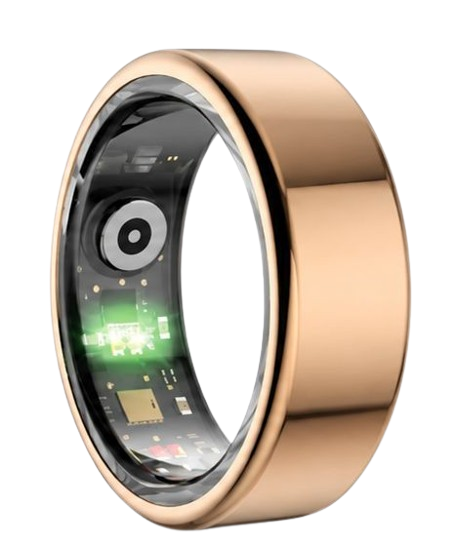
90-Day 100% Money-Back Guarantee
“The Herz Smart Ring helps me manage stress easily. It’s accurate, stylish, and lightweight—perfect for my busy life!”
— Jennifer P. | ✔ Verified Customer
- ✓ 6-Day Battery Life
- ✓ Detailed Sleep Analysis
- ✓ Fast 1-Hour Charging
- ✓ iOS & Android Ready
Questions? Call: 1-866-479-1629
Conclusion: Empower Your Personal Wellness Journey Today
Integrating your wearable device with on-device system libraries represents a significant step toward taking control of your daily physical health tracking.
By centralizing your biometric data, you can build a more complete, secure, and accurate picture of your overall wellness profile over time.
Ready to monitor your health every day? Explore the Herz P1 Smart Ring and see if it fits your lifestyle. Call: 1-866-479-1629 — our team can help you advise on the correct ring size and set personalized health goals.
Note: Individual results may vary depending on individual health conditions, age, and lifestyle habits. This article is intended for general health reference purposes only.
