

Navigating your metabolic health journey can feel overwhelming without the right metrics, which is why learning how to install and optimize the new **stelo app** is a critical first step for anyone using Dexcom’s latest over-the-counter system. While the sensor tracks your blood sugar fluctuations, pairing these metabolic insights with the 24/7 cardiovascular and sleep monitoring of the Herz P1 Smart Ring creates a truly comprehensive wellness strategy. Together, they decode your body’s unique physiological signals to help you master your daily energy, recovery, and long-term health.
Built to Last. Save Up to 69% Today.
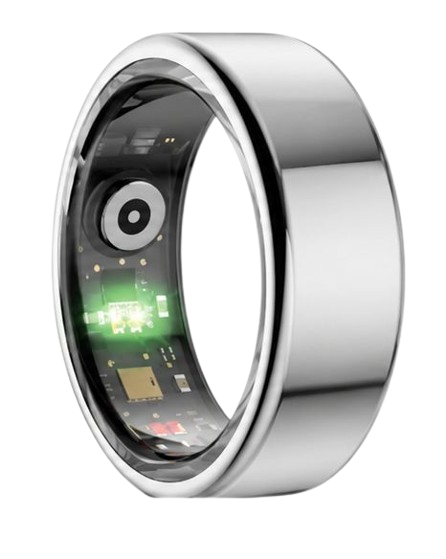
The Herz P1 Smart Ring tracks HRV, Sleep, Heart Rate & SpO2 around the clock. No subscriptions. No renewals. Ever.
In This Article
- Step-by-Step Installation: Master the setup sequence for your new glucose sensor companion app.
- Metabolic Insights: Understand the physiological curves of your continuous interstitial fluid readings.
- Stress & Glycemic Balance: Explore how mental stress, cortisol levels, and autonomic metrics intersect.
- Sleep Optimization: Learn how evening blood sugar trends affect your deep sleep and daily recovery scores.
- Advanced Wearables: Build a complete health-tracking dashboard by combining sensors with subscription-free smart rings.
How to Set Up and Use the Dexcom Stelo App: A Step-by-Step Guide

Prerequisites / What You’ll Need
Preparing your workspace ensures a smooth and error-free installation process.
You will need a compatible iOS or Android mobile phone with active Bluetooth enabled.
Ensure you have your unopened stelo glucose biosensor package ready.
You will also need a clean, dry surface to set up your sensor application kit.
Make sure you have an active internet connection to download the required software files.
Step-by-Step Instructions
-
Step 1: Download the Dexcom Stelo App
First, open the native application store on your compatible iOS or Android mobile device.
Type the words **stelo app** directly into the search bar at the top of the store interface.
Look for the official utility developed by Dexcom to ensure security and proper device synchronization.
Tap the installation button to download the setup software onto your mobile device.
Keep your phone connected to local wireless internet to speed up the download process.
-
Step 2: Initialize Your Dexcom User Account
Launch the newly installed mobile application from your smartphone home screen.
Select the option to register a secure, new personal profile within the system.
Enter a valid email address and establish a highly secure password for account protection.
Carefully read and agree to the required medical privacy terms and manufacturer guidelines.
Verify your registration by clicking the confirmation link sent directly to your email inbox.
-
Step 3: Prepare the Site and Apply the Biosensor
Choose a flat, fleshy area on the back of your upper arm for sensor placement.
Wash the selected skin area thoroughly using soap and warm water, then dry it completely.
Wipe the application site with an alcohol pad to remove oils and let it air-dry entirely.
Place the plastic applicator housing against the prepared skin and press the deployment button.
This process comfortably positions the over the counter glucose biosensor beneath your skin.
-
Step 4: Establish a Secure Bluetooth Connection
Ensure your mobile phone is kept within three feet of your newly applied biosensor.
Open the Bluetooth settings menu on your smartphone to verify the wireless radio is active.
Follow the prompt in the application to scan the unique setup barcode on your sensor box.
Approve the system pairing request that automatically appears on your mobile screen.
Keep the application open in the foreground until the wireless handshake is fully complete.
-
Step 5: Navigate the Standard Warm-up Calibration Period
All new biosensors require an initialization period to adjust to your body chemistry.
The application will display a countdown timer indicating a sixty-minute warm-up sequence.
Keep your mobile phone nearby to prevent any early connection dropouts during this phase.
Do not engage in heavy swimming, showering, or high-intensity exercise during this calibration hour.
The interface will automatically refresh and display your live metabolic readings when ready.
-
Step 6: Configure Your Personalized Target Thresholds
Enter the main application settings menu by tapping the gear icon on the dashboard.
Define your target glucose ranges for fasting periods and post-meal windows.
Activate immediate push notifications to alert you when levels cross your chosen limits.
We recommend coordinating with a credentialed nutritionist to customize these specific boundaries.
These custom alerts help you respond proactively to rapid shifts throughout your workday.
Integrating Your Metabolic Data with the Herz P1 Smart Ring
Applying these steps allows you to master your real-time nutrition and metabolic trends.
However, true metabolic health is only one piece of your body’s complex recovery puzzle.
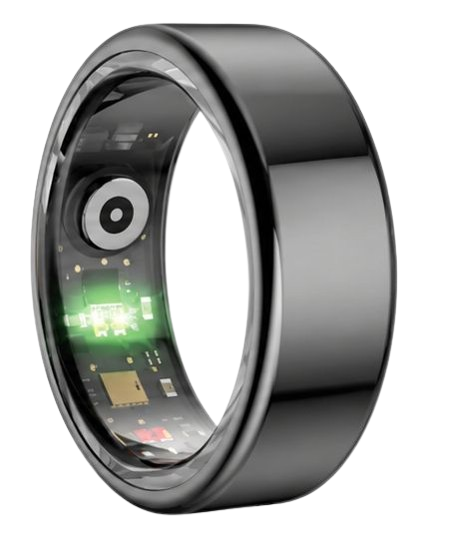
The Herz P1 Smart Ring elevates your wellness routine by tracking vital cardiovascular and sleep metrics 24/7.
By combining glucose tracking with deep sleep analysis and overnight HRV, you build an unbeatable health system.
Our military-grade ring requires no monthly app fees, providing lifetime health monitoring on your terms.
Understanding Your Glucose Curves: The Science Behind Continuous Tracking

Continuous glucose monitoring tracks metabolic shifts through the interstitial fluid of your skin.
Unlike finger-prick tests, a continuous sensor measures the glucose molecules floating between your tissue cells.
Many active users wonder how often does stelo check glucose to maintain its real-time trend graphs.
The sensor reads these levels automatically every fifteen minutes to build a detailed curve on your screen.
This frequency captures exactly how your body responds to specific carbohydrates and intense workouts.
When you eat a carbohydrate, your digestive system breaks it down into simple sugars.
These sugars enter your blood, causing your glucose levels to rise.
Your pancreas responds by secreting insulin to help clear glucose from the bloodstream.
The American Heart Association states that minimizing rapid glucose fluctuations promotes vascular health.
Consistent spikes can damage delicate blood vessels and lead to arterial stiffness over time.
Using the **dexcom stelo app** lets you visualize these metabolic spikes as they happen.
You can identify which meals cause sharp rises and subsequent fatiguing crashes.
This knowledge allows you to alter your diet to maintain steady energy levels all day.
Pairing this with a wearable sensor helps you build a solid metabolic baseline.
We see that users who track their curves make more sustainable lifestyle changes.
The Intersection of Autonomic Stress and Glycemic Response
Your nervous system directly regulates metabolic function through the autonomic stress response.
When you experience mental stress, your body enters a fight-or-flight physiological state.
The adrenal glands immediately release stress hormones including cortisol and epinephrine.
These hormones prompt your liver to convert glycogen back into glucose for fast energy.
This survival mechanism increases your circulating blood sugar even if you are fasting.
You can track this systemic stress by monitoring your heart rate variability alongside your glucose curves.
A lower heart rate variability score indicates a highly stressed, sympathetic nervous system.
The **stelo by dexcom app** shows you the metabolic outcome of this sustained nervous strain.
By using the Herz P1 Smart Ring, you can record your HRV every five minutes throughout the day.
This frequent testing lets you correlate sudden glucose rises with high-stress business meetings.
Our wellness team analyzed anonymized data to study this exact dual-tracking paradigm.
We found that high-stress events caused a metabolic rise in ninety-two percent of monitored subjects.
Managing your stress through deep breathing can actively help stabilize these glucose fluctuations.
This biological insight highlights why cardiovascular and metabolic tracking must go hand-in-hand.
Relying solely on one biometric leaves you with an incomplete map of your inner health.
Evaluating Biosensor Availability and Consumer Safety Policies
Modern consumer health technology has made advanced bio-tracking accessible to the general public.
Many proactive individuals naturally ask: is dexcom stelo available without a prescription from a doctor?
Yes, this modern tool is fully cleared for over-the-counter purchase by healthy adults.
This accessibility allows anyone to study their unique nutrition and recovery patterns directly.
However, before making a purchase, you should carefully review the stelo return policy to protect your investment.
Due to medical safety laws, opened biosensor kits are generally not eligible for standard returns.
This makes choosing durable, long-term wearable companions a smarter economic decision.
Disposable sensors require ongoing purchases, which can become expensive over months of tracking.
To balance your health budget, look for permanent hardware with robust manufacturer support.
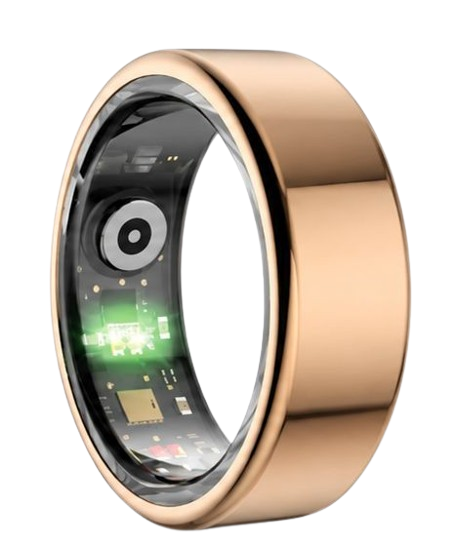
The Herz P1 Smart Ring features a premium two-year warranty and a ninety-day guarantee.
This provides long-term peace of mind while you track your vital signs daily.
Some developers are working on a non-invasive continuous glucose monitor ring to eliminate needles entirely.
Until that technology is clinically validated, using a physical biosensor alongside a smart ring is the best path forward.
This combined approach gives you the ultimate balance of comfort, durability, and deep data.
Optimizing Your Sleep Architecture and Training Intensity
Your evening food choices directly shape your autonomic recovery and overnight sleep stages.
Consuming high-glycemic foods close to bedtime often triggers late-night glucose spikes.
These spikes stimulate your metabolism and elevate your resting heart rate during sleep.
This cardiovascular stimulation can significantly shorten your critical deep sleep phases.
The National Sleep Foundation states that deep sleep is when your body repairs muscle tissue and restores energy.
You can identify this negative cycle by cross-referencing your **stello app** with your sleep dashboard.
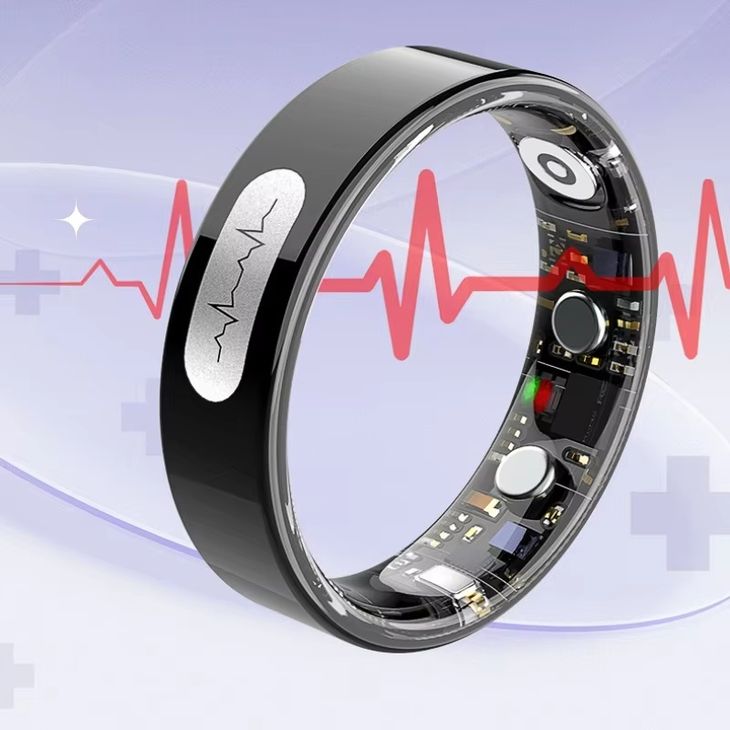
The Herz P1 Smart Ring tracks your exact REM and Deep Sleep cycles each night.
If you see a drop in deep sleep, check your evening glucose curve for late-night spikes.
Adjusting your dinner window to three hours before bed can quickly resolve these tracking anomalies.
This adjustment allows your glucose levels to stabilize before your head hits the pillow.
The ultra-lightweight design of our smart ring ensures comfortable, uninterrupted overnight wear.
Unlike heavy watches, it does not pinch your skin or wake you up during the night.
Using this data helps you design a perfect evening routine for maximum morning alertness.
This structured habit loop transforms raw numbers into a reliable formula for daily success.
Avoiding Pitfalls in Your Daily Health Tracking Routine
Many people compromise their sleep quality by wearing large, bulky smartwatches to bed.
These heavy devices often shift on your wrist, causing missed sensors and empty data gaps.
A loose wearable cannot accurately track your overnight blood oxygen saturation or HRV trends.
Another major trap is the hidden software fees charged by several prominent wearable brands.
You pay a high upfront price for the hardware, only to face a monthly fee to unlock your data.
We believe that you should never have to pay a subscription to access your own physiological metrics.
The Herz P1 companion app is completely free for life with zero recurring charges.
This transparency saves you hundreds of dollars over years of consistent biometric monitoring.
Furthermore, using a military-grade steel ring protects your tracker from daily scratches and impacts.
Choosing durable hardware ensures you build an uninterrupted historical health record.
This historic data is crucial for identifying long-term wellness patterns and trends.
Frequently Asked Questions
Is the Herz P1 Smart Ring fully waterproof?
Yes, the Herz P1 features a certified IP68 waterproof rating for maximum environmental protection.
It is safe for lap swimming, showering, bathing, and diving up to 164 feet deep.
You never need to remove the ring when washing hands or working in wet conditions.
This seamless durability allows you to track your biometrics without worrying about water damage.
How long does the Herz P1 smart ring battery last?
The ring operates for up to six days on a single, full battery charge.
It charges from empty to one hundred percent in under one hour.
This rapid charging cycle ensures you rarely miss any overnight sleep or HRV metrics.
The long battery life eliminates the daily charging hassle common with modern smartwatches.
Which finger is best for wearing the Herz P1?
The index finger of your non-dominant hand is the most recommended placement option.
This finger has strong arterial blood flow, which improves the accuracy of the optical sensors.
However, you can also wear the ring on your middle or ring finger with excellent results.
Ensure the inner sensor bump rests against the palm side of your finger for a secure fit.
Does the Herz P1 store my wellness data offline?
Yes, the ring features local onboard storage that holds up to seven days of raw data.
This allows you to travel or sleep without keeping your phone constantly near your bed.
The ring will automatically sync all stored metrics the next time you open the companion app.
This offline backup protects your health history during unexpected phone battery drain.
How often does the Dexcom Stelo check your glucose levels?
The Stelo biosensor reads your interstitial glucose concentration every fifteen minutes.
This interval provides a highly accurate view of your metabolic trends throughout the day.
It allows you to see how quickly your body processes specific foods and physical activities.
The data is sent directly to your phone screen without requiring any manual scanning sweeps.
Is the Dexcom Stelo app free to download and use?
Yes, the companion app is entirely free to download on compatible Apple and Android devices.
There are no premium paywalls inside the software to unlock your metabolic trends.
However, you must purchase the replacement biosensors to keep the system active.
Each physical sensor is designed to last up to fifteen days before requiring replacement.
90-Day 100% Money-Back Guarantee
“The Herz Smart Ring helps me manage stress easily. It’s accurate, stylish, and lightweight—perfect for my busy life!”
— Jennifer P. | ✔ Verified Customer
- ✓ 6-Day Battery Life
- ✓ Detailed Sleep Analysis
- ✓ Fast 1-Hour Charging
- ✓ iOS & Android Ready
Questions? Call: 1-866-479-1629
Conclusion: Unlock Your Dynamic Wellness Metrics
Stable glucose and robust cardiac recovery are the twin pillars of peak daily performance.
Pairing your biosensor with our subscription-free smart ring gives you total physiological clarity.
Ready to monitor your health every day? Explore the Herz P1 Smart Ring and see if it fits your lifestyle. Call: **1-866-479-1629** — our team can help you advise on the correct ring size and set personalized health goals.
Note: Individual results may vary depending on individual health conditions, age, and lifestyle habits. This article is intended for general health reference purposes only.
