

Managing your personal biometric data should never feel like a tedious chore, which is why learning how to configure and deploy custom smart ring widgets directly onto your mobile interface is a total game-changer. By bringing your sleep, activity, and recovery metrics directly to your screen, the Herz P1 smart ring allows you to assess your vital signs in a single glance. In this ultimate guide, our team will show you how to configure these powerful visual shortcuts on both iOS and Android platforms easily.
Built to Last. Save Up to 69% Today.
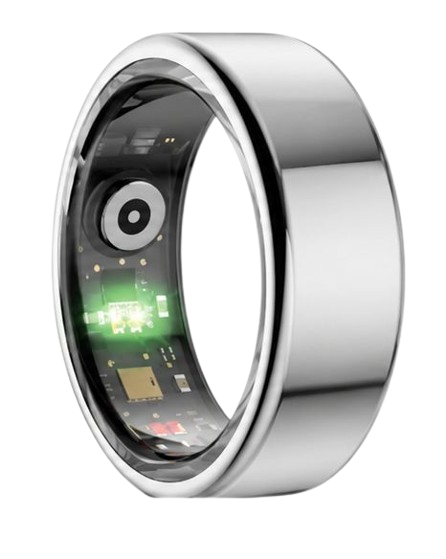
The Herz P1 Smart Ring tracks HRV, Sleep, Heart Rate & SpO2 around the clock. No subscriptions. No renewals. Ever.
In This Article
- Discover how to successfully set up your visual mobile health shortcuts across iOS and Android systems.
- Understand the underlying science of optical bio-sensing and real-time stress tracking.
- Learn daily integration strategies that fit seamlessly into busy, high-pressure lifestyles.
- Identify and overcome tracking pitfalls like incorrect fit, battery drains, and sync failures.
How to Set Up Smart Ring Widgets on Your Home Screen: A Step-by-Step Guide

Prerequisites and Technical Requirements
To begin configuring your daily indicators, you will need a fully charged smart ring and a modern smartphone.
Your mobile device must run on at least iOS 14 or Android 10 to support advanced home screen modular designs.
Make sure your primary ring application is installed, updated to the newest version, and paired through Bluetooth.
-
Step 1: Accessing the Widget Selection Menu on Your Mobile Device
First, unlock your smartphone and navigate to the primary home screen page where you wish to place the module.
Press and hold any blank area of the screen until all of your active application icons begin to jiggle.
Look for the system addition button, which is typically represented by a plus (+) icon on Apple devices.
On Android phones, you will tap the specialized menu option labeled “Widgets” that appears at the bottom of the screen.
This action will open your mobile system’s complete widget directory.
Scroll carefully through the alphabetical list of installed applications until you locate the dedicated software for your ring.
Ensure that you have already downloaded the corresponding smart ring app from your app store.
If the application is not showing up, you may need to type its name directly into the search bar at the top of the menu.
Tapping on the application’s icon will open the customized layout gallery designed specifically for your ring.
This gallery allows you to preview the different metric displays before adding them to your layout.
Select this menu to begin customizing how your wearable biometric data is shown.
This step serves as the foundation for setting up your personal daily health tracking dashboard.
-
Step 2: Choosing Your Optimal Widget Layout and Size
Once you open the layout gallery, you will see several sizing options designed to fit different screen configurations.
The smallest 2×2 widget is designed to display a single primary recovery metric.
The medium-sized 2×4 widget is highly recommended because it shows multiple indicators simultaneously.
Larger 4×4 options can display complete trends, such as sleep graphs and weekly recovery statistics.
Consider how much space you want to dedicate to your metrics before making a selection.
Press and hold down on the preview layout that best fits your daily needs.
Drag the module out of the selection menu and drop it onto your chosen home screen page.
You can reposition it later by holding down on it and sliding it to another screen pane.
Placing it next to your daily calendar application can help you plan your physical schedule effectively.
Taking the time to choose the correct size keeps your mobile screen organized and useful.
Having these visual shortcuts ensures you always stay connected to your body’s vital signals.
-
Step 3: Enabling Essential Background Permissions and Sync Channels
To ensure your display updates automatically, you must configure your phone’s background communication settings.
Open your smartphone’s primary Settings application and scroll down to the application management section.
Find your paired wearable health software in the list of installed applications and tap to open its settings.
Locate the toggle switch labeled “Background App Refresh” or “Background Sync” and turn it on.
This permission allows the software to retrieve data from your ring even when the screen is locked.
Next, verify that Bluetooth is permanently enabled and allowed for this specific application.
If these settings are disabled, your home screen metrics will show outdated data or remain completely blank.
Some operating systems require you to allow location permissions to maintain a stable Bluetooth low-energy link.
Rest assured that your personal tracking data is kept secure and is never shared with third parties.
Enabling these background channels is critical for maintaining a continuous, reliable flow of wellness metrics.
This step eliminates the need to manually sync your ring every time you want to see your metrics.
-
Step 4: Configuring Battery and Energy Optimization Exclusions
Modern mobile operating systems are designed to aggressively close background apps to extend phone battery life.
This aggressive power management can stop your health widgets from updating in real-time.
To prevent this, navigate back to your phone’s primary battery management settings.
Locate the app-specific power saving menu and select your paired wearable application.
Change the battery profile for this software from “Optimized” or “Restricted” to “Unrestricted”.
This setting tells your phone’s system to allow the application to run continuously in the background.
Our companion software is highly optimized to run efficiently without causing noticeable drain on your phone.
Giving the app full background priority resolves almost all update delays and freezing issues.
This adjustment ensures that your ring can transmit vital statistics to your display every few minutes.
It is a vital step for users who rely on prompt health updates throughout busy workdays.
By white-listing the app, you guarantee a seamless and uninterrupted tracking experience.
-
Step 5: Verifying the Live Data Stream and Pairing State
Now that all permissions are active, put your ring on and keep your phone close by.
Open the main health dashboard to initiate a manual synchronization of your current biological data.
Exit to your home screen and watch the newly placed widget module closely.
You should see your active metrics populate the designated fields within a few seconds.
If the fields remain empty, tap directly on the widget to launch the application and force an update.
A successful sync means your mobile home screen is now fully configured for automatic daily monitoring.
You can now read your sleep quality and stress levels without having to open any applications.
If you experience connection issues later, simply restarting your phone’s Bluetooth usually fixes the problem.
Enjoy the convenience of having your personal health laboratory available on your display at all times.
This setup changes your relationship with your wearable by making your health data immediately accessible.
Our team at Team Herz P1 believes that monitoring your vital signs should be simple, intuitive, and friction-free.
The Herz P1 smart ring is designed to pair perfectly with your mobile widgets to deliver instant biometric insights.
With our durable, military-grade steel construction and IP68 waterproof rating, you can track your health anywhere without restriction.
Best of all, our ecosystem requires no monthly subscription fees, giving you full access to your health database forever.
How Wearable Sensors Track Your Sleep Stages and Send Data to Widgets
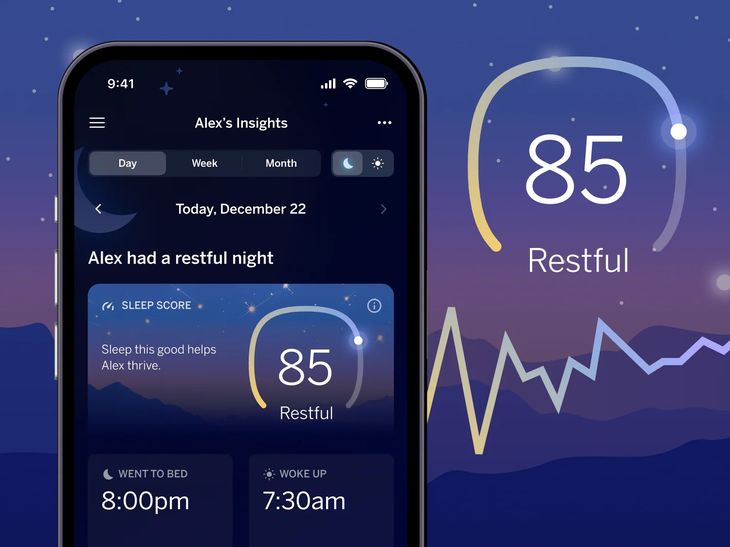
To understand how your home screen displays your sleep quality, it helps to understand the science behind our ring’s sensors.
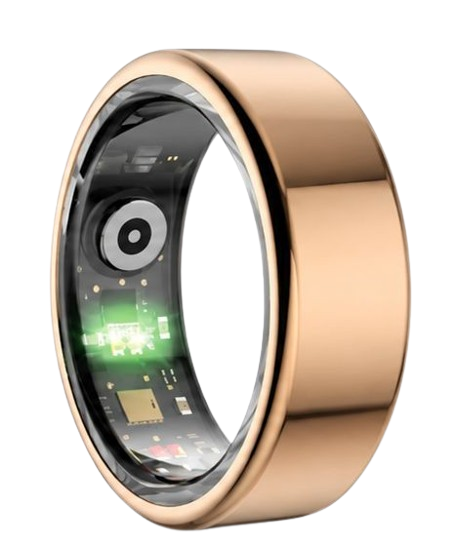
The ring uses advanced multi-wavelength optical sensors to shine light into the capillaries of your finger.
This process is called photoplethysmography, which measures changes in blood volume with each heartbeat.
During the night, the ring tracks your heart rate, motion, and body temperature continuously.
The algorithm uses this data to classify your sleep stages into Light sleep, Deep sleep, and REM sleep.
These detailed breakdowns are compiled into comprehensive smart ring reports inside the app.
The app then calculates your overall daily readiness score.
This recovery score indicates how prepared your body is for physical and mental challenges.
Your physical readiness score is based on sleep history, resting heart rate, and temperature.
A high score means your heart and muscles have fully recovered from previous activities.
If your score is low, it means your autonomic nervous system is still working to restore balance.
The National Sleep Foundation notes that consistent sleep tracking helps users identify patterns that disrupt sleep.
By placing these metrics on your home screen, you can see your recovery state immediately upon waking.
This passive feedback loop helps you build healthier habits without any extra effort.
Understanding your sleep stages is key to improving your long-term physical and mental performance.
The Physiology of Stress Tracking: Reading Your HRV on Your Home Screen
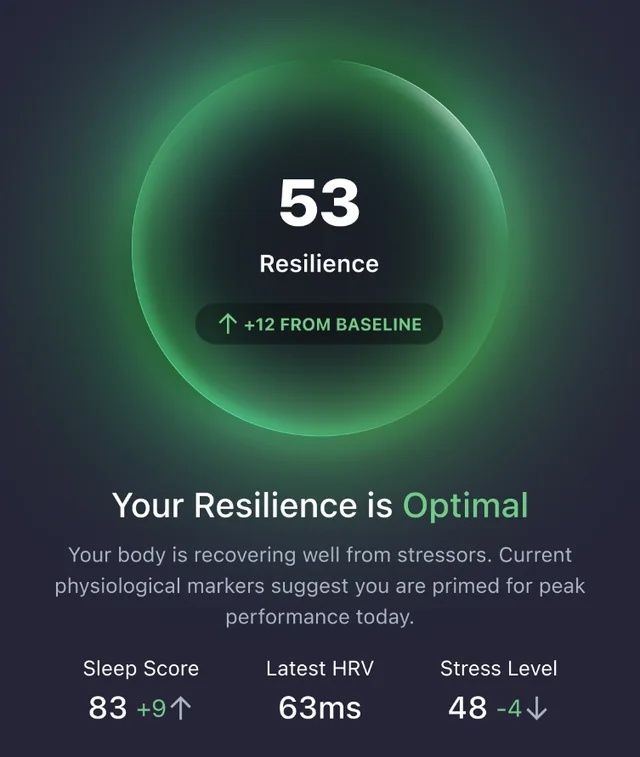
Stress affects your entire body, and its physical impact can be measured through your heart rhythm.
Heart rate variability, or HRV, refers to the microscopic time differences between each heartbeat.
A high HRV indicates that your nervous system is relaxed, resilient, and ready to adapt.
A low HRV indicates that your body is experiencing stress or fatigue, which triggers a fight-or-flight response.
The ring measures these subtle heart rhythm variations every few minutes throughout your day.
This data is processed to generate your personal stress resilience score.
Knowing your stress levels in real-time allows you to take action before you feel overwhelmed.
You can compare this recovery metric with your daily activity score to balance exertion and rest.
Your activity levels show the physical load you have placed on your body through movement.
High physical activity naturally lowers your HRV temporarily while your muscles repair.
You can review all of these interacting metrics in your app’s comprehensive health panel dashboard.
For a deeper understanding of your body’s signals, you can explore what is discovery hub in our app.
This library provides expert articles and guidance on how to optimize your physical habits.
The American Heart Association emphasizes that managing physical stress is a vital part of cardiovascular health.
Having an HRV stress widget on your screen gives you a constant, friendly reminder to practice deep breathing.
Practical Tips to Optimize Your Mobile Widgets and Lifestyle Trends
To maximize the utility of your new widgets, configure them on your phone’s lock screen.
Set up lock screen widgets smart ring indicators so you can view your metrics without unlocking your device.
This feature allows you to quickly check your heart rate and readiness levels with a single tap.
It is especially useful during workouts, business meetings, or when you are on the go.
Additionally, configure your home screen to show your metrics right next to your productivity apps.
Seeing your recovery state alongside your daily schedule helps you manage your energy levels better.
If your widget shows a low readiness level, consider scheduling your most demanding tasks for later.
The lightweight design of our ring ensures you can wear it comfortably all day and night.
Bulky smartwatches can be irritating to wear to bed and can disrupt your sleep stages.
Our ring is designed to be barely noticeable, allowing you to sleep peacefully while tracking your health.
Consistent daily wear is essential to establishing an accurate personal baseline for your biomarkers.
Over time, your widget will display highly accurate trends tailored specifically to your unique physiology.
Avoid These Common Mistakes in Wearable Health Tracking
Many users make the mistake of wearing a bulky smartwatch to bed to track their sleep.
These heavy devices often slip during the night, leading to inaccurate readings and skin irritation.
A sleek, lightweight ring is a much more comfortable and accurate solution for nocturnal sleep tracking.
Another common pitfall is falling for hidden monthly app subscription fees.
Many premium smart ring brands lock your personal health data behind expensive monthly paywalls.
We believe you should never have to pay a subscription to access your own biometric data.
The companion software for our device is completely free for life, with no hidden fees or paywalls.
You will receive all updates, reports, and insights at no additional cost forever.
Additionally, avoid wearing the ring too loosely, as this can cause the optical sensors to lose contact with your skin.
Use our sizing kit to find a secure, snug fit that keeps the sensors aligned with your finger.
Cleaning the inner sensors once a week with a soft cloth prevents dust from blocking the light signals.
Following these simple steps ensures that your home screen widgets always display accurate, real-time data.
Frequently Asked Questions About Smart Ring Configurations
Is the Herz P1 smart ring waterproof?
Yes, the device features an IP68 waterproof rating, meaning it is protected against continuous water submersion.
You can wear it safely up to depths of 164 feet while swimming or enjoying water sports.
There is no need to remove it when washing your hands, taking a shower, or doing the dishes.
How long does the battery last?
Under normal operating conditions, the battery lasts up to 6 days on a single charge.
Continuous background widget syncing will not significantly reduce this battery life.
The device charges fully in under 1 hour using our compact magnetic charging dock.
Which finger is best to wear it on?
We recommend wearing the ring on your index, middle, or ring finger for the most accurate readings.
Choose the finger that provides a snug, comfortable fit without restricting blood flow.
Wear it on your non-dominant hand to minimize motion artifacts during daily tasks.
Does it store data offline?
Yes, the device features onboard memory that can store up to 7 days of health data offline.
You do not need to keep your phone near you at all times to track your metrics.
Your tracking data will automatically synchronize the next time your ring connects to your phone.
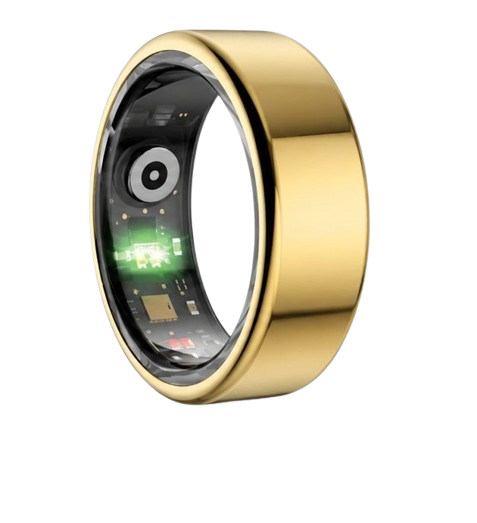
90-Day 100% Money-Back Guarantee
“The Herz Smart Ring helps me manage stress easily. It’s accurate, stylish, and lightweight—perfect for my busy life!”
— Jennifer P. | ✔ Verified Customer
- ✓ 6-Day Battery Life
- ✓ Detailed Sleep Analysis
- ✓ Fast 1-Hour Charging
- ✓ iOS & Android Ready
Questions? Call: 1-866-479-1629
Conclusion
Taking control of your health should be a seamless, empowering experience.
With the Herz P1, you get comprehensive tracking with no monthly fees.
Ready to monitor your health every day? Explore the Herz P1 Smart Ring and see if it fits your lifestyle. Call: 1-866-479-1629 — our team can help you advise on the correct ring size and set personalized health goals.
