

Setting up your digital health companion should never feel like decoding a complex puzzle, especially when trying to understand critical physiological baselines. The premium, subscription-free Herz P1 smart ring offers a seamless bridge between raw biometric data and lifestyle adjustments using the intuitive herz p1 app. Whether you want to optimize sleep architecture or manage work fatigue, this complete setup guide will help you master your biometric dashboard.
Built to Last. Save Up to 69% Today.
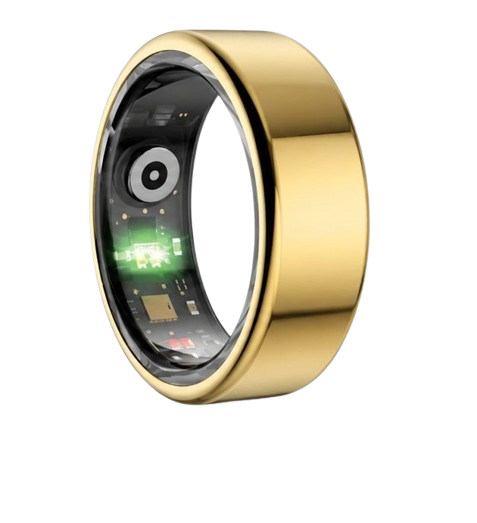
The Herz P1 Smart Ring tracks HRV, Sleep, Heart Rate & SpO2 around the clock. No subscriptions. No renewals. Ever.
In This Article
- Step-by-Step Configuration: A comprehensive walkthrough to synchronize your smart ring with your smartphone flawlessly.
- Dashboard Deciphering: Learn how to read heart rate variability (HRV), SpO2, and sleep scores inside the companion app.
- Biometric Science Deep-Dive: Understand how optical photoplethysmography sensors monitor your vascular changes.
- Avoiding Usability Pitfalls: Discover how correct sizing, charging habits, and offline storage keep your metrics accurate.
How to Configure the Herz P1 App: A Step-by-Step Tutorial
To successfully integrate your smart ring into your daily wellness regimen, you must first establish a stable communication link with your mobile device.
This process is highly streamlined but requires attention to detail to ensure uninterrupted background synchronization.
By following this systematic guide, you will avoid pairing drops and baseline calculation errors.
Prerequisites and System Requirements
Before beginning the pairing sequence, ensure you have gathered all necessary components.
You will need your Herz P1 Smart Ring, its proprietary magnetic charging cradle, a USB power source, and your smartphone.
Your smartphone must run iOS 14.0 or higher, or Android 10.0 or higher, with active Bluetooth and location services enabled.
-
Step 1: Download the Companion QRing App
First, navigate to your smartphone’s application storefront to retrieve the correct mobile software.
If you are an Apple user, open the App Store, or open the Google Play Store if you use an Android device.
Search specifically for the qring app to locate the verified software designed by our technology partners.
This software is one of the most stable smart health ring apps available on the market today.
Tap the install button and wait for the application icon to appear on your device’s home screen.
-
Step 2: Enable System-Level Bluetooth and Location Permissions
Open your smartphone’s primary settings menu to verify your wireless hardware status.
Ensure that Bluetooth is switched to the active position, as this is the primary channel for data synchronization.
If you are setting up the best smart ring for iphone, authorize the app to access Bluetooth sharing immediately upon opening.
For individuals configuring a smart ring android system, you must also grant precise location permissions.
Android’s architecture requires location authorization to search for nearby Bluetooth Low Energy (BLE) hardware components.
-
Step 3: Connect Your Ring to Power to Wake the Bluetooth Transmitter
Your ring ships in a deep-sleep storage mode to preserve internal lithium-polymer battery chemistry.
To wake up the internal wireless transmitter, plug the charging dock into a standard USB power source.
Gently place your Herz P1 ring onto the magnetic contacts, ensuring the interior sensor bumps align perfectly with the cradle.
The charging indicator light will illuminate, indicating that the ring’s internal microcontroller is active and broadcasting its pairing signal.
Keep the ring on the charger during the entire pairing sequence to prevent sudden power interruptions.
-
Step 4: Execute the Pairing Sequence Inside the QRing App
Launch the newly installed application on your phone and agree to the basic user terms.
Navigate directly to the device management section of the interface and tap the “Add Device” button.
The software will scan local wireless frequencies and display an available hardware ID labeled “Herz P1” or “QRing.”
Tap on this identifier to initiate the secure handshake between your phone and the ring’s microcontroller.
A confirmation prompt will appear on your phone screen; tap “Pair” to finalize the secure connection.
-
Step 5: Install Firmware Updates and Calibrate Your Personal Profile
Once paired, the software will automatically check our secure servers for any outstanding system updates.
If a new version is available, follow the prompts to update smart ring firmware immediately.
Do not move your phone away from the ring or disconnect the charger during this sensitive data transfer process.
After the update concludes, input your accurate age, biological sex, height, and weight into the user profile screen.
These metrics are critical because the algorithm uses them to calculate your daily metabolic rate and blood volume variances.
Enhancing Your Setup with Herz P1 Core Hardware
Now that your digital dashboard is fully active, you can appreciate the true potential of your hardware choice.
The Herz P1 smart ring is designed to work in absolute harmony with this software ecosystem.
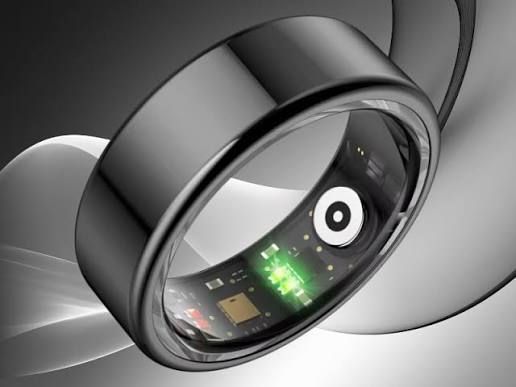
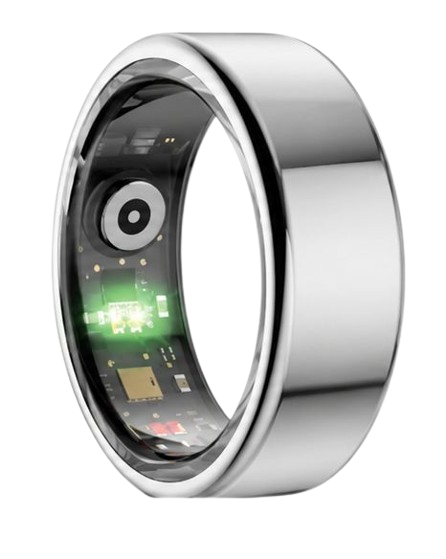
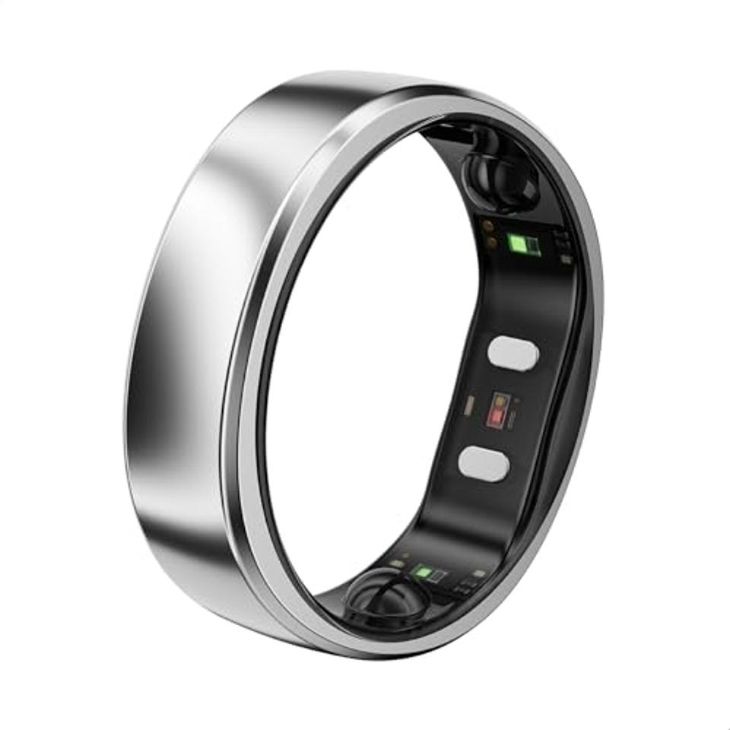
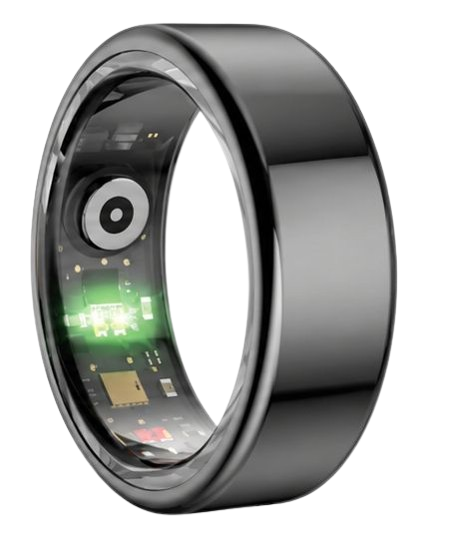
Its military-grade steel outer shell protects a highly sensitive sensor array that feeds continuous biometric streams directly to your dashboard.
Because our platform requires zero monthly subscription fees, you retain permanent access to every deep physiological analysis tool without any recurring financial burdens.
90-Day 100% Money-Back Guarantee
“The Herz Smart Ring helps me manage stress easily. It’s accurate, stylish, and lightweight—perfect for my busy life!”
— Jennifer P. | ✔ Verified Customer
- ✓ 6-Day Battery Life
- ✓ Detailed Sleep Analysis
- ✓ Fast 1-Hour Charging
- ✓ iOS & Android Ready
Questions? Call: 1-866-479-1629
How the Herz P1 App Decodes Heart Rate Variability (HRV) Trends
To truly understand how your body reacts to daily stress, you must look closely at Heart Rate Variability (HRV).
Many people assume their heart beats in a perfectly uniform pattern like a metronome.
In reality, a healthy heart has microscopic, millisecond-level differences between each consecutive beat.
This variance is regulated by your autonomic nervous system, which is split into the sympathetic and parasympathetic branches.
The sympathetic branch acts as your gas pedal, preparing you for action and high-energy tasks.
The parasympathetic branch behaves like a brake pedal, allowing your body to rest, digest, and recover.
The American Heart Association notes that higher heart rate variability generally points to a well-rested cardiovascular system.
Conversely, a consistently low HRV indicates that your body is currently experiencing physical or mental strain.
Inside the dashboard, you will find a dedicated HRV card that tracks these millisecond fluctuations over 5-minute intervals.
By learning how does a smart ring work, you realize that measuring at the finger base provides cleaner vascular pulse readings than wrist-based trackers.
The app aggregates this raw optical feedback to generate a personalized daily Stress Index score.
A balanced Stress Index shows that your parasympathetic nervous system is successfully dampening daily work pressures.
If your baseline remains suppressed for several days, it is a clear cue to prioritize sleep and active physical recovery.
The Optical Sensor Science Behind Your Nightly Sleep Architecture
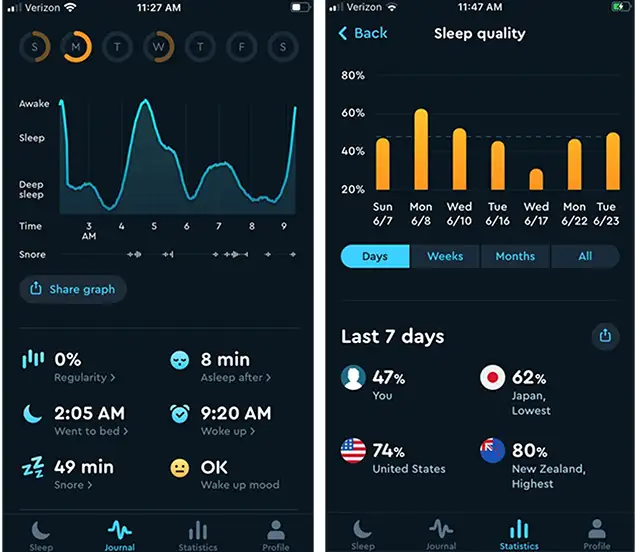
Monitoring your overnight recovery requires a sophisticated look at sleep staging and blood oxygenation levels.
Your sleep is not a singular block of unconsciousness; instead, it consists of repeating 90-minute structural cycles.
These cycles transition through Light Sleep, Deep Sleep, and Rapid Eye Movement (REM) phases.
The National Sleep Foundation emphasizes that Deep Sleep is crucial for cellular repair and hormone regulation.
REM sleep is equally vital, serving as the primary phase for emotional processing and memory consolidation.
The Herz P1 App utilizes a multi-wavelength PPG sensor system to map these changes throughout the night.
The optical array shines a combination of red, infrared, and green light directly into the capillaries of your finger.
As your blood volume changes with every heartbeat, the sensor detects the variable light reflection with extreme accuracy.
Red and infrared light absorption variances are specifically used to measure your blood oxygen saturation (SpO2) levels.
A dip in your overnight SpO2 baseline can indicate minor breathing disturbances or poor sleeping environments.
If you have read the ultrahuman ring app guide, you know that optical alignment is the single most critical factor in sleep data accuracy.
The application processes these inputs to give you a nightly sleep score from 0 to 100.
This score makes it incredibly simple to identify whether your sleep environment actually supports physical restoration.
Mastering the Dashboard: Turning Raw Data into Healthy Habits
Once your sensor data begins syncing, the main dashboard becomes your daily wellness command center.
At the top of the interface, you will see three primary indicators: Sleep, Recovery, and Activity.
The Sleep indicator displays your total sleep duration alongside a breakdown of sleep latency and efficiency.
Your Recovery score is calculated during the early morning hours, combining your resting heart rate and overnight HRV trends.
The Activity module tracks your daily step counts, estimated caloric burn, and active movement minutes.
To use this information effectively, you should look at weekly patterns rather than stressing over single-day metrics.
For example, if your Recovery score drops below 60%, consider reducing your workout intensity for that day.
If your sleep latency is high, meaning it takes you too long to fall asleep, try adjusting your evening wind-down routine.
The ring’s medical-grade steel construction is incredibly lightweight, making it comfortable for 24/7 all-day wear.
You can wear it to bed, during high-intensity training, or at the office without experiencing any wrist fatigue.
Over time, the app’s machine-learning algorithm adapts to your specific baseline, delivering highly personalized recommendations.
Avoiding Common Sizing Pitfalls and the Burden of Smartwatch Fatigue
Many consumers experience physical fatigue from wearing bulky, screen-heavy smartwatches to bed every night.
These large wrist-worn devices can disrupt natural sleep movements and require daily battery recharging sessions.
Switching to a smart ring eliminates this physical burden while offering a highly discreet design profile.
However, migrating to a ring-based format requires finding the perfect physical fit on your finger.
Unlike smartwatches with adjustable straps, a smart ring must fit snugly around your finger base without being too tight.
If the ring is too loose, it will rotate, misaligning the optical sensors and causing gaps in your sleep charts.
We highly recommend utilizing our physical sizing kit before finalizing your custom hardware size.
Wear the sizing ring for at least twenty-four hours, as your fingers naturally expand and contract with temperature changes.
Another major frustration with modern wearables is the hidden cost of mandatory monthly software subscriptions.
Many premium competitors lock your historical metrics behind paywalls, forcing you to pay ongoing fees to access your data.
The QRing companion app is entirely free for a lifetime, ensuring you always own your physiological records.
There are no hidden renewals, no tier-based feature blocks, and absolutely no surprise charges down the road.
Frequently Asked Questions About the Herz P1 Application and Setup
Is the Herz P1 Smart Ring waterproof?
Yes, the Herz P1 features a robust IP68 waterproof rating, ensuring it is fully sealed against dust and water ingress.
You can wear the ring while washing your hands, taking a hot shower, or swimming in a pool.
It is designed to withstand continuous immersion in water up to 164 feet, or 50 meters, without damaging the internal sensors.
However, we recommend avoiding exposure to harsh chemicals or extreme high-pressure hot tubs to protect the exterior finish.
How long does the ring’s battery last on a single charge?
The ring delivers up to 6 days of continuous biometric monitoring on a single charge cycle.
This extended battery life is achieved through efficient power management and low-energy Bluetooth protocols.
When the battery runs low, simply place the ring on the magnetic charging cradle for under 1 hour to reach a full 100% charge.
This quick charging speed makes it incredibly easy to maintain a continuous, uninterrupted stream of physiological data.
Which finger is best to wear the Herz P1 on?
For the highest level of optical sensor accuracy, we recommend wearing the ring on your index finger.
The index finger has a highly concentrated network of blood vessels near the skin surface, yielding excellent PPG signal quality.
If you prefer a different look, the middle or ring fingers are also highly effective secondary options.
Avoid wearing the ring on your thumb or pinky, as these fingers can produce less reliable vascular readings.
Does the ring store my biometric data offline if my phone is disconnected?
Yes, the Herz P1 features an onboard memory chip that can store up to 7 days of raw tracking data offline.
If you go for a run without your smartphone or experience a temporary Bluetooth disconnect, your data is completely safe.
Once your smartphone comes back within range, the ring automatically syncs the stored data back to the application dashboard.
This offline storage capability ensures you never suffer from frustrating tracking gaps or lost records.
Can I share my physiological reports with family or coaches?
Yes, the application includes a built-in export feature that allows you to share your health insights effortlessly.
You can generate clean PDF or CSV reports directly from the historical trends section of the dashboard.
These reports can be shared via email, messaging apps, or directly with your personal wellness consultant.
This feature makes it simple to collaborate with others on your long-term cardiovascular and recovery goals.
Conclusion: Empowering Your Daily Routine with Accurate Insights
Tracking your biological signals should be straightforward, stress-free, and affordable over the lifetime of your wearable hardware.
The Herz P1 Smart Ring and its free companion dashboard make physiological awareness accessible to everyone.
Ready to monitor your health every day? Explore the Herz P1 Smart Ring and see if it fits your lifestyle. Call: 1-866-479-1629 — our team can help you advise on the correct ring size and set personalized health goals.
Note: Individual results may vary depending on individual health conditions, age, and lifestyle habits. This article is intended for general health reference purposes only.
