

Built to Last. Save Up to 69% Today.
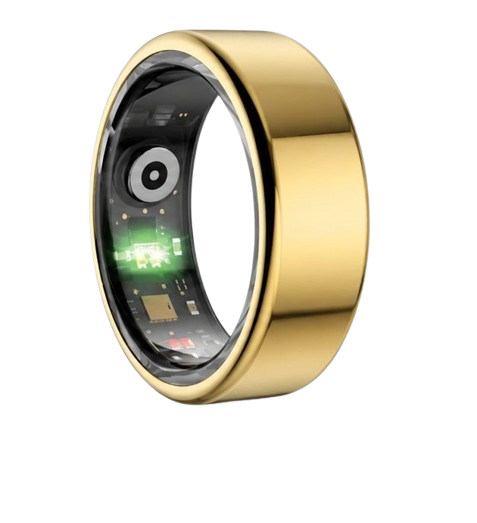
The Herz P1 Smart Ring tracks HRV, Sleep, Heart Rate & SpO2 around the clock. No subscriptions. No renewals. Ever.
In This Article
- Discover the direct, foolproof steps to update your smart ring without data loss.
- Learn the hardware and software science behind why firmware updates optimize optical sensors.
- Resolve common Bluetooth and battery update errors with expert troubleshooting methods.
- Understand how to maximize your health metrics using updated tracking algorithms.
How to Update Smart Ring Firmware: A Complete Step-by-Step Tutorial
Before you begin the installation process, you must ensure your device meets several basic conditions.
A failed installation can occasionally disrupt the calibration of your biometric sensors.
First, verify that your ring has at least fifty percent battery charge remaining.
Second, ensure your smartphone has an active internet connection and Bluetooth enabled.
Finally, place both devices close together on a flat surface to maintain a strong wireless signal.
-
Step 1: Check and Maximize Battery Levels
Low power levels are the most common cause of update failures in wearable health trackers.
We recommend placing your smart ring onto its dedicated magnetic charging cradle before proceeding.
Most companion apps will block the installation if the ring battery is below thirty percent.
Your smartphone should also have at least fifty percent battery power or be connected to a wall charger.
This prevents the phone from entering an automatic power-saving mode mid-transfer.
A sudden shutdown during a wireless transfer can cause data corruption in the internal flash memory.
Keep the ring on the charger throughout the entire process to guarantee uninterrupted power.
This simple precaution eliminates one of the biggest risks of hardware synchronization errors.
Taking these steps protects your continuous tracking data from being accidentally erased.
Once both devices are fully powered, you are ready to prepare the software environment.
Never attempt to force an installation when your devices are running on critical battery levels.
Maintaining optimal power ensures a smooth and steady wireless handshake between the hardware components.
-
Step 2: Optimize the Wireless Connection
Establishing a stable wireless environment is critical for transferring large files to small devices.
Open your smartphone settings and verify that Bluetooth is turned completely on.
You should also ensure that location services are enabled, as many smart health ring apps require this permission to scan for local Bluetooth devices.
Move away from other active wireless devices like smart TVs, wireless routers, or microwave ovens.
These household appliances can emit radio frequency interference that disrupts the transfer protocol.
Temporarily disconnect any other Bluetooth accessories, such as wireless earbuds or smartwatches, from your phone.
This frees up the wireless band and allows your phone to focus its bandwidth entirely on the ring.
Keep the ring and your smartphone within twelve inches of each other during the entire procedure.
Reducing the physical distance minimizes the chance of data packet loss during the transfer.
A clear, unobstructed path between the devices ensures a much faster and safer installation.
Preparing your environment in this manner prevents most common communication errors before they occur.
Now you are ready to launch the application and check for available updates.
-
Step 3: Access the Companion App and Check for Updates
To initiate the search for new files, you must open the dedicated mobile application on your smartphone.
Whether you are looking for the best smart ring for iphone or utilizing a smart ring android model, the process remains highly similar.
Launch the companion app and allow it a few moments to sync your historical data.
Navigate to the settings menu, which is usually represented by a gear icon or a device management tab.
Look for a section labeled device info, firmware version, or check for updates.
The app will query the secure cloud servers to see if a newer software version is available for your serial number.
If an update is available, you will see a notification banner prompting you to install the new version.
Take a moment to read the release notes to understand what new biometric algorithms are being introduced.
These notes often describe improvements to sleep tracking accuracy, battery life, or heart rate monitoring.
Understanding these changes helps you appreciate how your device is evolving to serve your health goals.
If no update is visible, your device is already running the most advanced software available.
When you see the update prompt, tap the download button to start pulling the file to your phone.
-
Step 4: Execute the Firmware Installation
After downloading the update file to your phone, you can begin the wireless installation.
Tap the install button inside your application to initiate the Over-The-Air wireless transfer.
A progress bar will appear on your smartphone screen to show the percentage of data transferred.
It is absolutely critical that you do not close the application or restart your phone during this phase.
Do not answer phone calls or switch to other social media applications while the transfer is active.
Allowing the app to run in the background can cause your phone operating system to pause the transfer.
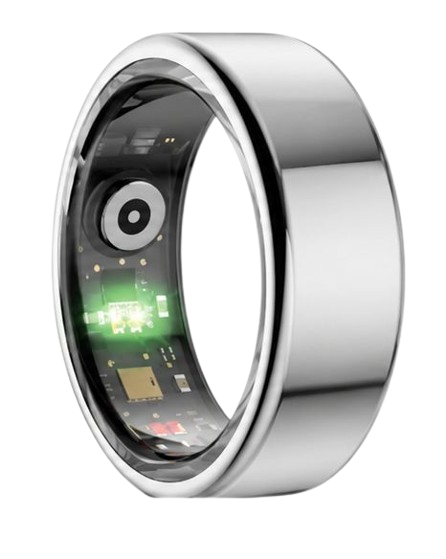
You may notice the LED lights on the underside of your ring flashing or turning off entirely.
This is a normal part of the reboot cycle as the microchip flashes its internal memory.
The transfer typically takes between two and ten minutes depending on your connection speed.
Patience during this step is highly rewarded with a successfully upgraded wearable device.
Once the progress bar reaches one hundred percent, wait for the app to display a success message.
The ring will automatically restart and establish a fresh connection with your smartphone application.
-
Step 5: Verify the Update and Calibrate
The final step is to verify that the installation completed correctly and calibrate your sensors.
Go back to the settings menu inside your companion application to check the active firmware number.
Confirm that the displayed version matches the new number listed in the release notes.
We recommend performing a manual sync of your health data to ensure the connection is fully stable.
Slide the ring onto your preferred finger to allow the optical sensors to establish a fresh baseline.
Your upgraded device may require a few hours of wear to calibrate its new algorithms to your unique physiology.
You can check the live heart rate monitor on your screen to verify that the PPG sensors are active.
This quick check ensures that the updated software is communicating perfectly with the physical hardware.
If the application displays your real-time heart rate, your device is fully calibrated and ready.
You can now enjoy improved accuracy, better power management, and enhanced feature sets.
Regularly completing this verification step keeps your health tracking data highly reliable over time.
Congratulations on successfully upgrading your digital health companion to its ultimate performance level.
Our team designed the Herz P1 app to make this entire update process incredibly simple and completely foolproof.
By optimizing our wireless transfer protocols, we have reduced update times to under three minutes.
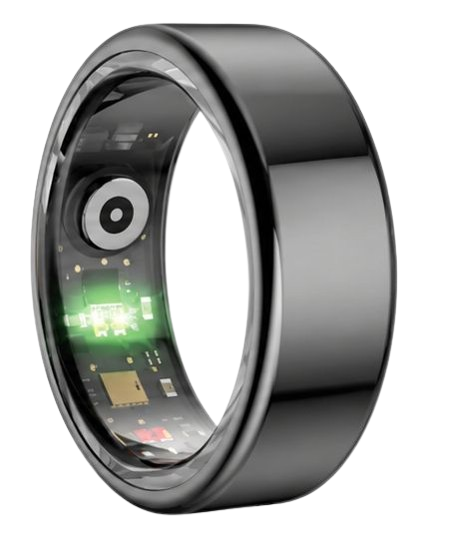
Our military-grade steel ring is backed by a two-year warranty, ensuring your hardware is always supported.
We believe that maintaining your health tracker should be as seamless as wearing it every day.
90-Day 100% Money-Back Guarantee
“The Herz Smart Ring helps me manage stress easily. It’s accurate, stylish, and lightweight—perfect for my busy life!”
— Jennifer P. | ✔ Verified Customer
- ✓ 6-Day Battery Life
- ✓ Detailed Sleep Analysis
- ✓ Fast 1-Hour Charging
- ✓ iOS & Android Ready
Questions? Call: 1-866-479-1629
The Hardware Science: How Updates Optimize PPG Sensors and Sleep Metrics

To appreciate the value of learning how to update ring firmware, you must understand the technology inside your device.
Smart rings utilize photoplethysmography, which emits light into your skin to monitor cardiovascular changes.
The light wavelengths are reflected back to a highly sensitive optical receiver located at the base of your finger.
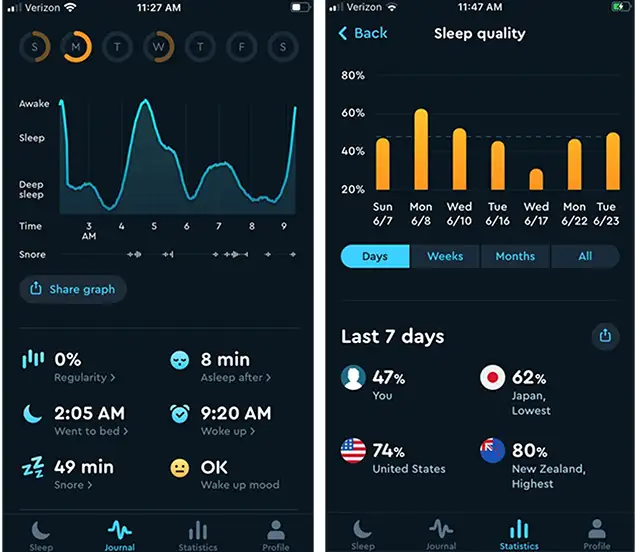
Your device uses these raw light signals to calculate your Heart Rate Variability, blood oxygen saturation, and sleep cycles.
A firmware update acts as a brain transplant for these tiny microcontrollers.
These updates contain refined mathematical algorithms that filter out movement noise and environmental interference.
By updating your device, you are directly improving the precision of your sleep architecture tracking.
According to studies from the National Sleep Foundation, accurate tracking of REM and Deep Sleep is essential for evaluating cognitive recovery.
A software update can optimize how the green and infrared LEDs pulse against your blood vessels.
This optimization allows the device to capture cleaner signals even if the ring rotates slightly during the night.
It also reduces the power consumed by the optical sensor array, extending your overall battery life.
Our team utilizes these scientific principles to continuously refine how the Herz P1 tracks your daily vital signs.
We are committed to delivering medical-grade accuracy without requiring a monthly subscription fee.
By keeping your firmware updated, you ensure you are always getting the most accurate biometric analysis possible.
Your heart and brain deserve the most precise monitoring that modern wearable technology can provide.
Troubleshooting ‘Smart Ring Not Updating’: Resolving Bluetooth and Battery Handshake Failures
It can be incredibly frustrating when you encounter a smart ring not updating error during the installation process.
Most of these failures are caused by a temporary breakdown in communication between your phone and the ring.
If your transfer freezes midway, the first step is to perform a hard reset of your phone’s Bluetooth cache.
Navigate to your smartphone settings, toggle Bluetooth off, wait ten seconds, and toggle it back on.
This simple action forces your phone to clear its temporary connection memory and establish a clean connection.
Another common issue is interference from nearby wireless networks that disrupt the signal.
We recommend moving to a quiet room away from routers and other smart appliances to complete the process.
If you are using a competitive device, you might want to consult an ultrahuman ring app guide to see if there are specific proprietary reset procedures.
For Herz P1 users, our support team has created a dedicated troubleshooting matrix to help you resolve any issues instantly.
Below is a helpful table detailing the most common update errors and their immediate solutions.
| Error Code / Symptom | Likely Cause | Corrective Action |
|---|---|---|
| Update Frozen at 99% | Bluetooth connection timeout or phone system background restriction. | Keep app open in foreground. Toggle Bluetooth off and on, then restart update. |
| Device Not Found (Error 404) | Ring is in deep sleep mode or battery is too low. | Place ring on the charger to wake the Bluetooth transmitter. |
| Verification Failed | Corrupted data packet during wireless transfer. | Delete downloaded file in app settings, restart phone, and download again. |
By identifying the specific symptom, you can quickly apply the correct solution without losing your historical data.
Our hardware is engineered with dual-channel memory to prevent permanent device failure during an interrupted update.
This means your Herz P1 will safely revert to its previous software version if the connection is suddenly lost.
This safety feature protects your investment and ensures your tracker remains fully functional at all times.
Keeping your device running smoothly should never be a source of stress or anxiety.
Maximizing Your Daily Health Insights After a Firmware Success
Once your smart ring firmware update is complete, you can begin utilizing the upgraded features immediately.
Open your companion app to explore any new metrics or improved visualization screens.
We recommend paying close attention to your Heart Rate Variability trends over the next seven days.
Your upgraded software will provide a much cleaner HRV score by filtering out minor physical movements.
The American Heart Association notes that tracking HRV trends is an excellent way to evaluate your nervous system’s response to daily stress.
Use this data to schedule your exercise intensity and plan your recovery periods more effectively.
If your HRV score is exceptionally low, consider focusing on light recovery activities like walking or meditation.
If your score is high, your body is fully prepared for a high-intensity workout session.
You can also use the refined sleep staging algorithm to identify what factors are disrupting your deep rest.
Try adjusting your bedroom temperature or avoiding screens for one hour before sleep.
The ring will accurately capture how these lifestyle modifications improve your nightly recovery scores.
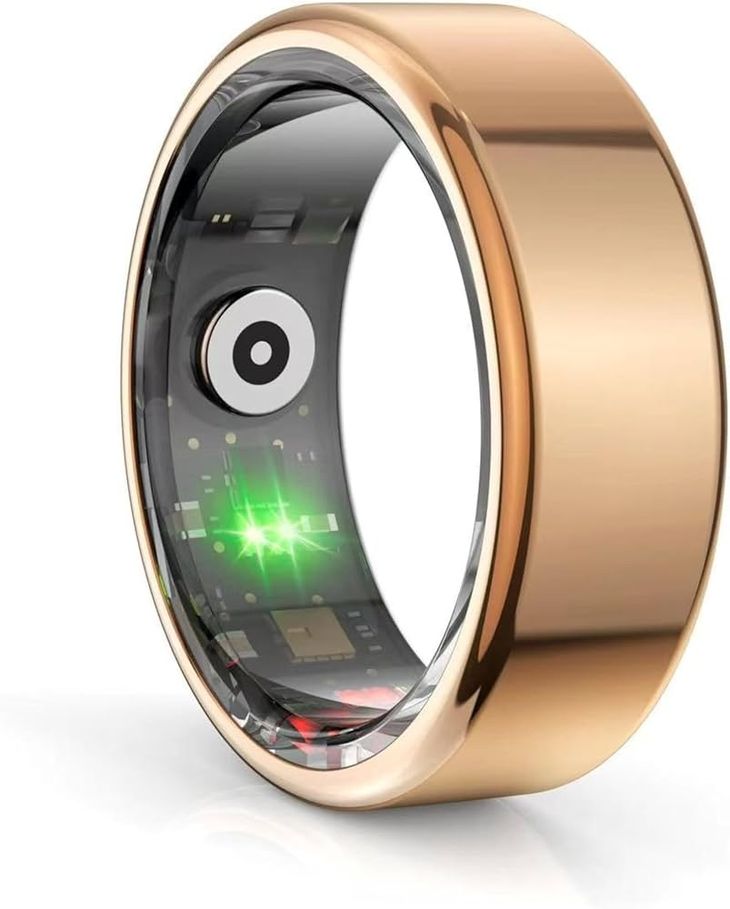
Our lightweight, military-grade steel ring is designed for comfortable twenty-four-seven wear.
You will barely feel it on your finger as it quietly decodes your body’s vital signals.
This continuous data flow empowers you to make informed decisions that elevate your quality of life every single day.
Avoiding Hidden Costs and Navigating Smart Ring Usability Pitfalls
Many first-time buyers make the mistake of wearing a bulky smartwatch to bed to track their sleep.
These large devices are often highly uncomfortable and can disrupt your natural sleep patterns.
A sleek smart ring offers a much more comfortable alternative for capturing overnight biometrics.
However, you should avoid the mistake of choosing a device that traps you in an expensive subscription model.
Many premium brands charge high ongoing monthly fees just to access your own personal health data.
Over three years, these hidden subscription costs can easily exceed two hundred dollars.
We believe that your health data belongs entirely to you and should never be locked behind a paywall.
The herz p1 app is completely free for a lifetime and contains zero subscription fees.
This transparent pricing model ensures you get premium health insights without any ongoing financial burden.
Another common pitfall is ignoring how a device works before making a purchase.
We encourage you to read our guide on how does a smart ring work to understand the underlying science.
Understanding the technology helps you avoid common usage mistakes and maximize your tracking accuracy.
Investing in a high-quality, subscription-free device is the smartest way to support your long-term wellness goals.
Frequently Asked Questions About Smart Ring Maintenance
Is the Herz P1 waterproof?
Yes, the Herz P1 is fully IP68 waterproof up to one hundred and sixty-four feet.
This military-grade steel device can be worn safely while swimming, showering, or washing your hands.
The hermetically sealed chassis protects the delicate optical sensors from any moisture penetration.
You do not need to remove the ring when entering a pool, hot tub, or sauna environment.
This continuous water resistance ensures your daily activity tracking remains completely uninterrupted.
How long does the battery last?
The Herz P1 battery lasts up to six days on a single charge under standard usage conditions.
The device utilizes low-energy Bluetooth protocols to transfer data efficiently without draining power.
When the battery runs low, you can recharge it to one hundred percent in under one hour.
A convenient charging dock is included with your purchase to make power management incredibly easy.
This long battery life eliminates the daily charging anxiety associated with traditional smartwatches.
Which finger is best to wear a smart ring on?
For the highest biometric accuracy, we recommend wearing the ring on your index finger.
This finger typically has the strongest blood flow, allowing the optical sensors to capture clean signals.
The middle finger and ring finger of your non-dominant hand are also excellent alternative options.
Ensure the optical sensor bumps are positioned on the palm side of your hand for optimal skin contact.
Using our complimentary sizing kit will help you find the most comfortable and secure fit.
Does the Herz P1 store data offline?
Yes, the Herz P1 features seven days of local storage to protect your biometric data.
If you are away from your phone or choose to sleep with Bluetooth turned off, the ring continues tracking.
The next time you open the companion application, your saved data will synchronize automatically.
This safety feature ensures you never lose valuable sleep or heart rate insights during travel.
Your health history is always protected and safely stored directly inside the ring’s internal memory.
Conclusion
Regular firmware updates ensure your smart ring delivers premium accuracy and reliable daily health insights.
The Herz P1 is your trusted subscription-free health companion.
Ready to monitor your health? Explore the Herz P1 Smart Ring and see if it fits your lifestyle. Call: **1-866-479-1629** — our team can advise on sizing.
